
Apple Device Data Recovery | Recovery Types | JiWang Data Recovery

All Storage Devices Data Recovery

Hard Drive Data Recovery

Server Data Recovery

Removable Storage Data Recovery

Solid-State Drive (SSD) Data Recovery

Flash Memory Data Recovery

Apple Device Data Recovery

Computer Data Recovery
Apple/Mac Data Recovery Services
If your Apple or Mac device stops working or you cannot access your data, stop using it immediately regardless of the cause.
Continuing to use a damaged or malfunctioning device can complicate the data recovery process or result in permanent data loss.
To minimize these risks, stop using the device, disconnect it from power, and contact us as soon as possible.

Common macOS Data Loss Scenarios
Water Damage
Fire and Physical Damage
Accidental File Deletion
Human Error
File System Corruption
Accidental Formatting
Physical Damage
Improper drive ejection
We recover data from physically damaged storage devices in a cleanroom environment equipped with on-site parts inventory and modern recovery tools. This helps minimize the risk of further damage from dust or contaminants.
Apple Device Data Recovery Services
What to do when your Apple device fails
Whether your Apple Mac has suffered physical or logical damage, the recommended steps are the same. If your Apple iOS device fails, power it down immediately to prevent further damage.
We strongly advise against using online data recovery tools or installing data recovery software. These solutions can severely damage your device and cause permanent data loss. To safely recover your data, power down the device and contact JiWang Data Recovery.

Data Recovery Process
Our data recovery workflow is designed to be:Secure, transparent, and stress-free. We provide regular updates throughout the process so you stay informed. We focus on clear communication, with no hidden surprises and strict adherence to all agreed terms and conditions.
If your storage device shows signs of failure, contact our team immediately. Call 4006-759388 or chat online. We will assess your situation and provide an initial consultation to determine the best data recovery solution.

Upon receiving your storage device, our team will notify you and immediately begin a comprehensive technical evaluation. This risk-free assessment helps us determine the extent of data loss, identify the root cause, and develop an effective recovery plan. We will also provide an estimated turnaround time during this stage.

After the evaluation, JiWang Data Recovery will provide a detailed report outlining the failure, recovery options, and service timeline. You can then decide whether to proceed. If you choose not to recover your data, we will securely return your device at no charge.

With your approval, our team will begin the data recovery process using specialized tools and techniques. Upon successful recovery, we will arrange remote verification so you can review the recovered files via a secure cloud link or on a new external drive. After you confirm receipt, we securely erase all data from our servers.


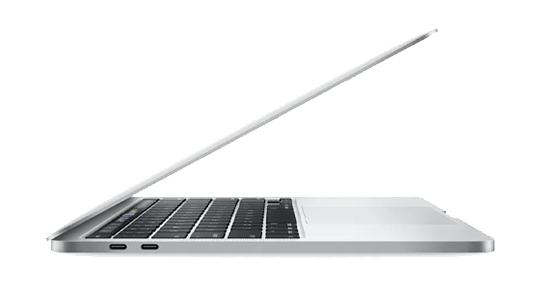
MacBook Pro Data Recovery
Apple/Mac devices may freeze or crash during normal operation or when accessing specific applications. This can indicate SSD or HDD failure, particularly in older models.

iMac Data Recovery
Unusual clicking sounds in older MacBook models with HDDs indicate mechanical failure. Newer models with SSDs typically do not make such noises as they have no moving parts.

Mac Mini Data Recovery
Missing or inaccessible files and folders may result from file system corruption, often related to storage media failure. This issue can occur in MacBooks with HDDs or SSDs when the drive begins to fail.

Fusion Drive Data Recovery
Slow file access or errors when opening files may indicate issues with drive sectors or cells in an SSD. This is particularly common in frequently used MacBooks with older drives.

MacBook Air Data Recovery
Unresolvable errors in Disk Utility during partitioning, formatting, or repair may indicate drive failure. This tool is essential for diagnosing drive health in macOS and can provide early warnings of potential issues.

Time Machine Data Recovery
Failure to boot, a flashing folder with a question mark, or frequent startup in Recovery Mode indicates issues with the drive's ability to load or access macOS.
