
Z460 Data Recovery: Why Original Media Protection Matters More Than Immediate Scanning
Published 2026-09-24 | JiWang Data Recovery Technical Team
The Critical First Step: Assess Before Acting
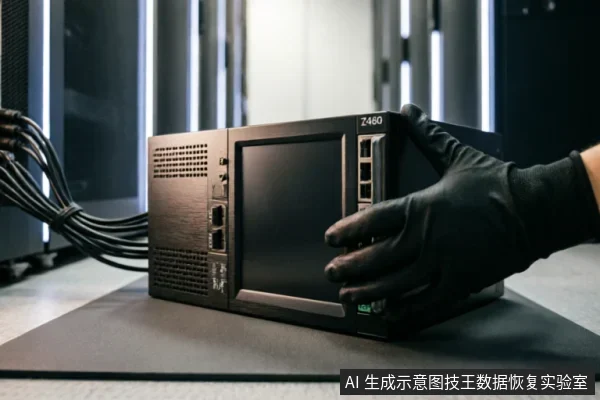
When a Z460 device fails, the immediate instinct is often to scan for lost files. However, this approach carries significant risks if the underlying data integrity is not yet verified. The critical first step in any recovery scenario is to assess the situation before taking action. This phase focuses on protecting the original medium rather than attempting immediate data extraction. Before any scanning tools are deployed, it is essential to verify the current state of the device and its contents. Technicians must check the equipment identification status to ensure the correct drive is being handled. It is also crucial to review any existing backups that may already contain the necessary information. Furthermore, all prior operations performed on the device should be documented and analyzed. These steps help establish a baseline understanding of what has already been attempted and what remains intact. A key principle during this assessment is to avoid actions that could compromise the original data. Formatting or initializing the drive will erase file system structures, making recovery significantly more difficult or impossible. Similarly, writing recovered results back to the original medium can overwrite valuable data fragments. Therefore, the focus must remain on preserving the current state of the storage device. By carefully evaluating the recognition status, backup availability, and previous interventions, professionals can determine the safest path forward. This cautious approach ensures that no further damage occurs while the true extent of data loss is understood. Only after this thorough assessment should specific recovery strategies be considered, ensuring that every subsequent action is informed by a clear picture of the media's condition.
Recognizing Hardware Failure Signs
- Abnormal Mechanical Sounds: If you hear clicking, grinding, or sharp unusual noises, it indicates that internal components may have suffered physical displacement. In this case, power off the device immediately and strictly prohibit any further attempts to start the device, as doing so may exacerbate the damage.
- Intermittent Disconnection: If the device frequently disconnects and reconnects in the system, it usually means unstable connectivity or impaired core functionality. Stop any read/write operations to avoid triggering unnecessary background scanning mechanisms.
- Abnormal Recognized Capacity: When the available space displayed by the system differs significantly from the nominal value, it serves as a warning signal at the logical or hardware level. Do not attempt formatting or repair, as this may lead to data overwriting.
- Complete Non-Recognition: If the device disappears entirely, first check whether the external cables, interfaces, and power supply modules are functioning normally. After confirming the link is correct, evaluate whether professional testing in a read-only environment is required.
In these scenarios, the priority is strictly preserving the original state of the media. Every attempt to force recognition or run diagnostic tools can alter the underlying data structure irreversibly. For instance, repeated power cycles in the presence of mechanical faults can cause further degradation of critical components. Similarly, logical errors indicated by capacity discrepancies require a halt to all user-initiated operations. The safest course of action involves isolating the device from active systems. Only after verifying external connectivity should one consider professional intervention. This approach ensures that no additional stress is placed on the failing hardware. Data recovery specialists utilize controlled environments to assess the situation without risking further loss. By adhering to these principles, users maximize the potential for successful retrieval while minimizing the risk of permanent data destruction. Immediate scanning or repair attempts are counterproductive and should be avoided entirely until a professional evaluation confirms the device's stability.
Limits of Remote Software Solutions
When a storage device exhibits severe instability, the immediate instinct to deploy remote software solutions often proves counterproductive. It is crucial to understand that remote data recovery technology is strictly limited to extracting logical layer data accessible by the operating system. This approach cannot resolve hardware-level identification failures or physical connectivity issues. If the drive is not properly recognized by the host system, no amount of software intervention can bridge that gap. Attempting to force communication through remote tools may exacerbate existing faults, leading to further data loss rather than recovery.
- Logical vs. Physical Boundaries: Remote tools operate within the file system structure. They lack the capability to diagnose or repair broken circuits, damaged connectors, or failed controller components. These are physical realities that software cannot influence.
- Risk of Escalation: Forcing a malfunctioning drive to respond to remote commands can trigger unintended write operations or power fluctuations. This increases the risk of permanent data corruption, especially if the underlying media is already compromised.
- Identification Failures: If the operating system fails to enumerate the device, remote access is impossible. In such cases, the issue lies in the hardware handshake, not the data allocation tables. Software cannot fix a missing hardware signature.
Therefore, relying solely on remote software for devices with recognition errors is ineffective. The limitation is inherent to the technology: it addresses logical access, not physical integrity. When hardware identification fails, the focus must shift from digital extraction to physical stabilization and professional assessment. Continuing to apply remote solutions in this context wastes critical time and increases the likelihood of irreversible damage. The boundary between logical recovery and physical repair is distinct;crossing it without proper hardware support leads to failure.
Physical Damage and Professional Handling
| Physical Damage and Professional Handling |
|---|
| Understanding the Risk of Physical CompromiseWhen a storage device exhibits signs of physical damage, the integrity of the internal components is immediately compromised. Unlike logical errors that can often be addressed through software interventions, physical issues introduce variables that are unpredictable and highly sensitive to environmental conditions. The primary concern in these scenarios is not just data retrieval, but the preservation of the original medium. Any attempt to manipulate a physically damaged drive without proper safeguards can exacerbate the issue, leading to irreversible loss of information. Therefore, the focus must shift from immediate scanning to strict protection of the source material.The Necessity of Specialized EnvironmentsFor devices with potential physical damage, standard repair methods are insufficient and potentially dangerous. Dust, static electricity, and improper handling techniques can cause further degradation to the delicate internal structures. Consequently, it is imperative that such devices are not handled by ordinary users who lack the necessary tools and expertise. Instead, they should be entrusted to professional agencies equipped with cleanroom environments. These facilities provide controlled conditions that minimize external contaminants and ensure that the device remains stable during the recovery process. This approach prioritizes safety and prevents secondary damage that could render data unrecoverable.Why Self-Intervention Is ProhibitedAttempting to open or repair a physically damaged drive at home is strongly discouraged. Without access to specialized equipment and sterile conditions, any intervention risks introducing new points of failure. The complexity of modern storage media requires precision that cannot be achieved outside of a professional setting. By adhering to this protocol, users ensure that their data remains as intact as possible until it can be safely extracted by experts. |
Decision Matrix: When to Stop and Seek Help
Do not open or disassemble the drive;keep the original media protected and seek professional assessment.
Frequently Asked Questions
What immediate steps should be taken before attempting any recovery actions on the original media?
Verify device identification status, existing backups, and previous operations. Avoid formatting, initializing, or writing recovered data back to the original medium until data safety is confirmed.
How should one respond if a storage device exhibits abnormal mechanical noises, frequent disconnections, or capacity recognition errors?
Stop repeated power cycling and long-term scanning immediately. If the device is completely unrecognizable, first check the external connection chain before deciding whether to proceed with read-only assessment.
Can remote data recovery techniques resolve hardware-level recognition failures?
No. Remote data recovery technology is only applicable for logical layer data extraction when the operating system can access the drive;it cannot solve hardware-level recognition faults.
What is the recommended course of action for devices with potential physical damage risks?
Do not open or disassemble the drive;keep the original media protected and seek professional assessment.