
Seagate 7e10 Warranty Mismatch: Safe Software Recovery vs. Physical Stop Conditions
Published 2026-09-20 | JiWang Data Recovery Technical Team
Direct Answer: Warranty Discrepancy vs. Physical Health
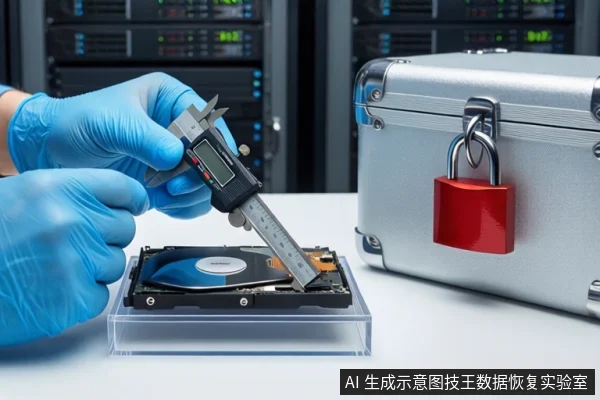
A warranty time discrepancy on a Seagate 7e10 does not automatically indicate physical failure, but it signals potential non-standard history. You may attempt software recovery only if the drive is stable, silent, and SMART healthy. If the drive clicks, grinds, or fails to spin, stop immediately and seek professional cleanroom services, as software scans can cause irreversible platter damage.
The Seagate 7e10 is an enterprise-grade SAS interface product. Warranty discrepancies can stem from SN errors, firmware changes, or OEM channel differences. These are information-level issues, not necessarily mechanical failures. However, they suggest the drive may have undergone non-standard handling or lacks complete maintenance records. This makes the drive a higher-risk asset for data recovery.
When Software Recovery is Safe: Conditions for Logical Errors
Software recovery is appropriate only for logical errors where the physical media is intact. Before proceeding, verify the following conditions:
- Recognition: The drive is consistently recognized in BIOS and OS without disconnection.
- Acoustics: The drive spins up smoothly with no rhythmic clicking, grinding, or high-frequency whining.
- SMART Health: No critical alerts for reallocated sectors (05) or pending sectors (C5).
- History: No recent physical shock, drop, or liquid exposure.
If these conditions are met, you may attempt a read-only scan. Ensure the target recovery destination is a separate, healthy storage device. Do not write any new data to the source drive. Do not run Chkdsk or format the drive, as these operations modify the file system structure and can overwrite recoverable data.
When to Stop: Physical Failure Indicators
Stop all software attempts and disconnect power immediately if you observe any of the following:
- Audible Rhythmic Clicking: Indicates head assembly failure or motor bearing wear.
- Grinding or Whining: Suggests platter scratching or severe mechanical stress.
- Intermittent Disconnection: The drive drops from the OS repeatedly, indicating unstable electronics or firmware.
- SMART Critical Alerts: High counts of reallocated or pending sectors indicate media degradation.
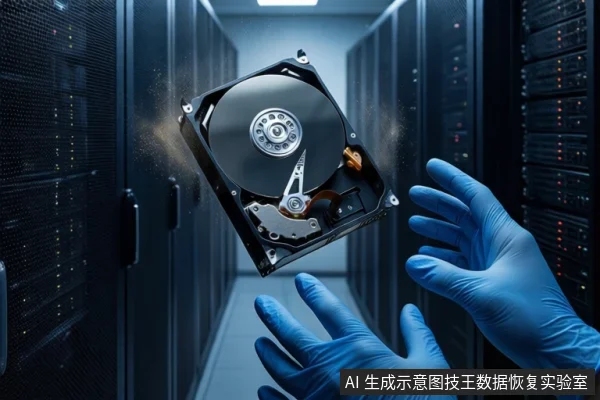
In these states, software scans force the read heads to seek repeatedly on unstable platters. This can cause head crashes, permanently destroying data that might otherwise be recoverable in a cleanroom environment. Professional services use read-only hardware imagers and matched head components to extract data safely.
The Risk of Writing Operations on Unstable Media
Writing operations are the primary cause of unrecoverable data loss in logical failure scenarios. When you format a drive or save new files, the operating system modifies file system indexes and may overwrite sectors marked as free but still containing original data. For enterprise drives like the Seagate 7e10, even small writes can trigger cluster reallocation that affects adjacent sectors. Additionally, repeated power cycles and read attempts accelerate mechanical wear. The safest action is to isolate the drive and treat it as a read-only object until a professional assessment is completed.
Frequently Asked Questions
Does a wrong warranty date mean my Seagate 7e10 is broken?
No. A warranty date mismatch is a risk signal, not a definitive fault diagnosis. It often results from serial number errors, firmware changes, or OEM channel differences. While it indicates the drive may have a non-standard history, it does not confirm physical damage. You must assess the drive's physical health (noise, SMART status) to determine if it is broken.
Can I try to fix the warranty status with software before recovering data?
No. Do not attempt to reset warranty status or modify firmware before recovering data. These operations involve writing to the drive, which can overwrite recoverable data and accelerate physical degradation. Prioritize data extraction using read-only methods. Warranty issues are secondary to data preservation.
What is the difference between backup and recovery in this context?
Backup is a preventive measure taken when the drive is healthy, copying data to another medium. Recovery is a remedial measure taken after data loss or failure, involving complex extraction from damaged media. Backup is low-risk and low-cost; recovery is high-risk and high-cost. If you have not backed up, you must enter the recovery process, where the stability of the physical media is the critical factor.