
Lenovo Y560P Storage Failure: Why Media Preservation Beats Immediate Scanning
Published 2026-09-26 | JiWang Data Recovery Technical Team
Immediate Actions Before Any Scanning
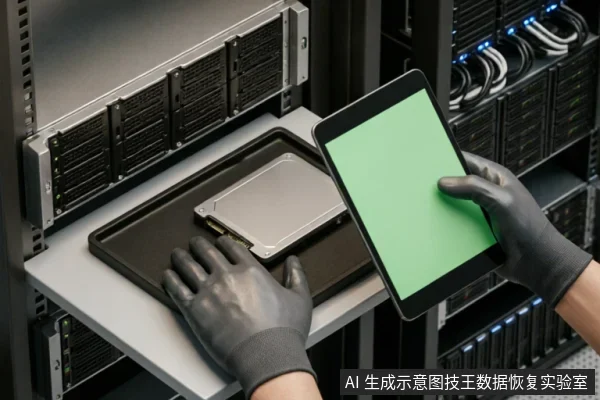
Before initiating any scanning procedures, the primary objective is to stabilize the current state of the storage device. Immediate actions must focus on verification rather than intervention. First, verify device recognition status by checking if the operating system correctly identifies the drive in disk management or BIOS. This confirms basic connectivity without triggering unnecessary I/O operations.
- Check Existing Backups: Determine if recent backups exist on external drives or cloud services. If data is already secured, the urgency for immediate recovery diminishes significantly.
- Review Prior Operations: Assess whether previous attempts at mounting, formatting, or writing have occurred. Any prior write activity increases the risk of overwriting recoverable sectors.
Avoid formatting, initializing, or writing recovery results back to the original media. These actions are destructive and can permanently alter the file structure. Do not run diagnostic tools that scan for errors or attempt to repair file systems, as these may initiate background writes. The goal is to preserve the logical integrity of the original media until professional assessment is complete. By halting all write operations and confirming the device's read-only accessibility, you maintain the highest probability of successful data retrieval. This cautious approach ensures that no new data obscures existing files, keeping the medium in its most recoverable state.
Recognizing Physical Damage Risks
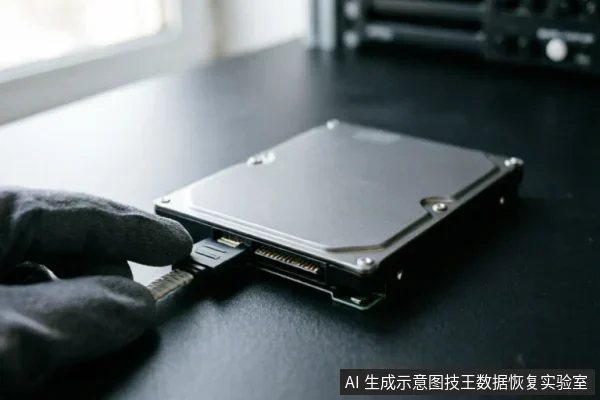
When a storage device exhibits abnormal mechanical sounds, frequent dropouts, or capacity anomalies, stop repeated power-on attempts and long-duration scans. These symptoms often indicate that the internal components are struggling to maintain stable operation under load. Continuing to force the drive into active states can exacerbate instability, potentially leading to further data loss or complete failure of the read/write mechanisms. The priority in such scenarios is not immediate data retrieval but rather the preservation of the current state of the media. By halting aggressive scanning operations, you prevent additional stress on the already compromised hardware. This pause allows for a more controlled assessment of the situation without risking irreversible damage caused by excessive heat or mechanical wear. If completely unrecognizable, verify the external connection chain first before deciding on read-only assessment. Loose cables, faulty ports, or incompatible adapters can sometimes mimic internal failures. A simple check of the physical connections ensures that the issue is not merely a communication error between the drive and the host system. Once the connection integrity is confirmed, shifting to a read-only mode becomes the safest next step. This approach minimizes any write operations that could alter the existing data structure. It provides a stable environment for professionals to evaluate the extent of the problem without introducing new variables. Always prioritize caution over speed when dealing with potential physical damage risks.
The Danger of Aggressive Repair Tools
| Repair Action | Risk Level | Recommended Protocol |
|---|---|---|
| Aggressive Scanning | High | Avoid immediate deep scans on unstable media. |
| Self-Disassembly | Critical | Do not open or disassemble the drive;keep the original media protected and seek professional assessment.instead, entrust them to professional institutions with cleanroom environments. |
| Power Cycling | Moderate | Limit power-on attempts to prevent further degradation. |
Professional Intervention vs DIY Attempts
Professional intervention vs DIY attempts. When a Y560P drive shows signs of failure, the immediate instinct is often to run repair tools. However, this approach carries significant risks for data preservation. DiskGenius's bad sector repair function may destroy data in affected areas and is not intended for data recovery;it should only be used if the goal is to salvage the drive itself, not the files. Using such utilities on a failing drive can overwrite recoverable information before it is secured. The priority must be protecting the original media state. Any active scanning or writing operation alters the disk's condition. This alteration reduces the window for successful extraction by specialists. Professional services operate in controlled environments that prevent further degradation. They use hardware-level methods to image the drive without triggering destructive processes. This imaging process creates a static copy for analysis, leaving the original untouched. DIY attempts often lack these safeguards. Users may inadvertently trigger commands that erase sectors or reorganize file structures. These actions complicate subsequent professional efforts. The distinction between repairing a drive for reuse and recovering data is critical. Confusing these goals leads to irreversible loss. Therefore, halting all user-initiated operations is essential. The focus shifts from fixing the device to preserving its current state. This strategy ensures that specialists have the best possible chance to retrieve information. Immediate action should prioritize isolation over intervention.
Safe Diagnostic Workflow Summary
Safe Diagnostic Workflow Summary
- Pre-Scan Verification: Before initiating any diagnostic scan, confirm that target data on the original media has not been secured. Verify device recognition status and check for existing backups. Avoid formatting, initializing, or writing recovery results back to the original media to prevent irreversible data loss.
- Abnormal Behavior Protocol: If the storage device exhibits abnormal mechanical sounds, frequent dropouts, or capacity anomalies, stop repeated power-on attempts and long-duration scans immediately. These signs indicate potential instability that could worsen with continued access.
- Unrecognizable Device Steps: In cases where the device is completely unrecognizable, verify the external connection chain first. This includes checking cables, ports, and adapters. Only after confirming the connection integrity should you decide on a read-only assessment approach.
- Read-Only Assessment: Once the connection is verified, proceed with a read-only assessment if necessary. This ensures that no further writes occur to the original media, preserving the current state of the data for professional evaluation.
Frequently Asked Questions
What immediate steps should be taken if the target data on the original media has not been confirmed secure?
First, verify the device recognition status, check for existing backups, and review prior operations. Avoid formatting, initializing, or writing recovery results back to the original media.
How should one respond if a storage device shows abnormal mechanical sounds, frequent dropouts, or capacity anomalies?
Stop repeated power-on attempts and long-duration scans immediately. If the device is completely unrecognizable, verify the external connection chain first before deciding on a read-only assessment.
Do not open or disassemble the drive;keep the original media protected and seek professional assessment.
keep the original media protected and seek professional assessment.
When is it appropriate to use DiskGenius's bad sector repair function?
This function may destroy data in affected areas and is not intended for data recovery. It should only be used if the goal is to salvage the drive itself, rather than recovering files.