
Windows Server Hard Drive Not Detected: Why Original Media Protection Precedes Immediate Scanning
Published 2026-09-24 | JiWang Data Recovery Technical Team

Initial Assessment and Safe Handling Protocols
When a Windows server fails to display the drive in This PC, the immediate instinct is often to scan for missing files. However, this approach carries significant risks if the underlying data integrity has not been verified. The primary objective during initial assessment is to protect the original medium rather than attempting immediate recovery operations. Before any scanning tool is launched, it is crucial to verify the device recognition status and check for existing backups. This step ensures that you understand the current state of the system without introducing new variables.
If the target data on the original medium has not been confirmed as safe, performing actions such as formatting, initializing, or writing recovery results back to the source drive can lead to irreversible data loss. These operations overwrite critical sectors, making subsequent recovery attempts futile. Therefore, the protocol emphasizes a cautious approach: avoid any write operations to the affected drive until the data safety is established. By prioritizing the preservation of the original state, administrators can maintain the possibility of successful data retrieval. This methodical process prevents accidental corruption and ensures that every action taken is grounded in a clear understanding of the device's current condition and prior operational history.
Distinguishing Hardware Failures from Logical Errors
When a Windows server fails to display drives in This PC, the immediate instinct is often to scan for logical errors. However, distinguishing between hardware failures and logical corruption is critical before any action is taken. The priority is not data retrieval speed, but media preservation. If the storage device emits abnormal mechanical sounds, experiences repeated disconnections, or reports inconsistent capacity, these are strong indicators of physical degradation rather than simple file system glitches. In such scenarios, continuing to power on the device or running long-duration scans can accelerate failure. Each power-on event carries risk;therefore, stopping repeated power cycles and avoiding extensive scanning is essential to prevent further damage.
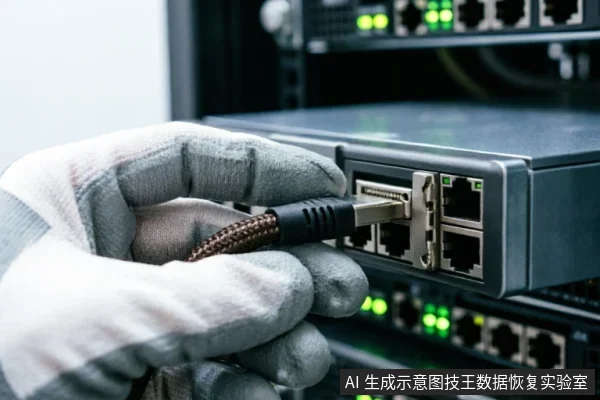
Conversely, if the drive is completely unrecognizable by the operating system, the issue may lie outside the storage unit itself. Before assuming internal failure, verify the external connection chain. This includes checking cables, ports, and controller cards for loose connections or faults. Only after confirming that the external path is stable should you consider entering a read-only assessment mode. This approach ensures that if the hardware is failing, it is not stressed by unnecessary operations. Logical error tools assume the media is intact;applying them to a physically compromised drive is counterproductive. By halting aggressive diagnostics and focusing on connection integrity first, you maintain the best possible condition of the original medium. This cautious sequence protects the data source, making subsequent recovery efforts far more viable than rushing into immediate scanning procedures that ignore underlying hardware instability.
Limitations of Remote Data Recovery Techniques
When a Windows server fails to display drives in This PC, the immediate instinct is often to initiate remote data recovery scans. However, this approach carries significant limitations that can compromise the integrity of the original media. Remote data recovery techniques are strictly confined to extracting logical layer data that the operating system can already access. They are fundamentally incapable of resolving hardware-level identification failures where the drive is not recognized by the BIOS or OS. Attempting to run intensive scanning tools on an unrecognized or unstable drive introduces unnecessary I/O load. This activity may trigger thermal stress or electrical fluctuations that exacerbate underlying hardware faults. If the drive has intermittent connectivity issues, such as loose cables or failing controllers, remote commands may fail unpredictably. More critically, if the drive is physically damaged or suffering from controller failure, any attempt to read sectors remotely could cause permanent data loss. The distinction between logical corruption and physical failure is crucial. Logical errors might be recoverable via software, but physical recognition issues require specialized hardware intervention. Therefore, preserving the state of the original medium takes precedence over immediate remote analysis. Technicians should first verify physical connections and ensure the drive is stable before considering any logical extraction methods. Remote tools should only be employed when the hardware is confirmed to be functional and fully recognized by the host system. Ignoring these boundaries risks turning a recoverable situation into a total loss scenario.
Comparative Analysis of Recovery Approaches
| Recovery Approach | Primary Risk Profile | Operational Safety Boundary |
|---|---|---|
| Immediate Scanning | High risk of overwriting or triggering automatic maintenance routines that permanently alter the storage state before data extraction. | Avoid initiating any write operations or background processes on the target drive until its integrity is verified. |
| Original Media Preservation | Minimizes exposure to further degradation by prioritizing the assessment of device recognition status and existing backups. | Ensure no formatting, initialization, or restoration actions are performed directly onto the original medium during the evaluation phase. |
| Remote Extraction | Limited applicability;effective only for logical layer data retrieval when the operating system maintains stable access. | Do not rely on remote methods if hardware-level identification failures occur, such as intermittent connection drops or capacity anomalies. |
Post-Repair File Integrity Verification Criteria
When the target data in the original medium has not been confirmed as secure, it is imperative to first verify device recognition status, existing backups, and previous operations. This precautionary step prevents formatting, initialization, or writing recovery results back to the original medium. Such actions can irreversibly overwrite critical information that might otherwise be recoverable through careful analysis. The integrity of the file system relies heavily on preserving the state of the storage device before any further intervention occurs. By maintaining a strict no-write policy during the initial assessment phase, technicians ensure that the raw data remains intact for subsequent examination. This approach minimizes the risk of accidental data loss caused by hasty corrective measures.
If the storage device exhibits abnormal mechanical sounds, repeated disconnections, or recognizes an anomalous capacity, users should cease repeated power cycling and prolonged scanning immediately. These symptoms often indicate underlying hardware instability that could exacerbate damage with continued use. In cases where the device is completely unrecognizable, the first course of action is to confirm the external connection chain. Only after verifying cables, ports, and adapters should one decide whether to proceed with a read-only evaluation. This methodical process ensures that potential connectivity issues are ruled out before attributing the problem to internal component failure. Adhering to these verification criteria safeguards the original medium, providing a stable foundation for any necessary data retrieval efforts without compromising the existing data structure.
Frequently Asked Questions
What immediate steps should be taken before attempting any recovery operations on the original medium?
Verify device identification status, check for existing backups, and review previous operations. Do not format, initialize, or write recovered data back to the original medium until data safety is confirmed.
How should one respond if a storage device exhibits abnormal mechanical sounds, frequent disconnections, or capacity recognition errors?
Stop repeated power cycling and long-duration scanning immediately. If the device is completely unrecognizable, first verify the external connection chain before deciding whether to proceed with read-only assessment.
What are the limitations of remote data recovery technology regarding hardware issues?
Remote recovery is strictly limited to logical layer data extraction accessible by the operating system. It cannot resolve hardware-level recognition failures or physical device malfunctions.