
Why Is My Western Digital Portable Hard Drive Reading Slowly? Safe Troubleshooting Steps
Published 2026-10-18 | JiWang Data Recovery Technical Team
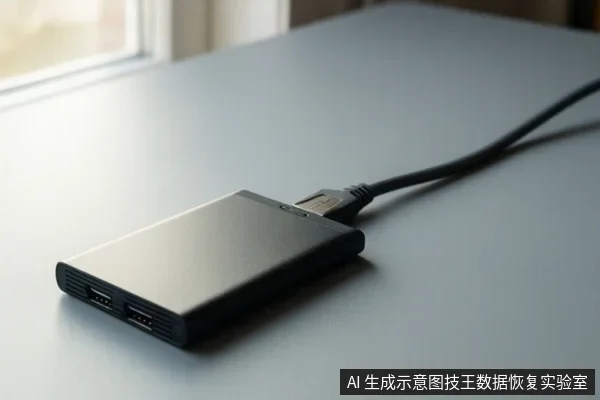
Slow reading on a Western Digital portable hard drive typically results from USB interface bottlenecks, file system logical errors, or physical media degradation. To protect your data, first rule out connection problems by testing different cables and ports. If the drive is recognized but remains slow, avoid formatting or running aggressive repair tools, as these actions can overwrite data. If you observe signs of physical failure, such as a Code 10 error in Device Manager or a RAW status in Disk Management, prioritize professional data recovery or imaging over further DIY attempts.
Rule Out Interface Issues First
External hard drives should be detected by your operating system without the need for additional drivers or software under normal circumstances. Therefore, the most common cause of sudden slowness is often the physical connection. A faulty USB cable, a port with insufficient power, or a degraded USB controller can throttle transfer speeds significantly. Before assuming the drive itself is failing, test the device on a different computer and use a different, high-quality USB cable. If the drive is connected via a USB hub, try connecting it directly to the computer's rear ports, which often provide more stable power and better signal integrity than front-facing ports.
Check System Recognition and Error Codes
If the drive is still slow after changing cables and ports, check how your operating system recognizes it. Open Disk Management and Device Manager to inspect the drive's status. If the drive appears as "RAW" or "Unallocated" in Disk Management, this indicates a file system issue or corruption. In this state, the operating system cannot read the file structure, leading to extreme slowness or access errors. If Device Manager displays a Code 10 error, and you have already tried another cable and computer, the drive has probably failed at the hardware level. These specific indicators help distinguish between a simple logical error and a critical hardware failure.
Distinguish Logical vs. Physical Issues
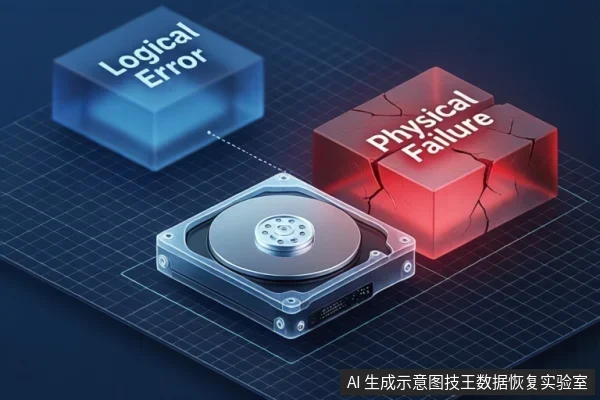
Logical issues, such as file system corruption, usually occur after improper ejection or power loss. In these cases, the drive is physically intact, but the index of files is damaged. Physical issues, on the other hand, involve the degradation of the storage media itself. If the drive is not detected at all after trying different cables and ports, or if Device Manager displays a Code 10 error, these are strong indicators of physical failure. In such scenarios, software-based troubleshooting is unlikely to help and may worsen the situation.
Data Protection: What NOT to Do
When a drive is reading slowly, the primary goal is data preservation. Formatting the drive will erase all data on it, so this should be avoided if you need to recover files. Similarly, running disk repair tools like Chkdsk can be risky. These tools attempt to fix file system errors by rewriting metadata, which can overwrite data if the drive is physically unstable. If the drive is showing signs of physical failure, running these tools can potentially cause further damage. It is safer to back up readable data first or seek professional imaging if the drive is unstable. Always remember that the safest action is to stop using the drive and seek professional advice if the data is critical.
When to Seek Professional Help
You should seek professional data recovery services if the drive shows as RAW or Unallocated and you have already tried a different port, cable, and computer but still need the data. This is crucial for drives with physical degradation, as repeated attempts to read the drive can lead to permanent data loss. If the drive is making unusual noises or is not detected at all, do not attempt to open it or perform any physical repairs yourself. Instead, contact a professional data recovery service to assess the drive's condition and determine the best course of action.
Frequently Asked Questions
Why is my Western Digital portable hard drive reading so slowly?
Slow reading can be caused by a faulty USB cable, insufficient power from the USB port, file system logical errors, or physical degradation of the storage media. Start by testing a different cable and port to rule out interface issues. If the problem persists, check Disk Management and Device Manager for error codes or RAW status to determine if the issue is logical or physical.
Should I run a disk repair tool if my drive is reading slowly?
Be cautious. If the drive is showing signs of physical failure or if you have critical data, running repair tools can potentially overwrite data or cause further damage. It is safer to back up readable data first or seek professional imaging if the drive is unstable. Repair tools are generally only safe for logical errors where the drive is physically stable and fully recognized by the operating system.
What does it mean if my drive shows as RAW in Disk Management?
A RAW status usually indicates a file system issue or corruption. If you have important data, do not format the drive. Instead, consider professional data recovery to extract files before attempting any repairs. Formatting a drive erases all data on it, so this should be avoided if you need to recover files.