
WinHex RAW Repair: File Integrity Analysis and When to Stop Scanning
Published 2026-09-30 | JiWang Data Recovery Technical Team
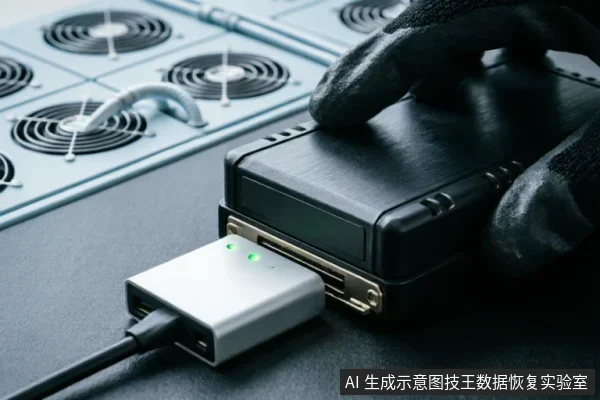
Pre-Operation Verification and Safety Protocols
Before initiating any WinHex operations, it is imperative to establish a rigorous verification protocol to ensure data integrity and system stability. The primary focus must be on confirming the device recognition status within the operating environment. This step serves as the foundational checkpoint, ensuring that the target storage medium is correctly identified and accessible by the software without ambiguity. Concurrently, administrators must verify the existence of existing backups. These backups act as a critical safety net, providing a restore point should unforeseen complications arise during the diagnostic or recovery process. Furthermore, a thorough review of previous actions is required. Understanding the history of interventions prevents redundant operations that could potentially compromise the logical structure of the file system. Equally important are the strict prohibitions designed to safeguard the original medium. Users must absolutely avoid formatting the drive, as this action irreversibly alters the file allocation table and destroys directory structures. Similarly, initializing the disk is prohibited, as it creates new partition tables that overwrite existing metadata essential for data reconstruction. Another critical rule involves the handling of results;users must never write recovered files or logs back to the original source medium. Doing so risks overwriting the very data fragments that are being sought, leading to permanent loss. By adhering to these pre-operation checks and respecting the boundaries against destructive actions, the foundation for a safe and effective recovery session is established. This disciplined approach minimizes risk and maximizes the potential for successful data retrieval.
Impact on File Integrity After RAW Repair
Before initiating any WinHex operations, it is critical to verify the device recognition status and confirm the existence of existing backups. Users must also review previous actions taken on the drive to avoid unintended data loss. It is strictly advised to avoid formatting, initializing, or writing results back to the original medium during this phase. These preliminary steps ensure that the integrity of the file system is preserved before any repair attempts are made. When addressing RAW file systems, the primary concern is whether files remain intact after repair. The success of file recovery depends heavily on the condition of the underlying data structures. If the partition table is corrupted but the file allocation tables remain accessible, many files can be restored with their original names and directories. However, if the file system metadata is severely damaged, files may be recovered but without their original folder structure or names. In such cases, users must manually sort and identify files based on content and extension. There are specific situations where continuing to scan is not recommended. If the device shows signs of physical failure, such as unusual noises or intermittent connectivity, further scanning may exacerbate the issue. Additionally, if the drive has been previously formatted or initialized, the chances of successful recovery diminish significantly. In these scenarios, it is advisable to stop scanning and seek professional assistance. Always prioritize data safety over aggressive recovery attempts to minimize the risk of permanent data loss.
Scenarios Requiring Immediate Cessation of Scanning
| Scenario | Observable Phenomenon | Action Required |
|---|---|---|
| Mechanical Anomaly | Abnormal sounds from the device, such as clicking or grinding noises. | Stop repeated power-on and long-term scanning immediately to prevent further instability. |
| Connection Instability | Frequent disconnection of the storage device from the host system during operation. | Cease all scanning activities. Confirm external connection chains first before any further attempts. |
| Capacity Discrepancy | Abnormal recognized capacity displayed by the operating system or diagnostic tools. | Halt scanning processes. Verify the integrity of the physical link and cable connections. |
Physical Damage Risks and Professional Intervention
Do not open or disassemble the drive;keep the original media protected and seek professional assessment.they should be handed over to professional institutions with cleanroom environments. This precaution is vital because any unauthorized opening can introduce contaminants such as dust or fibers, which may settle on sensitive surfaces and cause further irreversible harm during operation. Attempting to repair such hardware without proper facilities typically exacerbates the issue. The precision required for handling delicate mechanical parts demands controlled conditions that are unavailable in standard home or office settings. Therefore, recognizing the limitations of personal capability is essential for preserving data potential. If you suspect physical compromise, cease all usage immediately to prevent additional stress on the failing components. Continuing to power on or manipulate the device under these circumstances increases the likelihood of permanent data loss. Instead, prioritize securing the hardware and seeking assistance from certified professionals who possess the necessary expertise and infrastructure to address complex physical failures safely and effectively.
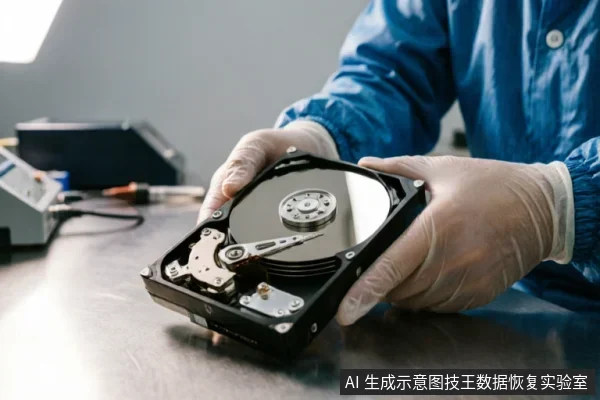
Summary of Recovery Boundaries and Best Practices
Summary of Recovery Boundaries and Best Practices
- Before initiating any WinHex operations, it is imperative to verify the device recognition status, check for existing backups, and review previous actions. Avoid formatting, initializing, or writing results back to the original medium to prevent further data loss.
- If the storage device exhibits abnormal mechanical sounds, frequent disconnection, or abnormal recognized capacity, stop repeated power-on and long-term scanning immediately. Confirm external connection chains first to isolate potential interface issues before proceeding with software-based recovery attempts.
- Do not open or disassemble the drive;keep the original media protected and seek professional assessment.
Frequently Asked Questions
How can I verify if the storage device is properly recognized before starting WinHex?
Check the operating system's disk management or device manager to ensure the drive appears with its correct capacity and status. Confirm that any existing backups are intact and review previous actions taken on the device to avoid redundant or conflicting operations.
What steps should be taken if the device makes abnormal sounds or disconnects frequently?
Immediately stop repeated power-on cycles and halt long-term scanning processes. First, inspect the external connection chain, including cables, ports, and adapters, to rule out connectivity issues before proceeding further.
What should be done if the device shows signs of physical damage?
keep the original media protected and seek professional assessment.
Are there specific operations that must be avoided during the initial phase?
Avoid formatting, initializing, or writing results back to the original medium. These actions can overwrite critical data structures and compromise the integrity of the evidence or files being recovered.