
Why Remote Recovery Fails for Hard Drives with Physical Head Failures
Published 2026-09-16 | JiWang Data Recovery Technical Team
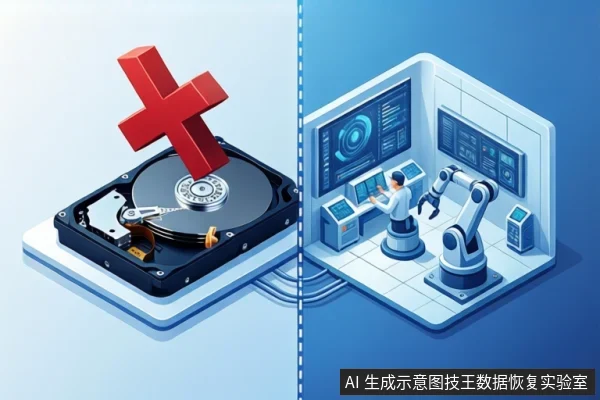
Remote data recovery is not reliable for hard drives with physical head failures, often referred to as "external head" issues. Remote services operate via software and can only address logical errors where the drive's mechanical components are intact. Physical damage, such as damaged or detached read/write heads, requires cleanroom intervention to replace parts, which cannot be performed remotely. Attempting to power on a drive with physical head failure can cause permanent platter damage, making data unrecoverable.
Direct Answer: Why Remote Recovery Fails for Physical Head Damage
Remote data recovery relies on a stable communication link between the software and the drive's controller. This link requires the drive's mechanical components—specifically the read/write heads and motor—to function correctly. In cases of physical head failure, the heads are damaged, misaligned, or detached. This physical disruption prevents the drive from providing stable signals to the computer. Without these signals, remote software cannot establish a connection, let alone execute recovery commands. Therefore, any claim that remote tools can fix physical head damage contradicts basic hardware principles.
Distinguishing Physical Head Failure from Logical Errors
To determine if remote recovery is appropriate, you must first identify the type of failure. Logical errors involve the file system, partition table, or accidental deletion, while the hardware remains functional. In these cases, the computer recognizes the drive, and the SMART health status is generally stable. Remote recovery is effective here because technicians can use software to scan sectors and rebuild file structures.
Physical head failures present different symptoms. If the drive makes rhythmic clicking, grinding, or whining noises during spin-up, it indicates mechanical distress. Other signs include the drive not being recognized in BIOS, showing 0GB capacity, or exhibiting intermittent disconnection. These symptoms suggest that the control circuit or mechanical structure has failed. In such scenarios, remote software is ineffective because it operates above the hardware driver level and cannot bypass physical bad tracks or replace damaged components.
The Risk of Powering On a Drive with Head Damage
Powering on a drive with suspected head damage is dangerous. When a damaged head attempts to seek data, it may scratch the platter surface. This action is akin to using sandpaper on a microscopic scale, physically removing the magnetic coating where data is stored. Once the coating is scratched, the data in that area is permanently lost, even if new heads are later installed. Each power cycle increases the risk of this irreversible damage. Therefore, if you hear mechanical noises or notice unstable recognition, immediately disconnect power and do not attempt further software scans or restarts.
When Remote Recovery Is Appropriate
Remote recovery is suitable for logical failures where the hardware is stable. This includes scenarios such as accidental formatting, partition loss, or minor file system errors caused by viruses. In these cases, the drive is silent, stable, and recognized by the operating system. Technicians can use remote tools to create read-only images or extract files without risking physical damage. However, if the drive exhibits any physical symptoms, such as noise or unstable capacity, remote recovery is contraindicated. Professional assessment in a cleanroom environment is necessary to diagnose and repair the hardware before any data extraction can occur.
Next Steps: Safe Handling and Professional Assessment
If you suspect a physical head failure, follow these steps to protect your data:
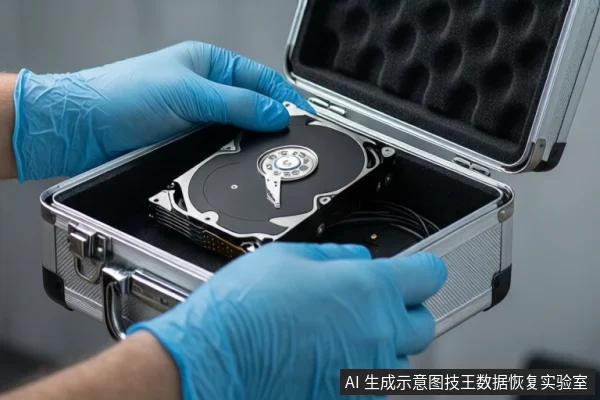
- Stop Power Immediately: Disconnect the drive from the computer. Do not attempt to restart or rescan.
- Secure the Drive: Place the drive in an anti-static bag to prevent dust and static electricity from causing further harm.
- Seek Professional Help: Contact a professional data recovery lab with cleanroom capabilities. At Jiwang Data Recovery Lab, we provide professional assessment to determine if the issue is logical or physical. Our team uses specialized equipment to diagnose the drive safely without risking further damage.
Remember, for physical damage, caution is more important than speed. Delaying professional intervention can turn a recoverable situation into a permanent data loss.
Frequently Asked Questions
Can remote data recovery fix a hard drive that is clicking?
No. Clicking sounds indicate physical mechanical failure, such as damaged heads. Remote software cannot repair hardware components. Powering on a clicking drive can cause permanent platter damage. Seek professional cleanroom assistance instead.
What is the difference between a logical error and a physical head failure?
Logical errors involve software or file system issues while the hardware remains functional. Physical head failures involve damaged mechanical components, such as read/write heads. Logical errors can often be fixed remotely, but physical failures require hardware repair in a cleanroom environment.
Why is it dangerous to keep powering on a drive with suspected head damage?
Powering on a drive with damaged heads can cause the heads to scratch the platter surface. This physical damage removes the magnetic coating where data is stored, leading to permanent data loss. Each power cycle increases the risk of this irreversible harm.