
Why Protecting the Original Drive Matters More Than Immediate Scanning
Published 2026-09-24 | JiWang Data Recovery Technical Team
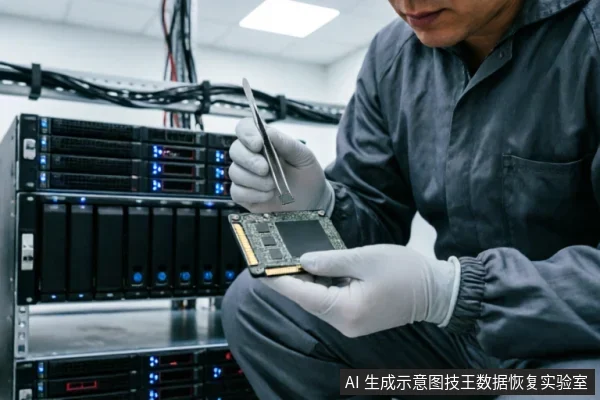
Protecting the original storage medium is more important than immediately running recovery software scans because any write operation, including recovery software that saves to the same drive or system background processes, can overwrite the deleted data. In the Windows file system, space used by a deleted file is marked as free space, meaning the data can still exist and be recovered until it is overwritten . To ensure safety, you must stop using the device, avoid formatting or running disk repair tools, and if using software, ensure the destination drive is different from the source .
The Risk of Overwriting: How Deleted Data Works
When a file is deleted, the operating system does not immediately erase the data from the physical storage. Instead, it marks the space as available for new data. This is why recovery is possible in the short term. However, any use of the computer can create new files, which may overwrite this free space at any time . This is why the first step in data recovery is not to scan, but to isolate the drive from any potential write operations.
Safe Next Steps: Read-Only and Destination Separation
If your drive is recognized by the system and stable, you can attempt a logical recovery. However, you must follow strict operational constraints. When using recovery tools, the source and destination drives must be different to prevent data corruption or overwriting . Saving recovered files to the same drive where the data was lost is a common mistake that can permanently destroy the remaining recoverable data.
When to Stop: Physical Failure Indicators
Not all data loss is logical. If your drive exhibits physical failure signs, software scanning is not only ineffective but dangerous. You should stop all software attempts immediately if:
- The drive makes clicking or grinding sounds.
- The drive is not detected in BIOS or the system.
- The drive shows 0 bytes capacity or repeatedly disconnects.
In these cases, the issue is hardware-related. Continuing to power on the drive can cause further physical damage, such as head crashes in mechanical drives or controller lockouts in SSDs. Professional intervention is required to safely extract the data.
Frequently Asked Questions
Why is it dangerous to save recovered files to the same drive?
Saving recovered files to the same drive is dangerous because the recovery process writes new data to the storage medium. If the new data is written to the sectors where the deleted files still reside, it will overwrite the original data, making it unrecoverable .
Does running a scan always overwrite data?
Running a scan itself is a read-only operation and does not directly overwrite data. However, the risk lies in the subsequent actions. If the scan leads to saving files to the same drive, or if the system creates temporary files during the process, the free space where deleted data resides can be overwritten .
What should I do if my drive is not recognized at all?
If your drive is not recognized by the system, it indicates a physical or firmware failure. You should stop all software attempts immediately. Do not try to format or repair the drive, as this will not fix hardware issues and may worsen them. Seek professional data recovery services that have the equipment to diagnose and repair physical failures.