
Windows 10 Seagate External Drive Not Recognized: Recovery Viability Depends on These Critical
Published 2026-10-01 | JiWang Data Recovery Technical Team
Initial Assessment and Immediate Safety Protocols
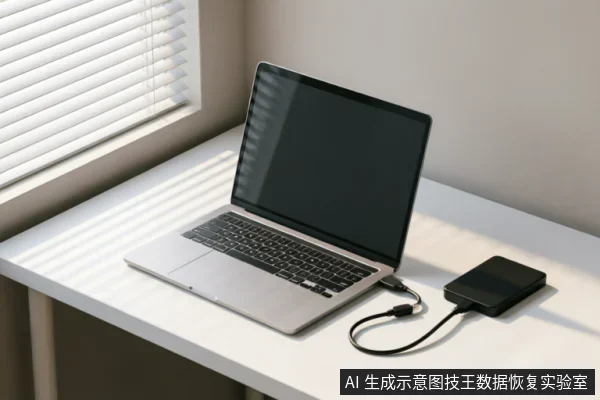
When a Seagate external hard drive fails to be recognized under Windows 10, the immediate priority is preserving the integrity of the original media. Before attempting any complex diagnostic procedures or software interventions, users must first verify the current recognition status of the device. This initial assessment serves as a critical baseline to determine whether the issue stems from logical errors, connection faults, or deeper hardware anomalies. It is imperative to check for existing backups that may already contain the necessary data, thereby reducing the pressure on the primary storage unit. Furthermore, reviewing previous operations is essential;if recent actions such as formatting, initialization, or writing recovery results back to the original medium have occurred, they may have compromised the recoverable data structure. To ensure safety, avoid any actions that could overwrite or alter the source disk. Do not format the drive, initialize it through disk management tools, or attempt to write recovered files back onto the same physical device. These steps can permanently erase file system metadata, making future recovery significantly more difficult or impossible. Instead, focus on stable connections and power supply checks. If the drive remains undetected after basic connectivity verification, cease further attempts to force recognition. Continuing to power cycle or connect the device without professional guidance increases the risk of additional data loss. The goal at this stage is strictly preservation: stabilize the environment, document the symptoms, and prepare for professional intervention if the data holds significant value.
Diagnostic Steps for Connection and Recognition Issues
When a Seagate external drive fails to appear in Windows 10, the immediate priority is to preserve data integrity by halting any aggressive diagnostic attempts. If the device emits abnormal mechanical sounds, experiences repeated disconnections, or displays inconsistent capacity readings, it is critical to stop powering the drive on and off repeatedly. Prolonged scanning under these conditions can exacerbate instability. Instead of forcing recognition through software tools, users should first verify the entire external connection chain. This includes inspecting the USB cable for physical damage, testing different ports on the computer, and ensuring the power supply is stable if an external adapter is used. Once basic connectivity is confirmed, assess whether the drive remains completely unrecognizable by the operating system. If the device still does not appear after ruling out simple connection faults, further user intervention should cease. At this stage, the focus shifts to determining whether a read-only assessment is necessary. Attempting to force the system to mount the drive or running disk repair utilities can lead to permanent data loss, especially if internal components are failing. Therefore, the decision to proceed with professional evaluation must be based on the absence of obvious connection errors. Only after confirming that the hardware link is intact should one consider entering a controlled, read-only environment to evaluate data accessibility. This cautious approach ensures that no additional stress is placed on the storage medium during the initial troubleshooting phase.
Limitations of Remote Software Solutions
When a Seagate external hard drive fails to be recognized under Windows 10, users often turn to remote software solutions as an immediate remedy. However, the effectiveness of these digital interventions is strictly bounded by the nature of the connection failure. Remote data recovery technology applies only to logical layer data extraction where the operating system can maintain access. This fundamental limitation means that such methods cannot resolve hardware-level identification faults. If the computer cannot detect the device at all, there is no communication channel for software to operate. The absence of recognition indicates a break in the physical or electrical link between the drive and the host system. In these scenarios, attempting to run diagnostic tools remotely is futile because the target storage medium remains invisible to the software environment. The distinction between logical corruption and hardware failure is critical here. Logical issues involve file system errors or deleted partitions on an accessible drive. Hardware issues encompass broken cables, failed USB ports, or internal component malfunctions within the drive enclosure. Since remote software relies entirely on the OS recognizing the disk, it cannot bridge the gap created by hardware disconnection. Users might observe that the drive makes clicking sounds or shows up briefly in Device Manager before disappearing. These are signs of hardware instability, not logical data loss. Therefore, relying solely on software fixes delays proper diagnosis. The priority must shift from digital extraction to physical inspection. Only after establishing a stable hardware connection can logical recovery steps be considered. Until the device is fully recognized by the system, remote software capabilities remain inactive and irrelevant to the current state of the drive.
Physical Damage Indicators and Professional Handling
| Indicator | Observation | Action Protocol |
|---|---|---|
| Auditory Signals | Unusual clicking, grinding, or repetitive spinning noises emitted from the drive casing during power-on attempts. | Immediately cease all power supply to prevent further mechanical stress. Do not attempt to reset or cycle the device. |
| Physical Deformation | Visible dents, cracks in the enclosure, or signs of impact trauma on the external housing of the storage unit. | Handle with extreme caution. Avoid any pressure on the affected areas. Transport only if necessary for professional assessment. |
| Environmental Exposure | Evidence of liquid spillage, condensation inside the casing, or exposure to excessive dust and humidity levels. | Do not apply heat or forced air drying. Leave the device in a stable, dry environment until expert intervention occurs. |
| Connection Failure | The device is completely undetected by the host system despite verified functional cables and multiple port tests. | Stop troubleshooting immediately. Continued connection attempts may exacerbate underlying hardware faults beyond recoverable states. |
Factors Determining Data Recovery Success Rates
Factors determining data recovery success rates are primarily rooted in the current state of the storage device and the actions taken prior to professional intervention. The most critical factor is whether the target data on the original medium has been confirmed safe. Before any complex procedures, it is essential to verify the device's recognition status, check for existing backups, and review previous operations. Users must strictly avoid formatting, initializing, or writing recovery results back to the original medium, as these actions can overwrite recoverable information permanently.
- Hardware Stability: If the device exhibits abnormal mechanical sounds, frequent disconnections, or anomalous recognized capacity, repeated power-on attempts and long-duration scans should cease immediately. In cases where the device is completely unrecognizable, the first step is to confirm the external connection chain before deciding whether to proceed with a read-only assessment.
- Logical vs. Physical Access: Remote data recovery technologies are effective only for logical layer data extraction when the operating system can access the drive. They cannot resolve hardware-level recognition failures. Therefore, distinguishing between logical errors and physical faults is vital for setting realistic expectations.
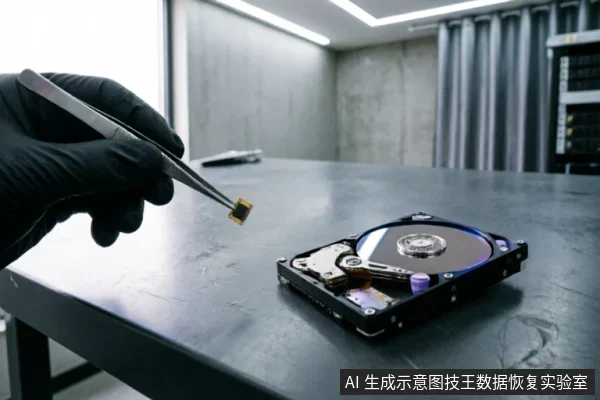
- Physical Damage Risks: For devices with potential physical damage risks, users should not attempt self-disassembly or repair. Such actions require a cleanroom environment and specialized tools. Professional handling by certified agencies is necessary to prevent further degradation of the media.
Ultimately, the possibility of successful recovery depends on preserving the integrity of the original medium and avoiding irreversible user interventions that compromise data accessibility.
Frequently Asked Questions
What immediate steps should be taken if the target data on the original medium has not yet been confirmed as safe?
Verify device identification status, check for existing backups, and review previous operations. Avoid formatting, initializing, or writing recovery results back to the original medium.
How should one handle storage devices exhibiting abnormal mechanical noises, frequent disconnections, or capacity recognition errors?
Stop repeated power cycling and long-duration scanning immediately. If the device is completely unrecognizable, first confirm the external connection chain before deciding whether to proceed with a read-only assessment.
What are the limitations of remote data recovery technology regarding hardware issues?
Remote data recovery is only applicable to logical layer data extraction when the operating system can access the drive;it cannot resolve hardware-level recognition failures.
What is the recommended course of action for users facing devices with potential physical damage risks?
Regular users should not attempt self-disassembly or repair. Instead, entrust the device to professional agencies equipped with cleanroom environments.