
Windows 10 External Hard Drive Ejection Failure: Recovery Limits and Impact of Subsequent Operations
Published 2026-09-24 | JiWang Data Recovery Technical Team
Understanding the Risks of Persistent Ejection Failures
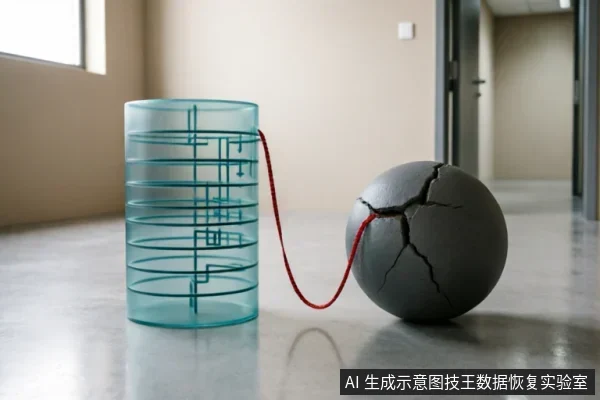
When a storage device shows signs of instability such as persistent ejection failures, the priority is to halt any new write operations to the medium. This includes avoiding formatting, initializing, or saving recovered files back to the same drive. These actions are critical because they directly alter the data structure and can overwrite existing information that might otherwise be recoverable. Users often attempt to force the removal of the drive by restarting the computer or using software utilities, but these methods do not address the underlying issue and may exacerbate the situation. Instead, it is essential to stop all activity on the affected drive immediately. Any further interaction increases the risk of data loss significantly. The goal is to preserve the current state of the data until professional assistance can be obtained. Attempting to repair the drive yourself without proper knowledge can lead to irreversible damage. Therefore, ceasing all write operations is the most effective step to maintain data integrity. This approach ensures that no additional changes are made to the storage medium, which is crucial for successful recovery efforts later on. By following this protocol, users can minimize the potential impact of the ejection failure on their valuable data.
Critical Operations That Compromise Data Integrity
When a storage device shows signs of instability such as persistent ejection failures, the priority is to halt any new write operations to the medium. This includes avoiding formatting, initializing, or saving recovered files back to the same drive. Users must recognize that every action taken on the compromised drive directly impacts the potential for successful data retrieval. The following list outlines critical operations that compromise data integrity and should be strictly avoided during the initial assessment phase.- Avoid Formatting Operations: Initiating a format command restructures the file system metadata, which can render previously accessible sectors inaccessible. This process overwrites critical directory entries required for reconstruction.
- Do Not Initialize the Drive: Initialization creates a new partition table and file system structure. This action permanently alters the logical layout of the storage medium, destroying the existing mapping between file names and their physical locations on the disk.
- Refrain from Saving Recovered Files to the Source: Writing new data, including recovered files, back to the unstable drive causes additional write cycles. This increases the risk of overwriting original data fragments that have not yet been secured elsewhere.
- Halt Unnecessary Write Activities: Any background processes or applications attempting to log data to the affected drive contribute to further degradation. Maintaining a read-only state is essential until the data has been safely migrated to a known-good destination.
Physical Verification Before Further Action
| Verification Step | Observation Criteria | Action Protocol |
|---|---|---|
| Connection Chain Audit | Inspect cables, ports, and power supply integrity. | Replace components if instability is detected. |
| Noise & Disconnection Check | Listen for abnormal mechanical noises or monitor frequent disconnections. | Immediately cease power cycling and scanning operations. |
| Capacity Anomaly Detection | Verify if the drive reports unexpected capacity changes. | Halt further diagnostic actions until physical verification is complete. |
Assessing Mechanical and Connection Stability
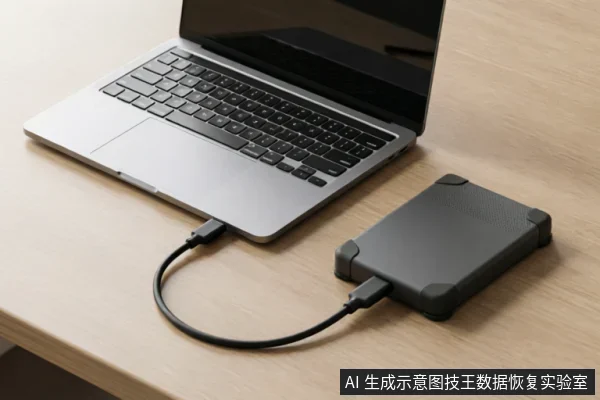
When a Windows 10 external hard drive fails to eject properly, the immediate priority is to assess physical stability rather than forcing software commands. If the device emits abnormal mechanical noises, such as grinding or clicking sounds, this indicates potential internal distress. In such cases, continued power cycling and scanning must cease immediately to prevent further complications. Frequent disconnections during operation are another critical warning sign that suggests instability in the connection chain. Similarly, if the system reports capacity anomalies or shows incorrect file sizes, these are observable indicators of deeper issues that require careful handling. The first step in addressing these symptoms is to verify the entire external connection chain. This includes inspecting the USB cables for any visible damage, ensuring they are securely plugged into the computer ports, and confirming that the power supply is stable and adequate for the drive’s requirements. A loose cable or insufficient power can mimic more serious hardware failures, so ruling out these simple causes is essential before proceeding with any data recovery attempts. By focusing on verifying the connection integrity, users can determine whether the issue lies with the interface or the drive itself. This methodical approach ensures that unnecessary risks are avoided while preserving the best possible conditions for subsequent recovery efforts.
Safe Next Steps for Data Preservation
- Halt New Write Operations Immediately: When a storage device exhibits instability, such as persistent ejection failures in Windows 10, the absolute priority is to stop all new write operations to the medium. This critical step prevents overwriting potential data fragments that may still reside on the drive. Any attempt to save recovered files back to the same drive, or to format and initialize the device, must be strictly avoided at this stage.
- Verify Device Recognition and Backup Status: Before proceeding with any complex recovery attempts, users should first check if the operating system can still recognize the external hard drive. It is essential to verify whether existing backups are intact and accessible. If the original medium has not yet been confirmed as safe for data preservation, do not attempt further writes. Instead, focus on stabilizing the connection and ensuring no additional data is being written to the unstable sector.
- Avoid Formatting and Initialization: Do not run formatting tools or initialization wizards provided by the operating system. These actions will alter the file system structure and may render previously recoverable data inaccessible. The goal is to preserve the current state of the storage device until professional assessment can determine the extent of logical corruption versus physical failure.
- Next Steps for Data Preservation: If the drive remains unresponsive or continues to fail ejection commands, disconnect it safely when possible and seek professional assistance. Avoid repeated power cycling, as this may exacerbate instability. The focus remains on protecting the integrity of the existing data without introducing new variables through user-initiated repairs.
Frequently Asked Questions
What immediate actions should be taken if a storage device shows signs of instability like persistent ejection failures?
Halt all new write operations to the medium immediately. This includes avoiding formatting, initializing, or saving recovered files back to the same drive to prevent further data corruption.
How should one handle a drive that exhibits abnormal mechanical noises, frequent disconnections, or capacity anomalies?
Cease continued power cycling and scanning. The first step is to verify the external connection chain, including cables, ports, and power supply, before deciding on any further action.
What precautions must be taken regarding the original medium before confirming data safety?
Before confirming data safety, verify the device identification status, existing backups, and previous operations. Avoid formatting, initializing, or writing recovery results back to the original medium until stability is assured.