
Hitachi Hard Drive Recognized but Inaccessible: How to Choose the Right Recovery Method
Published 2026-10-17 | JiWang Data Recovery Technical Team
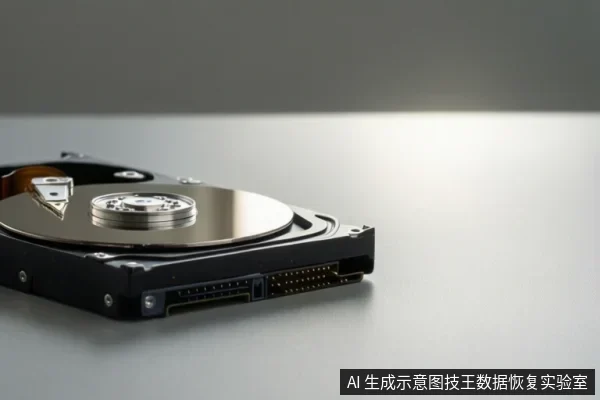
For a Hitachi mechanical hard drive that shows a drive letter but is inaccessible, the highest success rate comes from establishing a read-only raw image first. If the drive is silent and stable, it is likely a logical error recoverable via software on the image. If it makes clicking noises or is unstable, it is a physical failure requiring professional cleanroom hardware intervention. Avoid direct software repair or formatting on the original drive.
Stop Writing and Prioritize Read-Only Imaging
When a Hitachi mechanical hard drive is recognized by the system but its contents are inaccessible, the immediate priority is to stop all write operations. This includes avoiding formatting, initializing, or running disk repair tools like CHKDSK directly on the original drive. These actions can overwrite logical data structures or cause the drive to repeatedly seek and read bad sectors, potentially exacerbating physical damage. The safest approach is to create a read-only image of the drive. This image serves as a stable copy for analysis, ensuring that the original media is not subjected to further stress during the recovery process.
Distinguishing Logical vs. Physical Failure
The key to choosing the right recovery method is determining whether the failure is logical or physical. A logical failure typically occurs when the drive is silent, stable, and spins up normally, but files are corrupted, missing, or the partition table is damaged. In this case, the data may still be intact on the platters, but the file system index is broken. A physical failure, on the other hand, is indicated by abnormal noises such as clicking, grinding, or motor stop/start sounds, or by instability like intermittent disconnection or overheating. If you hear these sounds or experience instability, stop immediately and seek professional hardware service. Do not attempt to read the drive further, as this can cause irreversible damage to the platters or heads.
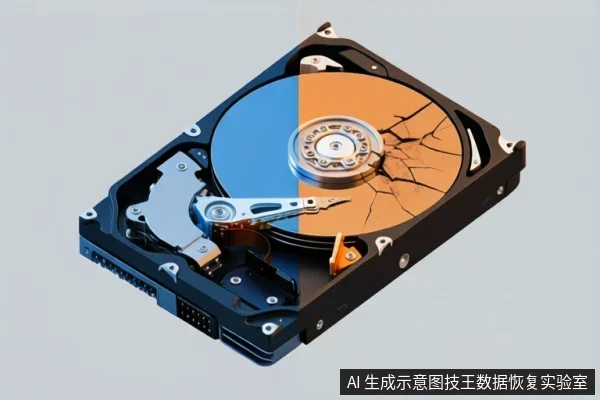
Why Direct Repair is Dangerous for Unstable Media
Running disk repair tools on a drive that is recognized but inaccessible can be dangerous if there is underlying physical wear. These tools often cause the drive to repeatedly seek and read bad sectors, which can physically damage the platter or head. Additionally, repair tools may overwrite logical data structures, making recovery more difficult or impossible. Always create a read-only image first. This allows you to analyze the data structure without risking the integrity of the original media. If the drive is unstable, even a read-only scan can be risky, so it is best to seek professional help in a cleanroom environment.
Common Causes: File System Corruption vs. Head/Platter Damage
File system corruption is a common cause of inaccessibility in Hitachi mechanical hard drives. This can occur due to improper shutdowns, power outages, or virus attacks, leading to inconsistencies in the file system metadata. In such cases, the drive may still be recognized, but the file list cannot be built. Head or platter damage, however, is a physical issue that requires professional intervention. As the drive ages, the heads may wear down, leading to weak read signals and increased errors. Platter surface damage or dust contamination can also cause physical bad sectors. In these cases, software tools are ineffective, and professional hardware recovery is necessary.
Frequently Asked Questions
Why is it dangerous to run disk repair tools (like CHKDSK) on a Hitachi drive that is recognized but inaccessible?
Running repair tools can cause the drive to repeatedly seek and read bad sectors, which may physically damage the platter or head if there is underlying physical wear. It can also overwrite logical data structures. Always create a read-only image first.
Does seeing a drive letter in Windows mean the hard drive is healthy?
No. It only means the controller and basic interface are communicating. The file system, partition table, or physical media (platter/head) may still be damaged, leading to inaccessibility.
What is the difference between backup and data recovery in this context?
Backup requires a healthy, readable source. When a drive is failing, it is not a valid backup source. Data recovery involves extracting data from damaged media, often via imaging, to prevent further loss during the process.