
WD Mechanical Hard Drive Dropped: Recovery Viability Depends on These Actual Conditions
Published 2026-09-25 | JiWang Data Recovery Technical Team
Initial Assessment and Immediate Actions
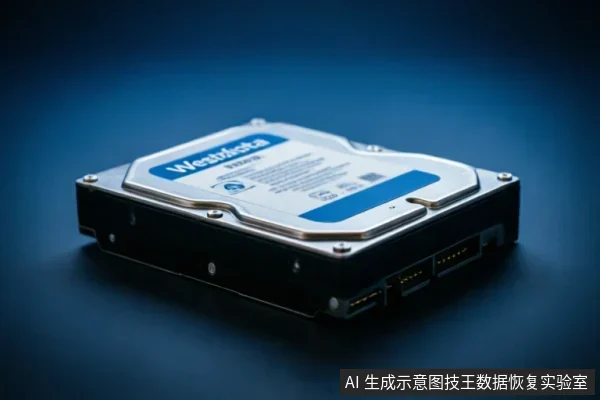
When a Western Digital mechanical drive has been dropped, the immediate priority is to preserve the integrity of the original data medium. The first step in this initial assessment involves verifying the device's current recognition status within the operating system. It is crucial to determine whether the drive is detected by the BIOS or disk management utilities without attempting to access files that may be unstable.
- Check for physical signs of severe impact, such as loose connectors or audible grinding noises, which indicate potential hardware failure.
- Review existing backup solutions to assess if critical files have already been secured on separate storage devices.
- Recall any previous operations performed on the drive since the incident, including recent file deletions or transfers, to understand the state of the data.
Avoid formatting, initializing, or writing recovery results back to the original medium under any circumstances. These actions can overwrite sectors containing recoverable data, significantly reducing the possibility of successful retrieval. If the drive is recognized but exhibits instability, disconnect it immediately to prevent further degradation. Do not attempt to run diagnostic tools or scan the drive while it is connected, as this may trigger additional read/write cycles that compromise data security. Instead, rely on professional evaluation services that can perform safe imaging procedures in controlled environments. The decision to proceed with recovery depends entirely on whether the target data on the original medium has yet been confirmed secure through these preliminary checks. Prioritize stability over speed to maximize the chances of preserving your valuable information.
Recognizing Critical Failure Signs
When a storage device exhibits abnormal mechanical sounds, repeated disconnects, or inconsistent capacity recognition, stop repeated power-on attempts and long-duration scans immediately; if completely unrecognizable, first verify the external connection chain before deciding on read-only assessment.- Abnormal Mechanical Sounds: Listen carefully for clicking, grinding, or whirring noises that differ from normal operation. These auditory cues often indicate internal component distress. Do not ignore these warnings, as continued operation can exacerbate the issue.
- Repeated Disconnects: Observe whether the drive frequently appears and disappears in the operating system’s device manager. This instability suggests a failure to maintain a stable link between the hardware and the host interface. Such behavior is a critical warning sign requiring immediate attention.
- Inconsistent Capacity Recognition: Note if the reported storage size fluctuates or displays incorrect values upon each boot. This inconsistency points to communication errors or partial data corruption within the device’s identification sector. It is a clear indicator that the device is not functioning reliably.
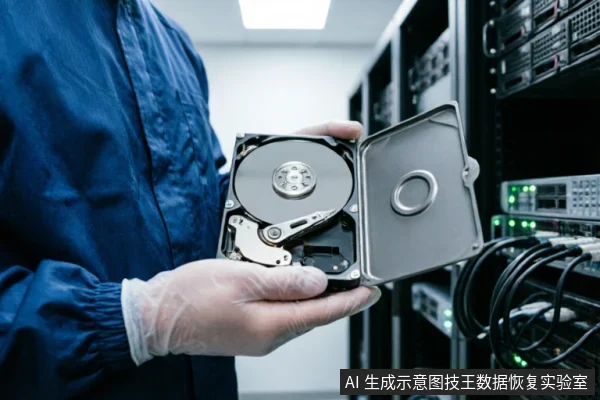
If any of these signs are present, stop repeated power-on attempts and long-duration scans immediately. Further testing under these conditions increases the risk of permanent data loss. Instead, focus on stabilizing the environment. If the device is completely unrecognizable, do not attempt complex software fixes. First, verify the external connection chain, including cables and ports, to rule out simple connectivity issues. Only after confirming the physical link is secure should you consider proceeding to a read-only assessment by a professional service. This cautious approach prioritizes data preservation over immediate accessibility.
Connection Verification Before Deep Diagnosis
When a Western Digital mechanical drive suffers a physical impact, the immediate priority is not data extraction but stabilizing the connection chain. If the system exhibits abnormal mechanical sounds, repeated disconnects, or inconsistent capacity recognition, stop repeated power-on attempts and long-duration scans immediately. These symptoms indicate potential internal instability that further electrical stress could exacerbate. Instead of forcing a diagnostic scan, first verify the external connection chain before deciding on read-only assessment. This step ensures that intermittent failures are not caused by loose cables or faulty ports rather than internal component displacement. Begin by inspecting all physical links. Ensure the SATA data cable is firmly seated at both the motherboard and drive ends. Replace the cable with a known good unit to eliminate signal integrity issues. Verify that the power connector provides stable voltage without flickering. If the drive remains completely unrecognizable after these checks, do not attempt aggressive recovery tools. The goal is to confirm whether the device can maintain a stable link under minimal load. Only when the connection is verified as solid should you proceed to a controlled, read-only assessment. This approach minimizes the risk of triggering further mechanical errors or logical corruption. By isolating the connection variables first, you establish a reliable baseline for any subsequent professional evaluation. Avoid rushing into complex diagnostics while the hardware is in an unstable state.
When Professional Intervention Is Required
| Condition | Action Required | Rationale |
|---|---|---|
| Potential Physical Damage | Stop usage immediately | Avoid further risk to data integrity |
| User Capability | No self-repair | Lack of cleanroom environment poses high risk |
| Disassembly Risk | Do not open casing | Contamination may cause permanent data loss |
| Professional Help | Hand over to experts | Specialized facilities ensure safe handling |
Safe Data Preservation Strategies
When the target data on the original medium has not yet been confirmed secure, first verify the device's recognition status, existing backups, and previous operations;avoid formatting, initializing, or writing recovery results back to the original medium. This approach prioritizes the preservation of the current state over immediate intervention. Users should immediately cease any attempts to access files that might trigger background system processes. It is critical to assess whether the drive is still detected by the operating system without causing further instability. If the device is recognized, do not proceed with any diagnostic scans or repair utilities that could alter the disk structure. Instead, focus on identifying if a recent backup exists in cloud storage or external drives. The presence of prior backups significantly reduces the urgency for complex recovery procedures. However, if no backups are available, the strategy shifts to maintaining the device in its current powered-off state until professional assessment can occur. Writing new data, including recovery software outputs, directly to the affected drive risks overwriting sectors that may contain recoverable information. Therefore, the initial phase must strictly involve observation and verification rather than action. This cautious methodology ensures that the integrity of the original medium remains intact, providing the best possible foundation for subsequent steps if professional assistance becomes necessary.
Frequently Asked Questions
What immediate steps should be taken if the target data on the original medium has not yet been confirmed secure?
First verify the device's recognition status, check for existing backups, and review previous operations. Avoid formatting, initializing, or writing recovery results back to the original medium.
How should one respond when a storage device exhibits abnormal mechanical sounds, repeated disconnects, or inconsistent capacity recognition?
Stop repeated power-on attempts and long-duration scans immediately. If the device is completely unrecognizable, first verify the external connection chain before deciding on a read-only assessment.
What is the recommended course of action for devices with potential physical damage risks?
Do not open or disassemble the drive;keep the original media protected and seek professional assessment.keep the original media protected and seek professional assessment.