
X99 Motherboard Hard Drive Not Recognized: Recovery Limits and Actions That Affect Results
Published 2026-09-24 | JiWang Data Recovery Technical Team
Recognizing Hardware Failure Signs
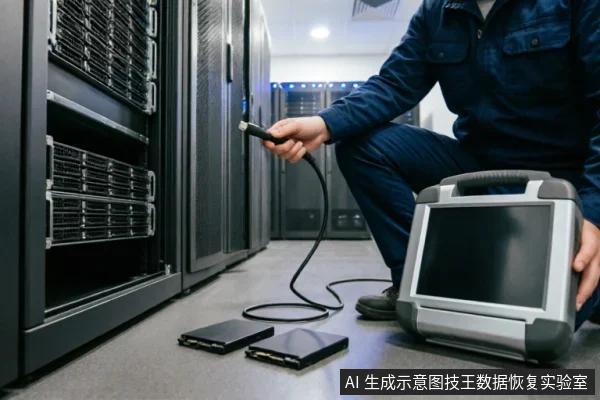
When an X99 motherboard fails to recognize a hard drive, the immediate priority is preserving the integrity of the data source. Before attempting any complex troubleshooting or software-based recovery methods, it is crucial to establish a clear baseline of the current situation. The first step involves carefully verifying the device's recognition status within the system BIOS or UEFI interface. If the drive does not appear in the boot order or storage list, this indicates a communication breakdown that requires careful handling. Simultaneously, you must check for any existing backups that might already contain the necessary files. This verification process helps determine whether the data loss is critical or if recoverable copies are already available elsewhere. It is equally important to review any previous operations performed on the drive. Understanding what actions were taken prior to the failure can provide context without risking further data compromise. Once these initial checks are complete, strict adherence to safety protocols is mandatory. Writing to the affected drive can overwrite sectors where target data resides, potentially making recovery impossible. Instead, focus on maintaining the current state of the hardware and media. This approach ensures that the raw data remains intact until professional assessment or safe extraction methods can be employed. By prioritizing observation over intervention, you minimize the risk of accidental data destruction during the early stages of diagnosis.
Remote Tools vs Physical Damage
| Remote Tools vs Physical Damage |
|---|
| Immediate Action Protocol |
| When a storage device exhibits abnormal mechanical sounds, repeated disconnections, or identifies an incorrect capacity, it is critical to stop repeated power cycling and long-duration scans immediately. These actions can exacerbate underlying issues that are not software-related. The priority shifts from remote diagnosis to physical safety assessment. |
| Assessment Sequence |
| If the drive is completely unrecognizable by the operating system, do not attempt aggressive remote recovery tools. Instead, first confirm the external connection chain. This includes verifying cables, ports, and power supplies to ensure the issue is not merely a connectivity fault. Only after ruling out simple external factors should you decide whether to proceed with a read-only evaluation. |
| Safety Boundaries |
| Avoid any operations that involve writing to the disk or forcing recognition through software overrides. Mechanical anomalies require physical inspection in controlled environments. Remote tools cannot address hardware failures and may cause further data loss if misapplied. Always prioritize stopping potential damage over attempting immediate access. |
Why Self-Repair Is Risky
Attempting to fix the issue yourself is highly dangerous. Remote data recovery technology only applies to logical layer data extraction when the operating system can access it. It cannot solve hardware-level identification failures. When a motherboard fails to recognize a drive, the problem often lies in physical connections or controller faults. These are beyond software repair scope. Users might try different cables or ports. This is safe if done carefully. However, running diagnostic tools is risky. Some utilities send commands that alter drive states. This can overwrite critical metadata needed for recovery. Always stop using the drive immediately. Do not attempt to format or partition it. Each power cycle increases risk. The drive may enter a protective state that locks data further. Professional labs use clean environments and specialized hardware. They avoid triggering harmful processes. Self-repair attempts often lack this control. You might accidentally erase sectors or corrupt file tables. Once logical structures are damaged, recovery becomes nearly impossible. Hardware issues require component-level analysis. Software cannot bypass broken circuits or failed chips. The safest path is professional assessment. Experts determine if the drive is logically recoverable or physically broken. They decide the best extraction method without causing harm. DIY efforts usually lead to permanent data loss. Trust certified technicians who understand storage architecture deeply. Your data’s value outweighs the cost of professional help. Avoid shortcuts that compromise integrity. Let specialists handle the complexity while you preserve the original state.
Professional Assessment Process
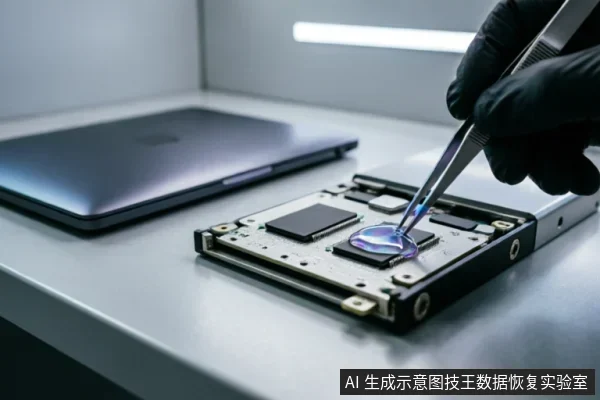
When an X99 motherboard fails to recognize a hard drive, the immediate priority is preserving the integrity of the original media. Before any aggressive troubleshooting steps are taken, it is crucial to verify the device’s recognition status, check for existing backups, and review previous operations performed on the system. This preliminary assessment helps establish a baseline for data safety. Users must strictly avoid formatting the drive, initializing it, or writing any recovery results back to the original medium. Such actions can overwrite critical file structures, making subsequent professional extraction significantly more difficult or impossible. It is also important to understand the limitations of remote data recovery services. These technologies are designed exclusively for extracting logical layer data from operating systems that can still access the storage device. If the hardware itself is not recognized by the system, remote solutions cannot bridge this gap. Remote recovery cannot resolve hardware-level identification failures, such as faulty connectors, controller issues, or physical disconnections. Therefore, if the drive remains invisible to the BIOS or OS, the focus should shift to physical diagnostics rather than software-based attempts. In cases where the drive is partially detected but unstable, further power cycling should be minimized. Each attempt to boot with a failing component increases the risk of permanent data loss. Instead, users should document the exact symptoms, including error codes or lack of response, to provide accurate information to professional technicians. This detailed observation aids in determining whether the issue lies within the motherboard’s SATA ports, the power supply unit, or the drive itself. By adhering to these cautious steps, users can maintain the best possible condition for their data until expert intervention is available.
Frequently Asked Questions
What immediate steps should be taken if the target data on the original media has not yet been confirmed as safe?
Before taking any action, verify the device identification status, check for existing backups, and review previous operations. Avoid formatting, initializing, or writing recovery results back to the original media.
How should one respond if a storage device exhibits abnormal mechanical sounds, repeated disconnections, or recognizes an incorrect capacity?
Stop powering the device repeatedly and avoid long-duration scanning. If the device is completely unrecognizable, first confirm the external connection chain before deciding whether to proceed with a read-only assessment.
What are the limitations of remote data recovery technology regarding hardware issues?
Remote data recovery is only applicable to logical layer data extraction when the operating system can access the drive;it cannot resolve hardware-level recognition failures.
What precautions should users take if there is a risk of physical damage to the storage device?
Do not open or disassemble the drive;keep the original media protected and seek professional assessment.keep the original media protected and seek professional assessment.keep the original media protected and seek professional assessment.