
Windows XP Boot Failure: Drive Unrecognized in OS but Visible in PE - Why Original Media Protection
Published 2026-09-29 | JiWang Data Recovery Technical Team
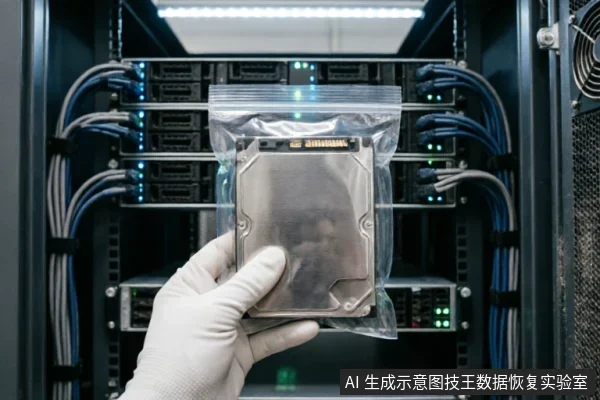
Diagnosing Recognition Discrepancies Between OS and PE Environments
When a system fails to detect the drive during boot but PE tools recognize it, this discrepancy often indicates that the operating environment lacks necessary drivers or encounters configuration conflicts. Before initiating any data recovery procedures, it is critical to pause and assess the current state of the hardware. The primary concern is not immediate scanning, but rather preserving the integrity of the source media. If the target data within the original medium has not been confirmed as secure, rushing into diagnostic scans can inadvertently alter file structures or overwrite critical metadata. Therefore, the first step involves verifying device recognition status and checking for existing backups. This verification process helps establish a baseline of what is currently accessible without making changes. Furthermore, users must avoid formatting, initializing, or writing any recovery results back to the original medium. Writing operations can permanently destroy recoverable information by overwriting sectors that contain valuable data. Instead, focus on identifying whether the issue stems from driver incompatibility or logical partition table errors. By refraining from aggressive diagnostic actions, you minimize the risk of compounding the problem. The goal is to maintain the medium in its current state until a safe extraction method is determined. This cautious approach ensures that no additional stress is placed on the storage device, which could lead to further instability. Ultimately, protecting the original data takes precedence over quick fixes, ensuring that recovery efforts remain viable and effective.
Critical Stop Conditions for Physical Hardware Faults
When a storage device exhibits abnormal mechanical sounds, such as grinding or clicking noises, this indicates potential internal component failure. In such scenarios, it is critical to stop repeated power-on attempts immediately. Continuing to energize the drive under these conditions can exacerbate the issue, potentially leading to irreversible data loss. Similarly, if the device repeatedly disconnects and reconnects (drops disk) or displays inconsistent capacity recognition, these are strong indicators of hardware instability. Under these specific circumstances, prolonged scanning operations must be halted. Scanning requires active read/write cycles that place additional stress on an already compromised system. Instead of immediate data recovery attempts, the first step should be to confirm the external connection chain. This involves checking cables, ports, and adapters to rule out simple connectivity issues. Only after verifying the physical link should one decide whether to proceed with a read-only assessment. If the device remains completely unrecognizable by the operating system, further action depends on the outcome of the connection check. The priority here is preserving the original state of the media. Any aggressive diagnostic tool or continuous power cycle risks altering the data structure beyond repair. Therefore, recognizing these stop conditions is not merely a precaution but a fundamental requirement for successful data preservation. By adhering to these guidelines, users avoid compounding existing faults with unnecessary operational stress.
Limitations of Remote Recovery for Physical Layer Failures
When a system fails to detect the hard drive at the boot stage, yet a standalone PE environment successfully identifies the storage device, the discrepancy highlights a critical boundary in data recovery workflows. This scenario often points to issues beyond simple file system corruption, potentially involving driver conflicts or deeper hardware communication failures. In such cases, remote recovery services face inherent limitations that must be clearly understood by users seeking assistance. Remote data recovery technology is strictly limited to logical layer data extraction from volumes that the operating system can already access and enumerate. It cannot resolve hardware-level recognition faults where the motherboard or controller fails to establish a basic link with the storage unit. If the physical interface is compromised, no amount of software-based intervention can bridge the gap between the host and the drive. Attempting to use remote tools on a drive that is intermittently detected or completely invisible to the BIOS may exacerbate instability. The primary goal shifts from immediate retrieval to preserving the state of the medium. Every attempt to force detection risks triggering further degradation. Therefore, when hardware identification is unstable, the priority must be securing the physical connection and preventing additional write operations. Users should avoid repeated power cycles that stress failing components. Instead, they should consult professionals who can assess whether the issue lies within the cable, port, or the drive’s internal circuitry. Remote solutions are ineffective here because they rely on a stable logical channel that does not exist. The focus must remain on protecting the original media until a proper hardware diagnosis can be performed.

Professional Handling of Physically Compromised Storage Devices
Do not open or disassemble the drive;keep the original media protected and seek professional assessment.keep the original media protected and seek professional assessment.
Comparative Analysis: Immediate Scanning vs. Media Preservation Strategies
| Strategy | Action Protocol | Risk Profile | Preservation Outcome |
|---|---|---|---|
| Immediate Scanning | Initiate deep sector analysis upon detection of recognition anomalies or capacity discrepancies. This approach prioritizes rapid data retrieval by actively reading the storage medium to locate file structures and recoverable clusters. | High Risk. Repeated power cycles and extended read operations may trigger unintended write-backs or background garbage collection commands on SSDs, leading to permanent data loss. Mechanical stress from continuous spinning increases failure probability in drives exhibiting abnormal sounds. | Unpredictable. While potentially faster for stable media, this method compromises the integrity of the original source. Data recovery success depends heavily on the current state of the drive, with no guarantee against further degradation during the process. |
| Media Preservation | Stop repeated power-on attempts and long-duration scans immediately when mechanical noises, intermittent disconnections, or identification errors occur. For completely unrecognizable devices, verify external connection chains first before deciding on read-only assessment. Prioritize checking device recognition status, existing backups, and prior operations before any formatting or initialization. | Low Risk. By halting active operations, the strategy prevents accidental overwrites and reduces physical wear on failing components. It ensures that the target data remains untouched until a safe imaging environment is established. | Stable & Secure. This method maintains the exact state of the original medium. It allows for controlled, read-only evaluation without altering the source, ensuring that subsequent recovery efforts are based on a verified and protected snapshot rather than a deteriorating live drive. |
Frequently Asked Questions
What immediate steps should be taken if the target data on the original medium has not yet been confirmed as safe?
Verify device identification status, existing backups, and previous operations before proceeding. Avoid formatting, initializing, or writing recovery results back to the original medium.
How should one respond when a storage device exhibits abnormal mechanical noises, repeated disconnections, or abnormal recognized capacity?
Stop repeated power cycling and long-duration scanning immediately. If the device is completely unrecognizable, first confirm the external connection chain before deciding whether to enter a read-only assessment phase.
What are the limitations of remote data recovery technology regarding hardware issues?
Remote data recovery is only applicable for logical layer data extraction where the operating system can access the drive;it cannot resolve hardware-level recognition failures.
What precautions should users take if there is a risk of physical damage to the device?
Do not open or disassemble the drive;keep the original media protected and seek professional assessment.keep the original media protected and seek professional assessment.