
SAMSUNG MZALQ512HALU-000L2: When Software Recovery Is Safe and When to Stop
Published 2026-09-08 | JiWang Data Recovery Technical Team
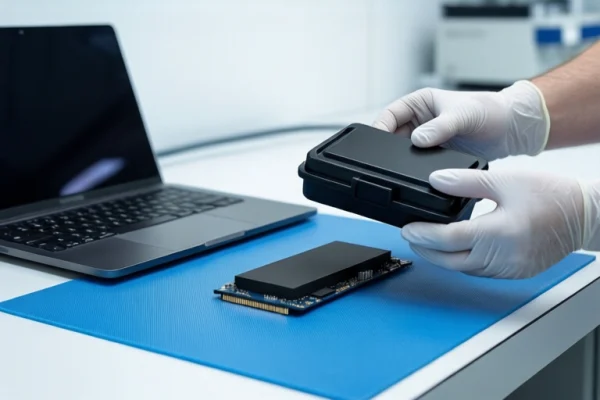
For the SAMSUNG MZALQ512HALU-000L2, software-based data recovery is only safe if the drive is stable, recognized by the system, and the failure is logical (e.g., accidental deletion). If the drive is unrecognized, shows 0 bytes, or has suffered physical damage, stop immediately. In these cases, TRIM commands may have already erased the data, or the controller may be failing, making further software attempts dangerous.
Immediate Safety Actions: Stop Writing and Power Down
The most critical step when data loss occurs on an NVMe SSD is to halt all write operations. Unlike mechanical hard drives, SSDs use a TRIM command mechanism. When files are deleted or the drive is formatted, the operating system sends a TRIM command to the controller, marking those data blocks as invalid. The controller then performs garbage collection in the background, physically erasing these blocks to prepare space for new data. This process is irreversible. Once the NAND flash cells are erased, no software can recover the original bitstream.
Therefore, if you suspect data loss on the MZALQ512HALU-000L2:
- Disconnect power immediately. Do not restart the computer repeatedly. Repeated power cycles can cause thermal stress on the controller and potentially break fragile solder joints.
- Do not attempt to 'repair' the file system. Avoid using tools like CHKDSK or disk repair utilities. These tools modify the file system structure and can trigger TRIM commands or overwrite residual data.
- Do not initialize or format the drive. Clicking 'Initialize Disk' or 'Format' in Disk Management will rebuild the partition table and may trigger further data erasure.
Why TRIM Makes SSD Recovery Different from HDD
Understanding the difference between SSD and HDD recovery is essential for the MZALQ512HALU-000L2. In a mechanical hard drive, deleted data remains on the platters until it is overwritten. In an NVMe SSD, the Flash Translation Layer (FTL) manages data placement. When data is marked for deletion, the FTL does not immediately erase it; instead, it waits for idle time to perform garbage collection. This means that if you continue to use the drive, the background processes will actively destroy the very data you are trying to recover.
Additionally, the MZALQ512HALU-000L2 uses the NVMe protocol, which has a more complex data layout than traditional SATA SSDs. Generic recovery software often fails because it cannot interpret the specific FTL algorithms used by Samsung's controllers. This complexity means that even if the drive is recognized, standard software may not be able to reconstruct the file directory correctly without risking further corruption.
Identifying the Failure Type: Logical vs. Physical
To determine if software recovery is a viable option, you must identify the type of failure. There are three main scenarios:
1. Logical Failure (Accidental Deletion/Format)
Condition: The drive is recognized in BIOS and Disk Management. SMART data shows no critical errors. There is no history of physical damage.
Action: This is the only scenario where software recovery might be safe. However, you must use read-only recovery tools or seek professional read-only imaging. Do not attempt to write any new data to the drive. The goal is to extract file fragments before the controller erases them.
2. Firmware/Controller Failure
Condition: The drive disappears from BIOS, shows 0 bytes, or is unstable (appears and disappears randomly).
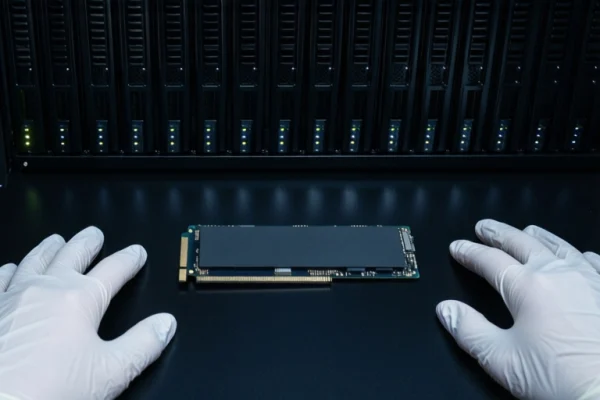
Action: Disconnect power immediately. Do not attempt software scans. This usually indicates a controller deadlock, firmware corruption, or power circuit failure. Software cannot communicate with the drive, and any attempt to force a connection may cause permanent damage to the NAND chips.
3. Physical Damage
Condition: Visible damage, smell of burning, or history of drop, water exposure, or overheating.
Action: Do not power on. The NAND flash may be physically damaged. Only a cleanroom environment can assess this. Attempting to power on a physically damaged SSD can cause short circuits that destroy the remaining readable data.
When to Stop: Clear Stop Conditions for Software Recovery
You must stop any software-based recovery attempt and seek professional hardware-level assessment if any of the following conditions are met:
- The drive is not recognized in BIOS or Disk Management. This indicates a communication failure between the controller and the host, which software cannot fix.
- The drive capacity shows as 0 bytes or significantly reduced. This is a classic sign of firmware corruption or the controller's inability to read the NAND mapping table.
- There is evidence of physical damage. Impact, water exposure, or overheating can cause microscopic damage to the NAND flash that spreads if the drive is powered on.
- The drive has been formatted or new data has been written to it after the failure occurred. In this case, TRIM commands have likely already erased the data, making recovery impossible regardless of the method used.
For the SAMSUNG MZALQ512HALU-000L2, the 'recovery success rate' is not a fixed number. It depends entirely on the TRIM status and the physical integrity of the NAND chips. If you are unsure of the failure type, the safest course of action is to keep the drive powered off and protected. Professional data recovery labs can perform non-invasive diagnostics to determine if the data is still recoverable without risking further loss.
Frequently Asked Questions
Can I use a USB adapter to recover data from this internal NVMe SSD?
No. The MZALQ512HALU-000L2 is an internal NVMe drive. Using a USB adapter without proper NVMe support can cause power instability and further damage. If the drive is not recognized, do not attempt to connect it via unverified adapters.
What happens if I run CHKDSK or a repair tool on the SSD?
Running CHKDSK or similar repair tools can modify the file system structure and potentially trigger TRIM commands or overwrite data. If the drive is unstable or unrecognized, these tools should not be used.
Is data recovery possible if the drive shows 0 bytes?
If the drive shows 0 bytes, it usually indicates a firmware or controller failure. Software recovery is unlikely to succeed and may worsen the situation. Professional assessment is required to determine if the NAND chips are still readable.