
Z6NBT08RTMAE Storage Device Recovery: Key Conditions for Viability and Safe Assessment
Published 2026-09-24 | JiWang Data Recovery Technical Team
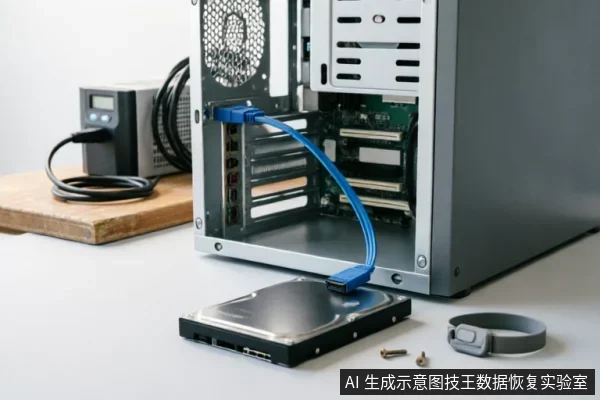
Initial Assessment and Media Safety Protocols
Before initiating any recovery procedures for the Z6NBT08RTMAE drive, it is critical to establish a secure baseline. The primary objective is to preserve the integrity of the original media until the target data is confirmed safe. Immediate actions must focus on verifying the current state of the device without altering its contents.
- Verify Device Identification: Ensure the system correctly recognizes the drive model and connection status. Do not proceed with software scans if the device is unstable or intermittently disconnecting.
- Check Existing Backups: Review available backups to determine if the data in question has already been secured elsewhere. If a valid backup exists, further intervention on the primary drive may be unnecessary.
- Audit Previous Operations: Document any prior attempts at repair, formatting, or initialization. These actions can significantly impact the feasibility of subsequent recovery steps.
Strict adherence to safety protocols is mandatory. Under no circumstances should you format the drive, initialize it, or write any new data back to the original medium. Writing to the source disk risks overwriting recoverable sectors, thereby permanently destroying the target data. All diagnostic checks must be read-only. If the device shows signs of logical corruption, avoid running standard operating system utilities that might attempt automatic repairs, as these can modify file structures. Instead, rely on professional imaging tools that create a bit-for-bit copy before analysis. This approach ensures that the original state remains intact for potential future recovery efforts. Always prioritize the preservation of the physical and logical structure of the drive over immediate data access.
Recognizing Hardware Faults and Stopping Risks
When a storage device exhibits abnormal mechanical sounds, such as grinding or clicking noises, it indicates potential internal component distress. Repeatedly powering on the drive under these conditions exacerbates the risk of permanent data loss. Similarly, if the system repeatedly drops the disk connection or displays inconsistent capacity recognition during enumeration, this signals instability in the communication link or controller logic. In such scenarios, continuing to run long-duration scans or diagnostic tools is strictly prohibited. These operations demand significant power and thermal output, which can accelerate failure when hardware integrity is already compromised. If the drive becomes completely unrecognizable by the operating system, do not immediately assume catastrophic failure. The first step is to verify the external connection chain. This includes inspecting the SATA or USB cables for physical damage, ensuring connectors are fully seated, and testing alternative ports on the host machine. A loose or faulty cable can mimic hardware failure symptoms. Once the connection path is confirmed stable, assess whether the drive remains invisible. If it does, further intervention should shift from active usage to a read-only evaluation mode. Active writing or aggressive scanning must cease entirely at this stage. The priority is to preserve the current state of the media without triggering additional wear or electrical stress. Only after establishing a stable, passive link should professional assessment proceed. Any attempt to force recognition through repeated reboots or software overrides increases the likelihood of irreversible damage. Users must recognize that stopping risky operations early is the most effective method to maintain recovery potential.

Limitations of Remote Data Recovery Tools
| Recovery Scope | Technical Boundary | Actionable Insight |
|---|---|---|
| Logical Access | Remote tools operate exclusively within the operating system's accessible logical layer. They are designed for data extraction where the file system remains readable and mounted by the host environment. | Verify if the drive appears in disk management utilities before initiating any remote session. |
| Hardware Limits | These solutions cannot resolve hardware-level identification failures. If the storage device is not recognized by the BIOS or UEFI, remote software has no interface to interact with the underlying components. | Do not attempt remote fixes if the system fails to detect the drive during boot sequences. |
| Operational Risk | Forcing a connection when identification is unstable may trigger protective shutdowns or further obscure the logical structure required for successful extraction. | Stop immediately if the drive disconnects intermittently or causes system instability. |
| Next Steps | If remote extraction fails due to non-recognition, professional hardware diagnostics are required to determine if the issue is physical or firmware-related. | Consult certified technicians for advanced board-level analysis rather than repeated software attempts. |
Distinguishing Logical Extraction from Physical Repair
Distinguishing between logical data extraction and physical hardware repair is fundamental to determining recovery viability. The appropriate approach depends entirely on the specific condition of the storage medium rather than a single model identifier. Before any recovery attempts, you must verify the device recognition status, check for existing backups, and review previous operations. This ensures that target data in the original medium has not been compromised. Avoid formatting, initializing, or writing recovery results back to the original medium until safety is confirmed. Remote data recovery technology applies only to logical layer data extraction accessible by the operating system. It cannot resolve hardware-level recognition failures. If the drive is not recognized, logical methods are ineffective. Physical issues require different handling. Always prioritize preserving the current state of the drive. Do not attempt repairs that might alter the logical structure. Check for backup integrity first. If no backups exist, focus on stable identification. Stop if recognition fluctuates. Next steps depend on whether the issue is software-related or hardware-related. Before any data recovery attempts, you must verify the device recognition status, existing backups, and previous operations. This ensures that target data in the original medium has not been compromised. Avoid formatting, initializing, or writing recovery results back to the original medium until safety is confirmed. Remote data recovery technology applies only to logical layer data extraction accessible by the operating system. It cannot resolve hardware-level recognition failures. If the drive is not recognized, logical methods are ineffective. Physical issues require different handling. Always prioritize preserving the current state of the drive. Do not attempt repairs that might alter the logical structure. Check for backup integrity first. If no backups exist, focus on stable identification. Stop if recognition fluctuates. Next steps depend on whether the issue is software-related or hardware-related.
Critical Decision Points for Recovery Paths
- Immediate Power Cessation: When a storage device exhibits abnormal mechanical sounds, repeated disconnections, or anomalous recognized capacity, it is critical to stop repeated power-on cycles and long-duration scans immediately. Continuing to power the device under these conditions significantly increases the risk of further degradation. The priority shifts from data retrieval to hardware stabilization.
- External Chain Verification: If the drive becomes completely unrecognizable by the host system, the first step is not invasive repair but rather confirming the external connection chain. This includes inspecting cables, ports, and adapters for integrity. Only after verifying that the external link is functional should one decide whether to proceed with a read-only assessment. This cautious approach prevents unnecessary stress on potentially failing components.
- Logical vs. Hardware Limitations: It is essential to understand the boundaries of remote data recovery technologies. These methods are strictly applicable to logical layer data extraction where the operating system can still access the file structure. They cannot resolve hardware-level recognition failures. If the issue stems from physical component failure or controller malfunction, remote solutions are ineffective, and alternative professional interventions must be considered.
- Do not open or disassemble the drive;keep the original media protected and seek professional assessment.keep the original media protected and seek professional assessment.
Frequently Asked Questions
What immediate steps should be taken if the target data on the original medium has not yet been confirmed as safe?
Before proceeding, verify the device identification status, check for existing backups, and review previous operations. Avoid formatting, initializing, or writing recovery results back to the original medium.
How should one respond if a storage device exhibits abnormal mechanical noises, frequent disconnections, or incorrect capacity recognition?
Stop repeated power cycling and long-duration scanning immediately. If the device is completely unrecognizable, first confirm the external connection chain before deciding whether to enter a read-only assessment phase.
What are the limitations of remote data recovery technology regarding hardware issues?
Remote data recovery is strictly limited to logical layer data extraction where the operating system can access the drive. It cannot resolve hardware-level recognition failures or physical component malfunctions.