
New Hard Drive Installation Causes Old Drive Unrecognized: Data Recovery Viability and Critical
Published 2026-09-24 | JiWang Data Recovery Technical Team
Immediate Safety Verification Before Recovery Attempts
Before initiating any recovery attempts, it is critical to establish a secure baseline by verifying the current status of the storage environment. This preliminary step ensures that no further data loss occurs during the diagnostic phase. The primary objective is to confirm the safety of target data on the original medium without altering its state.
- Verify Device Recognition Status: Check whether the operating system detects the original drive. Note if it appears as removable media or remains invisible in disk management tools. Do not attempt to force recognition through aggressive scanning software at this stage.
- Check Existing Backups: Determine if any cloud services, external drives, or network-attached storage contain recent copies of the files in question. If backups exist, the urgency for immediate physical intervention may decrease significantly.
- Review Prior Operations: Assess what actions have already been taken. Have you attempted to format, initialize, or write any recovery results back to the original medium?If such operations were performed, the risk of overwriting recoverable sectors increases substantially.
Avoid formatting, initializing, or writing recovery results back to the original medium under any circumstances. These actions can permanently erase file system structures and user data. Instead, focus on documenting the current behavior of the device. If the drive makes unusual noises or fails to spin up, disconnect power immediately. For logical issues, ensure no new data is written to the partition. This cautious approach preserves the integrity of the source data, allowing professional tools to analyze the raw structure later. Always prioritize read-only access to prevent accidental modification of the original storage state.
Identifying Physical Damage Indicators
When a storage device exhibits abnormal mechanical sounds, repeated disconnections, or capacity anomalies, you must stop repeated power-on attempts and long-term scanning;first confirm the external connection chain, then decide whether to enter a read-only assessment. This protocol is critical because continued operation under these specific conditions can exacerbate the underlying instability. Users often attempt to force recognition by cycling power or running diagnostic scans, but this approach directly contradicts safe recovery principles when such symptoms are present. The priority shifts from data retrieval to preventing further degradation of the signal integrity.
First, verify the physical link between the drive and the host system. Ensure that all cables are securely seated and that the power supply provides stable voltage without fluctuations. If the connection chain is confirmed to be intact, yet the device still displays the aforementioned anomalies, the issue likely resides within the drive’s internal state rather than the external interface. In this scenario, any further interaction with the device should be minimized. Do not attempt to mount the volume or access files through the operating system, as this may trigger background processes that interfere with the read-only assessment phase.
Instead, document the specific nature of the abnormal sounds or disconnection patterns. Note whether the behavior is consistent or intermittent, as this information aids professionals in determining the appropriate next steps. If the device remains unresponsive despite a verified connection, cease all attempts to interact with it. The goal is to preserve the current state for a controlled evaluation. Moving forward, seek assistance from specialized services capable of performing a read-only assessment in a controlled environment. This ensures that no additional stress is placed on the components while the extent of the damage is accurately determined.
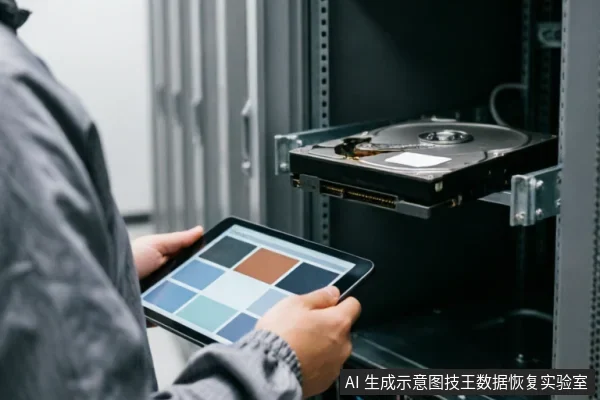
Critical Steps for Mechanical Failure Scenarios
| Diagnostic Phase | Action Protocol | Rationale & Safety Boundary |
|---|---|---|
| Phase 1: Immediate Cessation | Stop all power-on attempts and long-term scanning processes immediately. | Abnormal mechanical sounds, repeated disconnections, or capacity anomalies indicate potential hardware instability. Continued operation risks irreversible data loss by exacerbating mechanical stress or triggering unintended write cycles. |
| Phase 2: External Verification | Confirm the integrity of the external connection chain before any further intervention. | Ensure cables, ports, and adapters are secure and functional. This step isolates connectivity issues from internal drive failures, preventing unnecessary diagnostic confusion and ensuring that subsequent assessments target the correct component. |
| Phase 3: Read-Only Assessment | Decide whether to enter a read-only assessment mode for data evaluation. | A read-only environment prevents any modification to the source media. This is critical for preserving the current state of data structures, allowing professionals to evaluate recovery possibilities without altering or destroying existing information during the diagnostic phase. |
Professional Intervention Requirements
When a secondary drive installation causes the system to fail recognizing an existing storage unit, the immediate priority shifts from software troubleshooting to hardware preservation. This scenario often indicates a complex interaction between the motherboard’s SATA controller and the power delivery system, which may have inadvertently stressed the older device. In such cases, standard diagnostic tools are insufficient because they cannot address potential internal component failures or connector integrity issues that require specialized equipment to evaluate safely.
Do not open or disassemble the drive;keep the original media protected and seek professional assessment.
Users must avoid powering the unrecognized drive repeatedly, as each power cycle increases the risk of triggering protective mechanisms or worsening electrical faults. Instead, the drive should be powered down immediately and stored in a static-safe bag. The next step involves consulting a certified data recovery service provider who can perform a thorough assessment using advanced diagnostic software and hardware adapters. These experts will determine whether the issue stems from logical corruption, controller failure, or physical damage, and propose a tailored solution based on the specific findings. This approach ensures that data retrieval efforts are both effective and safe, minimizing the risk of permanent loss.
Assessment Workflow Summary
- Initial Verification Phase: Before confirming the safety of target data on the original medium, verify device recognition status, existing backups, and prior operations. This step is critical to prevent accidental data loss during the assessment process. Users must strictly avoid formatting, initializing, or writing recovery results back to the original medium. Any attempt to write new data or restructure the file system can overwrite existing sectors, making subsequent professional recovery significantly more difficult or impossible. The primary goal at this stage is to preserve the current state of the storage device without introducing any modifications that could compromise data integrity.
- Hardware Stability Check: When a storage device exhibits abnormal mechanical sounds, repeated disconnections, or capacity anomalies, you must stop repeated power-on attempts and long-term scanning. These symptoms often indicate underlying hardware issues that require immediate attention. Continuing to power on the device under these conditions can exacerbate the problem, leading to further data degradation. First confirm the external connection chain, including cables, ports, and adapters, to rule out simple connectivity issues. Only after verifying the external components should you decide whether to enter a read-only assessment. This cautious approach ensures that the device is not subjected to unnecessary stress while potential hardware faults are being evaluated by professionals.
Frequently Asked Questions
What preliminary checks should be performed before confirming data safety on the original medium?
Verify device recognition status, check for existing backups, and review prior operations. Avoid formatting, initializing, or writing recovery results back to the original medium until these steps are completed.
How should one respond if a storage device shows abnormal mechanical sounds, repeated disconnections, or capacity anomalies?
Stop repeated power-on attempts and long-term scanning immediately. First confirm the external connection chain, then decide whether to enter a read-only assessment.
What is the recommended course of action for devices at risk of physical damage?
Do not open or disassemble the drive;keep the original media protected and seek professional assessment.