
X50H Storage Device Data Loss: Immediate Safety Checks and Stop Conditions
Published 2026-09-24 | JiWang Data Recovery Technical Team
Immediate Action: Halting Write Operations
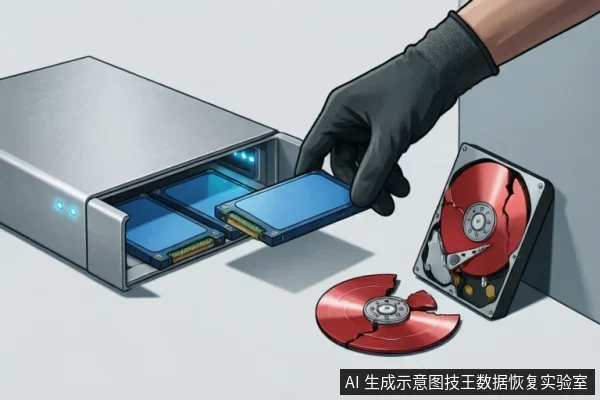
The immediate cessation of all write operations is the single most critical step to prevent data overwriting. When files are deleted or lost on the X50H device, the underlying storage medium does not instantly erase the digital information. Instead, the system marks the space as available for new data. This creates a narrow window where the original content remains intact but vulnerable. Any subsequent action that writes new data to the drive risks permanently replacing these marked sectors. Therefore, stopping all write activities immediately preserves the integrity of the recoverable data. Users must understand that modern operating systems and applications frequently perform background tasks that involve writing data. These include system updates, temporary file creation, cache generation, and log recording. Even simple actions like opening a program or browsing files can trigger write operations. Consequently, continuing normal usage significantly increases the probability of data loss. The priority is to isolate the device from any process that modifies its storage state. This means avoiding saving new documents, installing software, or transferring files to the drive. Furthermore, users should refrain from running disk optimization tools or defragmentation utilities. These processes actively rewrite data blocks and can overwrite the very sectors needed for recovery. The goal is to maintain the storage state exactly as it exists at the moment of discovery. By halting write operations, you ensure that the data remains in its pre-deletion condition. This passive approach is essential because active intervention often leads to irreversible data corruption. The focus must remain solely on preventing any modification until professional recovery methods are applied. This strict adherence to non-writing protocols maximizes the potential for successful restoration without introducing additional risks or complications to the device's current status.
Device Identification and Protocol Selection
| Step | Action | Rationale & Safety Boundary |
|---|---|---|
| 1 | Verify Device Identity | The identifier 'X50H' lacks verified technical specifications in the current evidence base;therefore, generic flash storage handling protocols must be applied. Do not assume specific controller architectures or proprietary features associated with this label. |
| 2 | Select Interface Protocol | Identify the physical connection type (e.g., SATA, NVMe, USB). Since specific model details are unavailable, prioritize standard, non-invasive communication protocols that do not trigger automatic maintenance commands. |
| 3 | Avoid Aggressive Scanning | Do not run file system checks or deep scans immediately. Without confirmed specifications, aggressive tools may initiate background processes that alter data states unpredictably. |
| 4 | Stop Condition | If the device becomes unresponsive, emits unusual sounds, or shows thermal anomalies, disconnect power immediately. These signs indicate potential hardware instability requiring professional assessment. |
Safe External Diagnostic Steps
When encountering file loss on the X50H, the initial phase focuses exclusively on safe external diagnostic steps. These actions are designed to verify connectivity without introducing any risk to data integrity. The process begins with a thorough inspection of all physical connections. Users should examine the USB or SATA cables for visible signs of damage, such as fraying or bent pins. A compromised cable can cause intermittent signal loss, which may manifest as missing files or drive disconnects. It is crucial to replace any suspect cable with a known-good alternative before proceeding. Next, the connection port must be evaluated. Dust, debris, or oxidation within the host computer’s USB or SATA ports can prevent proper communication between the device and the system. Gently cleaning the port with compressed air or a soft brush can restore contact. If possible, try connecting the X50H to a different port on the same machine. This helps isolate whether the issue lies with the specific port or the drive itself. Furthermore, testing the drive on a different host computer is a highly effective low-risk diagnostic step. By swapping the host, users can determine if the problem is related to the operating system configuration, driver issues, or hardware incompatibility on the original machine. If the drive is recognized and accessible on another system, the issue likely resides with the original host’s software environment rather than the X50H storage unit. These external checks are non-invasive and do not alter the state of the stored data. They provide a clear pathway to identify simple connectivity faults before considering more complex internal diagnostics. Always ensure that the drive is properly seated and that the host system has adequate power delivery during these tests.
Critical Stop Conditions for Hardware Failure
When dealing with the X50H, recognizing when to stop software-based recovery attempts is critical for preserving data integrity. The primary goal during this phase is not to force access but to identify clear indicators that the device has transitioned from a logical error state to a physical hardware failure. Continuing to run diagnostic tools or file recovery software in the presence of specific physical symptoms can exacerbate the issue, potentially leading to permanent data loss that no software solution can reverse. Therefore, users must immediately cease any active scanning or writing operations if certain observable conditions arise. The allowed technical conclusions highlight that physical symptoms serve as the definitive boundary between recoverable logical issues and dangerous hardware states. Specifically, the presence of unusual noise, excessive heat generation, or unexpected formatting prompts are the key indicators that warrant an immediate halt to all software interventions. These symptoms are not merely inconveniences;they are direct signals that the internal components are failing or operating outside safe parameters. For instance, audible grinding or clicking noises suggest mechanical instability within the drive assembly, while sudden temperature spikes may indicate electrical faults or short circuits. Similarly, if the system repeatedly prompts to format the drive upon connection, it indicates that the controller cannot reliably read the existing file structure, pointing to severe corruption or hardware malfunction rather than simple file deletion. In these scenarios, further attempts to access the drive via standard operating system tools or third-party recovery suites are strictly prohibited. Each additional second the device remains powered on under these fault conditions increases the risk of irreversible damage. The safety protocol dictates that once any of these three physical symptoms—noise, heat, or formatting prompts—are observed, the user must power down the device immediately. This action prevents further stress on the failing components and preserves the current state for professional assessment. By adhering to these stop conditions, users avoid the common pitfall of attempting software fixes on hardware problems, thereby maintaining the best possible chance for successful data retrieval through specialized, non-invasive methods.
Understanding Flash Memory Layers and Recovery
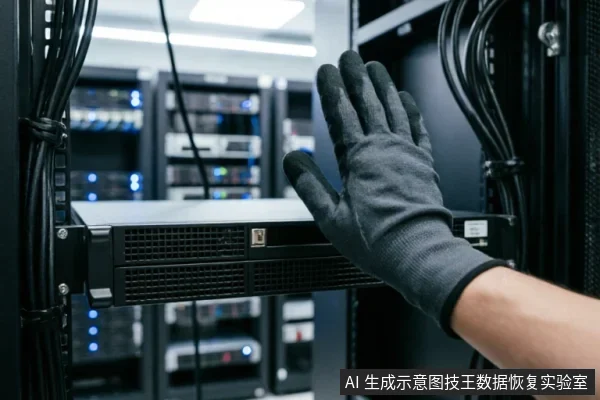
When dealing with the X50H identifier, it is crucial to recognize that specific technical specifications are not currently verified in the available evidence base. Consequently, generic flash storage handling protocols must be applied to ensure data integrity and safety. This approach prioritizes caution over assumption, acknowledging that without precise model details, standard procedures for flash memory layers become the only reliable path forward. Flash memory operates on complex layering structures that manage data persistence and retrieval. Understanding these layers helps in determining safe recovery steps. The primary concern is preventing further data loss during initial assessment. Users should avoid any actions that might trigger automatic system processes, such as file indexing or background synchronization, which can overwrite critical information. Instead, focus on observing the device's behavior under controlled conditions. If the device exhibits unusual signs, such as failure to mount or intermittent connectivity, these are observable phenomena that warrant immediate attention. Do not attempt to force connections or use diagnostic tools that may stress the hardware. The goal is to preserve the current state until professional intervention can be arranged. Generic protocols emphasize minimizing power cycles and avoiding write operations. This strategy reduces the risk of triggering mechanisms like garbage collection, which could permanently erase data. By adhering to these conservative measures, users can maintain the best possible chance for successful recovery while waiting for expert assistance.
Frequently Asked Questions
What is the immediate first action to take when data loss is suspected?
Immediately cease all write operations to the affected drive. This is the most critical step to prevent new data from overwriting the lost files.
How should I handle a drive identified as 'X50H' during recovery attempts?
Since specific technical specifications for 'X50H' are not verified, apply generic flash storage handling protocols rather than assuming standard hard drive behaviors.
Is it safe to check external connections like cables or ports?
Yes. Performing external connection checks on cables, ports, or different hosts is considered a safe, low-risk diagnostic step that does not compromise data integrity.
When should I stop attempting software-based recovery methods?
If you observe physical symptoms such as unusual noise, excessive heat, or repeated formatting prompts, these indicate hardware failure. At this point, software intervention is dangerous and should be avoided.