
Hard Drive Enclosure Data Recovery: Actions That Compromise Results and Safe Next Steps
Published 2026-09-24 | JiWang Data Recovery Technical Team
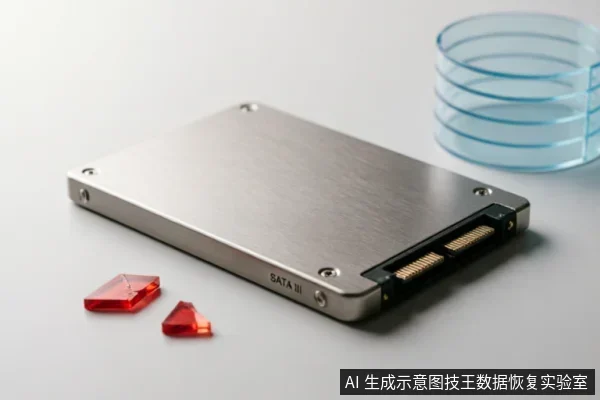
Critical Operations to Avoid Before Recovery
When a drive is connected via an enclosure, the immediate priority is preserving the current state of the data. Before performing any recovery or diagnostic steps, verify the device's recognition status to ensure the system can identify the hardware without errors. This initial check helps determine if the connection is stable and if the drive is responding appropriately to basic commands.
- Check for existing backups immediately. If accessible copies exist, they may eliminate the need for complex recovery procedures. Confirming backup availability provides a clear baseline for what data is already safe.
- Avoid formatting the drive. Formatting restructures the file system and marks space as available, which can overwrite critical metadata needed for reconstruction. This action fundamentally alters the logical structure of the storage medium.
- Do not initialize the volume. Initialization creates new partition tables and file systems, effectively erasing the previous organizational structure. This process destroys the mapping information required to locate original files.
- Refrain from writing recovered data back to the original medium. Saving new files to the same drive risks overwriting sectors that contain other recoverable data. The safest practice is to save extracted files to a different, healthy storage device.
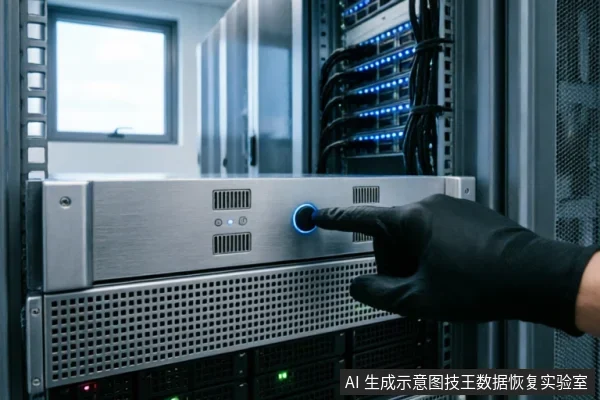
Adhering to these precautions ensures that the drive remains in its most recoverable state. Any deviation from these guidelines introduces unnecessary risk to the integrity of the stored information. Maintaining a passive approach until professional assessment is complete is the most reliable strategy.
Recognizing Mechanical and Connection Anomalies
When connecting a drive via an enclosure, the initial phase of diagnosis focuses on identifying physical and electrical irregularities that may compromise data integrity. If the storage device exhibits abnormal mechanical sounds, frequent disconnects, or capacity anomalies, stop repeated power cycling and long scans. These symptoms often indicate underlying instability rather than simple logical errors. Continuing to operate under such conditions can exacerbate the issue, making subsequent recovery efforts more difficult. It is crucial to recognize these warning signs early in the process. For complete non-recognition, verify the external connection chain first. This involves checking the USB cable, the enclosure interface, and the host port for any loose connections or physical damage. A stable connection is the foundation of any successful diagnostic procedure. If the drive remains undetected after verifying the connection chain, it suggests a deeper issue within the enclosure or the drive itself. In such cases, further attempts to force recognition are not recommended. Instead, focus on stabilizing the environment before proceeding. Users should also be aware that certain actions during this stage can have lasting effects. For instance, ignoring intermittent connectivity issues and continuing to scan the drive can lead to increased stress on the components. Similarly, if the drive makes unusual noises, immediate cessation of power is advised to prevent potential harm. By adhering to these guidelines, users can maintain the best possible condition for their devices, ensuring that professional assistance, if required, has the highest chance of success. Always prioritize safety and stability over aggressive troubleshooting methods.
Handling Complete Non-Recognition Issues
When a storage device exhibits abnormal mechanical sounds, frequent disconnects, or capacity anomalies, stop repeated power cycling and long scans. For complete non-recognition, verify the external connection chain first. This initial step is critical because many recognition failures stem from loose cables, faulty ports, or incompatible adapters rather than internal drive failure. Users should inspect every link in the connection path, ensuring that USB cables are securely seated and that the enclosure’s interface matches the host system’s capabilities. If the device remains undetected after confirming physical connections, do not attempt to force recognition through aggressive software tools or repeated reboots. Such actions can exacerbate instability, particularly if the underlying issue involves intermittent electrical faults or sensitive mechanical components. Instead, document the specific symptoms observed, such as whether the drive spins up briefly or emits clicking noises, and note any error messages displayed by the operating system. These details provide essential context for professional assessment. Avoid using diagnostic utilities that perform deep sector scans, as these may trigger protective mechanisms or stress failing parts further. The priority is to preserve the current state of the device without introducing additional variables that could complicate future recovery efforts. If basic connectivity checks yield no results, cease all user-level troubleshooting immediately. Continuing to interact with a non-responsive drive increases the risk of permanent data loss, especially in cases where internal controllers or media layers are compromised. Professional intervention becomes necessary when standard verification steps fail to restore visibility. At this stage, specialized equipment and controlled environments are required to safely evaluate the hardware condition. Attempting further DIY repairs or software fixes is strongly discouraged, as they often lead to irreversible changes that hinder expert analysis.
Risks of Physical Disassembly and DIY Repairs
Do not open or disassemble the drive;keep the original media protected and seek professional assessment.this must be handled by professional agencies with cleanroom environments. Attempting to open the device without proper facilities introduces contaminants such as dust and static electricity directly into sensitive areas. These elements can cause irreversible harm to internal components that are critical for data retrieval. Even minor mishandling during self-repair attempts can lead to further degradation of the storage medium. Professional technicians utilize specialized tools and controlled settings to ensure that no additional damage occurs during the extraction process. Furthermore, improper handling may void warranties or complicate forensic analysis if the device requires advanced recovery techniques. It is crucial to recognize that the integrity of the data depends heavily on maintaining the device's original state until it reaches qualified experts. Users should prioritize preserving the current condition over attempting quick fixes. By avoiding unauthorized disassembly, you safeguard the possibility of successful data restoration. Always seek assistance from certified professionals who adhere to strict safety protocols and industry standards. This ensures that your valuable information remains protected throughout the entire recovery journey.
Summary of Safe Recovery Protocols
| Protocol Phase | Actionable Steps | Prohibited Actions |
|---|---|---|
| Initial Assessment | Verify device recognition status in the operating system. Check for existing backups to determine data redundancy. Ensure the external connection chain is secure and functional before proceeding with any diagnostic steps. | Avoid formatting, initializing, or writing recovered data back to the original medium. Do not perform long scans if the device exhibits abnormal mechanical sounds, frequent disconnects, or capacity anomalies. |
| Power Management | If the storage device shows signs of instability, stop repeated power cycling immediately. Limit exposure time to prevent further degradation of the storage medium during non-recognition scenarios. | Do not attempt to force the device into a working state through continuous reconnection attempts. Avoid running diagnostic tools that require sustained power draw when physical damage risks are present. |
| Physical Handling | Do not open or disassemble the drive;keep the original media protected and seek professional assessment. | Do not open the enclosure housing. Avoid exposing internal components to dust, static electricity, or improper handling techniques that could compromise the integrity of the storage media. |
| Professional Intervention | Contact certified data recovery specialists who possess the necessary equipment and expertise. Provide them with all relevant information regarding the device's behavior and history prior to failure. | Do not rely on consumer-grade software solutions for complex recovery tasks. Avoid DIY methods that may exacerbate existing issues or lead to permanent data loss due to lack of specialized knowledge. |
Frequently Asked Questions
What preliminary checks should be performed before initiating any recovery or diagnostic procedures?
Verify the device's recognition status, check for existing backups, and strictly avoid formatting, initializing, or writing recovered data back to the original medium.
How should I respond if the storage device shows signs of mechanical failure or connection instability?
Stop repeated power cycling and long scans immediately. For complete non-recognition, verify the external connection chain first.
Is it safe to open the hard drive enclosure myself if physical damage is suspected?
keep the original media protected and seek professional assessment.this must be handled by professional agencies with cleanroom environments.