
Why Data Recovery Time Varies: Media Health vs. File Size
Published 2026-09-19 | JiWang Data Recovery Technical Team
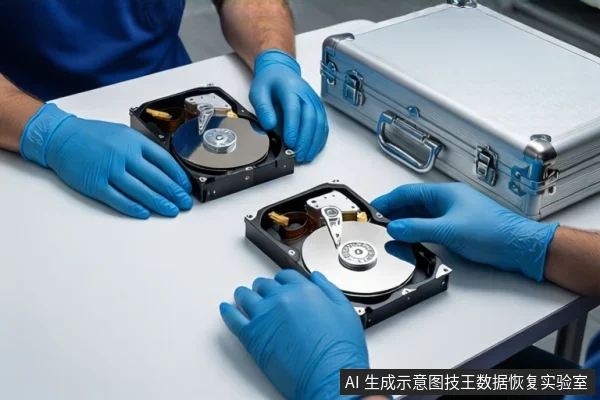
The time required to recover downloaded data is not fixed by file size but is primarily determined by the physical health of the storage media and the complexity of the file system. For healthy media with logical issues, recovery typically takes hours to two days. If the media has bad sectors or requires imaging, the process can extend to three to five days or longer due to the time needed for stable, low-speed data extraction.
Direct Answer: Why Time Varies
Users often estimate recovery time based on gigabytes, assuming a linear relationship. In practice, the bottleneck is rarely the amount of data but the read stability of the source device. A healthy drive reads at near-nominal speeds, allowing rapid extraction. A failing drive requires slow, segmented reading to prevent catastrophic failure, which can turn a few hours of work into several days. The "downloaded" nature of the files (often fragmented or temporary) adds a layer of complexity, but the physical state of the disk remains the dominant variable.
Key Factor 1: Media Health and Read Stability
Read stability is the core indicator of progress. If a device exhibits physical symptoms such as clicking, grinding, or frequent disconnection, stop all write operations and power cycles immediately. Continuing to power on a failing mechanical hard drive (HDD) can cause head crashes or further media degradation, making recovery impossible. In these cases, professional cleanroom intervention is required, and the timeline is dictated by hardware repair rather than data extraction.
For drives with bad sectors but no catastrophic mechanical failure, engineers must use slow, segmented reading strategies. This process, known as imaging, can take 24 to 72 hours or more. The goal is to create a stable bit-by-bit copy before attempting any file system reconstruction. Attempting to scan the original drive directly in this state risks overwriting recoverable data or causing the drive to fail completely.
Key Factor 2: File System Complexity and Data Type
Once a stable image is created, the time required depends on the file system structure. Simple binary files (images, audio, uncomressed video) are recovered quickly if their headers are intact. However, downloaded data often includes complex structures like databases, compressed archives, or fragmented documents. Reconstructing these requires analyzing metadata and reassembling fragments, which is computationally intensive. If the Master File Table (MFT) or directory entries are corrupted, engineers must perform deep scans to identify file signatures, significantly increasing the time required for the extraction phase.
SSD and Flash Media: The TRIM Factor
Solid State Drives (SSDs) and USB flash drives operate differently. If data is deleted on an SSD and the TRIM command has been executed, the data blocks are permanently cleared by the controller. In this scenario, recovery is likely impossible, and further processing should be halted to avoid unnecessary costs. If TRIM has not yet been triggered, recovery is possible but requires specialized tools to bypass garbage collection mechanisms. For USB/SD cards with controller failures, the timeline is uncertain and depends on whether the chip can be identified and read using low-level tools.

The Recovery Process: Stages and Time Allocation
Professional recovery typically follows four stages, each with distinct time costs:
- Diagnosis (10-20% of time): Identifying the failure type (logical vs. physical) and assessing risk. This is usually quick, often within half a day.
- Imaging (40-60% of time): Creating a stable copy of the data. This is the most time-consuming stage for damaged media, as it requires slow, stable extraction to prevent data loss.
- Extraction (20-30% of time): Scanning the image for file signatures and reconstructing file systems. Time varies based on file complexity and fragmentation.
- Verification (5-10% of time): Testing recovered files for integrity and copying them to a new medium.
Frequently Asked Questions
Why does recovering 10GB of data take longer on a damaged drive than on a healthy one?
On a healthy drive, data is read at full speed. On a damaged drive with bad sectors, the recovery process requires slow, segmented reading to prevent the drive from failing completely, which can extend the imaging phase from hours to days.
Can I recover data from an SSD if I formatted it yesterday?
It depends on whether the TRIM command was executed. If TRIM ran, the data is likely permanently erased. If TRIM was disabled or not yet triggered, recovery is possible but requires specialized tools to bypass garbage collection mechanisms.
What is the most time-consuming part of the data recovery process?
Imaging (creating a bit-by-bit copy) is typically the most time-consuming stage, accounting for 40-60% of the total time, especially if the source media has read errors or bad sectors that require slow, stable extraction.