
Z3730 System Data Recovery: Pre-Assessment Media Status and Risk Mitigation
Published 2026-09-24 | JiWang Data Recovery Technical Team
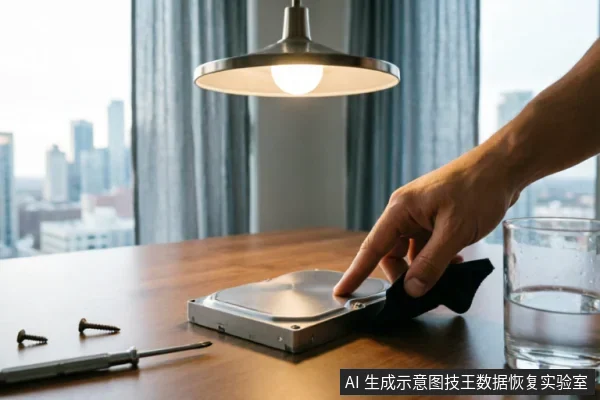
When dealing with data loss on a computer platform utilizing the Intel Z3730 processor, the primary concern is not the processing unit itself, but the integrity of the attached storage media—such as an internal SSD, eMMC module, or external hard drive. The immediate action required upon discovering missing files or system instability is to cease all write operations to the affected device. Any further writing, including system updates, file transfers, or software installations, risks overwriting the very data you intend to recover. Before any professional assessment can begin, it is critical to accurately diagnose the current state of the storage medium to prevent irreversible damage.
Direct Conclusion and Immediate Actions
The core conclusion for any data recovery scenario involving a Z3730-based system is that the target data must be considered unsafe until its physical status is verified. You must immediately stop using the device for daily tasks. Do not attempt to format, initialize, or run disk repair utilities, as these tools actively write to the disk and can permanently destroy recoverable data. If the device is making unusual noises or disconnecting intermittently, power it down completely. If it is recognized by the operating system but showing errors, keep it connected only for read-only imaging by a professional. The first step in risk mitigation is always preserving the static state of the original medium.
Media Status Diagnosis Table
To determine the appropriate next steps, you must categorize the behavior of your storage device. The following table outlines common scenarios and the corresponding immediate actions based on established data protection principles.
| Observed Device Behavior | Risk Level | Immediate Action Required |
|---|---|---|
| Device is recognized, but files are missing or folders are empty. | Moderate (Logical Risk) | Stop copying files to this drive. Do not run formatting tools. Prepare for logical recovery imaging. |
| System prompts to "Initialize Disk" or format the volume. | High (Structural Risk) | Cancel the prompt immediately. Do not click "Yes" or "Format." This indicates partition table corruption. |
| Device makes clicking, grinding, or buzzing sounds;or fails to spin up. | Critical (Physical Risk) | Power off the device immediately. Do not attempt to open the casing. Seek professional hardware assistance. |
| Device connects and disconnects repeatedly (flapping). | Critical (Connection/Physical Risk) | Check cables and ports once. If the issue persists, disconnect the device to prevent controller stress. |
| Device is completely unrecognizable by the BIOS or OS. | Variable (Hardware/Connection) | Verify external connections if applicable. If internal, do not force boot attempts. Professional diagnosis needed. |
Risk Mitigation Principles
Understanding why certain actions are dangerous is key to effective risk mitigation. The most common mistake users make is attempting to "fix" a logical error by running standard Windows utilities. When a file system is corrupted, these utilities often try to rebuild structures by writing new metadata to the disk. This process can overwrite the directory entries that point to your actual data files, rendering them unrecoverable. Similarly, if a device is physically unstable, repeated power-on attempts can cause mechanical components to wear out further or electronic signals to degrade fragile magnetic or flash memory states.
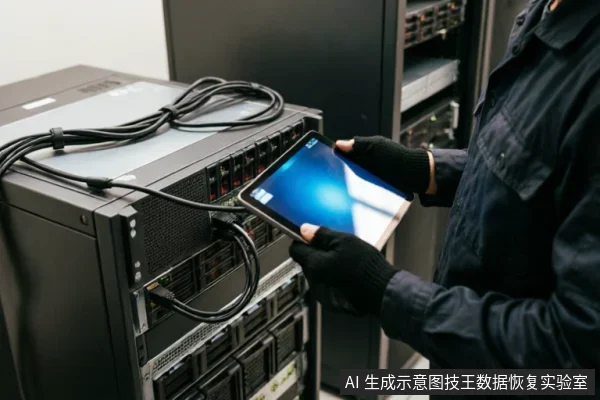
Another critical principle is the separation of logical and physical recovery paths. Remote data recovery techniques are strictly limited to situations where the operating system can successfully access the logical layer of the storage. If the hardware cannot present a stable volume to the OS, remote software solutions are ineffective and may even exacerbate the problem by forcing the hardware into high-stress states. For devices exhibiting physical symptoms, such as those mentioned in the diagnosis table, the only safe path is to avoid any form of self-repair or software scanning.
Recovery Boundary and Service Scope
It is important to define what constitutes a recoverable scenario versus a hardware failure. Data recovery services focus on extracting data from the storage medium, not repairing the device for continued use. Even if data is successfully retrieved, a drive that has suffered physical failure should not be reused for critical storage due to the high probability of imminent secondary failure. Furthermore, the scope of recovery is bounded by the extent of data overwriting. If user actions, such as installing new software or saving new files, have overwritten the sectors where the lost data resided, that specific data is permanently lost regardless of the recovery method used. Therefore, the boundary of success is heavily dependent on the "time-to-action" after the initial data loss event.
Frequently Asked Questions
Can I use remote data recovery tools if my Z3730 system's drive is not recognized by the computer?
No. Remote data recovery technology is designed exclusively for extracting logical data from systems where the operating system can already access the storage interface. It cannot resolve hardware-level recognition failures, such as a drive that is invisible to the BIOS or shows no response to connection attempts. In cases of non-recognition, the issue lies within the physical hardware or firmware of the storage device, which requires specialized diagnostic equipment and potentially cleanroom intervention to address.
What should I do if the storage device associated with my Z3730 system makes clicking noises or keeps disconnecting?
Do not open or disassemble the drive;keep the original media protected and seek professional assessment.
Is it safe to format the drive if the system prompts me to initialize the disk?
Absolutely not. A prompt to initialize or format a disk typically signifies that the partition table or file system structure has been corrupted. Formatting this drive will create a new, empty file system structure, which effectively erases the pointers to your existing data. While the raw data bits might still exist on the media initially, the act of formatting writes new structural data that can quickly overwrite the areas where your files are stored. Cancel the prompt immediately and seek professional data extraction services before any further write operations occur.