
Hard Drive Structure and Data Recovery: Why Success Rates Vary
Published 2026-09-18 | JiWang Data Recovery Technical Team

Data recovery success is determined by the type of failure: logical or physical. For logical issues like accidental deletion, success rates are high if no new data has been written. For physical damage, software recovery is ineffective and dangerous; success depends on professional hardware repair and imaging. The most critical action to preserve recovery potential is to immediately stop all write operations and power cycles, especially if physical symptoms like clicking or grinding are present.
Direct Answer: Success Rates by Failure Type
The distinction between logical and physical failure is the primary determinant of recovery outcomes. Logical failures involve the file system or partition table, where the underlying data remains intact on the media. In these cases, professional read-only imaging and file system reconstruction can often recover a high percentage of data, provided the space has not been overwritten. Physical failures involve hardware components such as read/write heads, platters, or controller chips. Here, software tools cannot access the data and may cause further damage. Recovery in these scenarios requires cleanroom hardware repair and sector-level cloning, with success rates heavily dependent on the extent of physical damage.
Understanding Data Organization: Physical vs. Logical Layers
To understand why recovery strategies differ, one must look at how data is stored. At the physical layer, mechanical hard drives (HDDs) store data on spinning magnetic platters, while solid-state drives (SSDs) use NAND Flash memory. At the logical layer, operating systems use file systems like NTFS or exFAT to organize this data. When a file is deleted, the file system typically only marks the space as "available" in its allocation table; the actual data bits remain on the media until overwritten by new data. This mechanism is the foundation of logical data recovery. If only the file index is lost but the data blocks are intact, recovery is feasible. If the data blocks themselves are overwritten or the physical media is damaged, software recovery cannot restore the content.
Risk Assessment: Logical vs. Physical Symptoms
Identifying the failure type is the first step in choosing the correct recovery path. If the drive is recognized by the system, silent, and the issue is a missing partition or deleted files, it is likely a logical failure. In this case, stop writing immediately and use read-only tools to scan or create an image. Avoid running CHKDSK or aggressive repair tools on the original drive without a verified backup, as these tools write changes to the disk and can overwrite recoverable data. Conversely, if the drive exhibits physical symptoms such as clicking, grinding, or failure to spin, it is a physical failure. Power off immediately. Do not attempt to "fix" it via software or repeated power cycles. These actions can cause irreversible physical damage to the platters or heads. Professional hardware-level repair and sector-level cloning are required in this scenario.
The Impact of TRIM on SSD Recovery
SSDs present a unique challenge due to the TRIM command. When a file is deleted on an SSD, the operating system may send a TRIM signal to the SSD controller, which physically erases the corresponding data blocks to optimize performance. Once TRIM is executed, the data is gone, and software recovery is unlikely to succeed. In contrast, HDDs typically only mark the space as available, leaving the magnetic data intact until it is overwritten. Therefore, if you suspect data loss on an SSD, assess whether TRIM was triggered. If the OS notified the controller to erase blocks, recovery is likely impossible. If TRIM was disabled or not yet executed, treat it as a logical failure but with a lower success probability than an HDD.
Safe Next Steps and Common Pitfalls
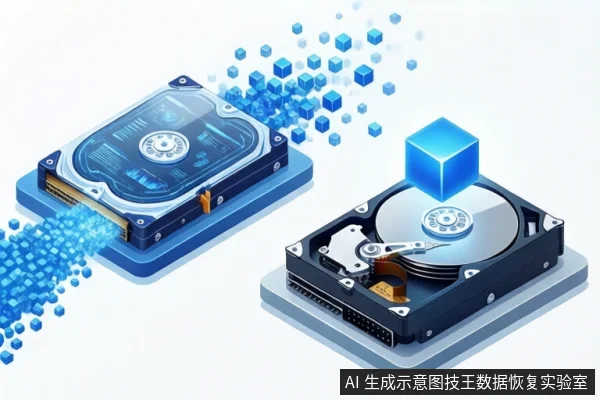
The core principle of data protection is "minimal intervention." Reduce write and read operations on the original media as much as possible. For stable drives with logical issues, use read-only imaging tools to create a bit-for-bit copy before any analysis. For drives with physical symptoms, physical isolation is the only safe option. Common pitfalls include repeatedly plugging and unplugging the drive to test connection, which can cause interface oxidation or power instability, and using standard antivirus or disk repair tools, which may modify file system metadata and pollute the recovery environment. Always prioritize creating a verified image before attempting any repair or recovery operations on the original drive.
Frequently Asked Questions
Why is data recovery more difficult for SSDs than HDDs?
SSDs use NAND Flash and often employ a TRIM command. When a file is deleted, the OS may send a TRIM signal to the SSD controller, which physically erases the data blocks. Once TRIM is executed, the data is gone. In contrast, HDDs typically only mark the space as 'available' in the file system, leaving the magnetic data intact until it is overwritten by new data.
Is it safe to run CHKDSK or disk repair tools if I suspect data loss?
No, not on the original drive without a verified image. Tools like CHKDSK are designed to repair file system structures, which often involves writing changes to the disk. If the data loss is due to logical corruption, this can overwrite the very data you are trying to recover. Always create a read-only image first if the drive is stable.
What should I do if my hard drive is making clicking or grinding noises?
Power off the drive immediately. Clicking or grinding usually indicates physical damage to the read/write heads or platters. Continuing to power the drive can cause irreversible physical damage to the platters, making data recovery impossible. This requires professional cleanroom repair, not software solutions.