
Seagate ST1000V000 Unresponsive: Stop Powering On to Prevent Data Loss
Published 2026-10-26 | JiWang Data Recovery Technical Team
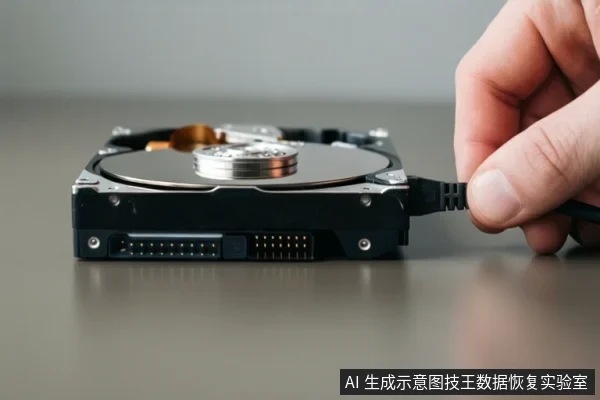
If your Seagate ST1000V000 is unresponsive, immediately disconnect power to prevent head damage. Do not attempt to format or run repair tools. Determine if the issue is logical (firmware/file system) or physical (clicking sounds/no power) to decide on professional recovery options.
Immediate Safety Actions
The first priority is to stop any further physical or logical damage. If the drive is making clicking or grinding sounds, this indicates a mechanical failure, likely involving the read/write heads. Continued power-on in this state risks scratching the platters, which causes permanent data loss. If the drive is silent and not recognized, it may be a power supply or PCB issue, but repeated power cycles can still stress failing components. In all cases, the safest immediate step is to remove the drive from the computer and unplug it.
Diagnosing the Failure Type
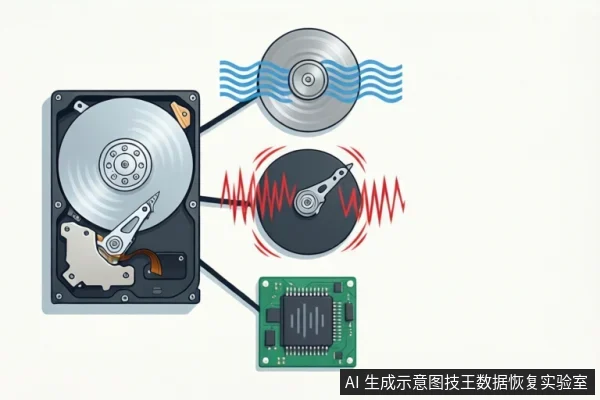
Understanding the nature of the failure helps determine the next steps. If the drive spins but the system prompts you to format it, this is typically a logical corruption of the file system or partition table. In this scenario, the physical media may be intact, but the software cannot read the structure. If the drive makes clicking sounds, it is a physical head failure. If the drive shows no signs of life (no light, no sound), it could be a PCB failure or a firmware lock. Distinguishing these is critical because the recovery methods differ significantly: logical issues can sometimes be addressed with software imaging, while physical issues require cleanroom hardware replacement.
Risks of DIY Repair
Attempting to fix an unresponsive drive with consumer-level tools is risky. Running disk repair utilities like chkdsk or clicking 'Format' in the OS will overwrite the file system structure, potentially destroying the very data you are trying to save. For physical failures, software scans are ineffective and can worsen the damage by forcing the heads to seek across damaged areas. Third-party recovery software is only safe if the drive is stable and the issue is purely logical. If you are unsure, stop. The cost of professional assessment is far lower than the cost of lost data.
Professional Recovery Process
Professional data recovery for the ST1000V000 involves a controlled environment. For physical failures, the drive must be opened in a cleanroom to replace heads or other components. For logical failures, engineers create a bit-for-bit image of the drive before attempting any file system reconstruction. This ensures that if the recovery process fails, the original data remains intact on the source drive. The process is diagnostic first: identifying the exact failure point before any intervention. This approach maximizes the chance of successful recovery while minimizing the risk of secondary damage.
Frequently Asked Questions
What should I do if my ST1000V000 makes clicking sounds?
Immediately disconnect power. Clicking usually indicates head failure or seek errors. Continued power-on risks scratching the platters, causing permanent data loss. Seek professional cleanroom service.
Can I recover data if the drive prompts me to format?
Do not click 'Format'. This usually indicates a logical file system error or partition table corruption. You can attempt recovery by creating a raw image or using read-only scanning tools, but avoid any write operations on the source drive.
Is it safe to use third-party repair software on an unresponsive drive?
It is risky. If the drive has physical faults (like head or PCB issues), software scans can worsen damage. If it is a logical error, ensure the tool is in read-only mode and save recovered files to a different drive.