
Lenovo Yoga 2 11 Hard Drive Repair Methods: Actions That Affect Recovery Outcomes and Next Steps
Published 2026-09-24 | JiWang Data Recovery Technical Team
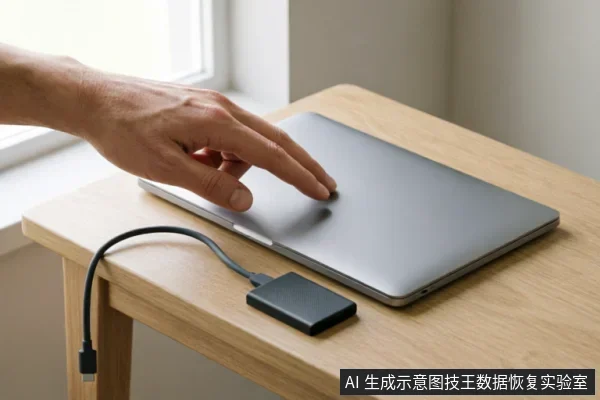
Initial Assessment and Safe Verification Steps
When target data on the original medium has not been confirmed as secure, first verify the device's recognition status, existing backups, and previous operations;Do not open or disassemble the drive;keep the original media protected and seek professional assessment.if completely unrecognized, first confirm the external connection chain before deciding whether to enter read-only assessment. These steps ensure that immediate actions do not exacerbate underlying issues. Confirming the connection chain involves checking cables and ports to rule out simple connectivity failures. If the device remains unrecognized after basic checks, further user intervention is discouraged until professional evaluation occurs.
Critical Actions to Avoid During Data Loss Events
When target data on the original medium has not been confirmed as secure, first verify the device's recognition status, existing backups, and previous operations. Avoid formatting, initializing, or writing recovery results back to the original medium.
- Verify Recognition Status: Check if the system detects the drive before taking any action. Confirming basic connectivity is the primary step in assessing risk.
- Check Existing Backups: Identify if copies of critical files already exist elsewhere. This determines the urgency of further intervention.
- Avoid Formatting: Do not format the drive. Formatting alters the file structure and may overwrite recoverable information.
- Avoid Initializing: Refrain from initializing the disk. Initialization creates new partition tables that can obscure existing data structures.
- Avoid Writing Results: Never write recovered data back to the source drive. Use separate storage media for all recovery outputs.
When a storage device exhibits abnormal mechanical sounds, intermittent disconnection, or abnormal recognized capacity, stop repeated power-on and long-term scanning. If completely unrecognized, first confirm the external connection chain before deciding whether to enter read-only assessment.
- Stop Repeated Power-On: Cease cycling power immediately upon detecting irregularities. Continued attempts increase stress on components.
- Limit Scanning Duration: Avoid prolonged scanning sessions. Extended operation can exacerbate instability in compromised devices.
- Confirm Connection Chain: If the device is not recognized, inspect cables and ports. External link failures are common causes of apparent drive loss.
- Read-Only Assessment: Only proceed with diagnostic reading after establishing a stable, passive connection state.
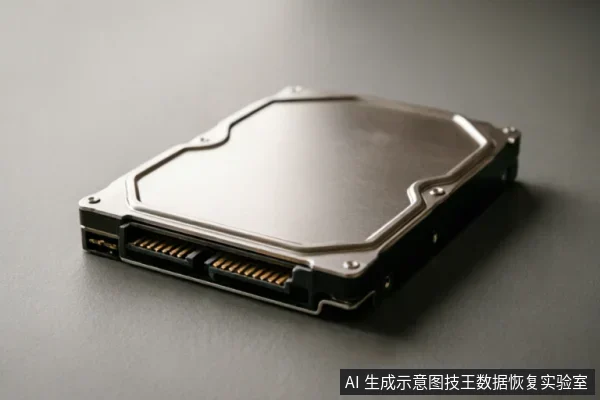
Do not open or disassemble the drive;keep the original media protected and seek professional assessment.
- No Self-Disassembly: Users must not open the device casing. Exposure to ambient dust poses severe risks to internal components.
- Professional Entrustment: Seek assistance from certified facilities equipped with controlled environments.
- Clean Room Requirement: Specialized handling requires isolation from particulate contamination to preserve data integrity.
Recognizing Mechanical and Connection Failures
| Failure Category | Observable Phenomena & Immediate Actions |
|---|---|
| Connection Instability | If the device is intermittently detected or not recognized by the operating system, verify physical connections. Do not attempt to format, initialize, or write recovery results back to the original medium. First, ensure that target data on the original medium has not been confirmed as secure before proceeding with any further diagnostic steps. |
| Physical Disconnection | A complete loss of signal may indicate a severed link rather than logical corruption. Check cable integrity and port functionality. Avoid initializing the drive, as this action can overwrite critical metadata. Verify existing backups and previous operations to determine if the issue stems from hardware failure or software misconfiguration. |
| Recognition Errors | When the system fails to assign a drive letter or reports an I/O error, do not run disk checking utilities. These tools may trigger background processes that compromise data integrity. Instead, focus on verifying the device's recognition status in the BIOS/UEFI. If the drive appears but is inaccessible, refrain from writing new data to preserve the current state for professional assessment. |
| Power Fluctuations | Sudden power loss during operation can lead to incomplete handshakes between the controller and host. Observe if the device requires multiple attempts to spin up or connect. In such cases, avoid formatting or partitioning the volume. Confirm whether previous operations were completed successfully and check for existing backups before considering any repair actions. |
When to Stop Power Cycling and Scanning
When target data on the original medium has not been confirmed as secure, first verify the device's recognition status, existing backups, and previous operations;avoid formatting, initializing, or writing recovery results back to the original medium. This approach prioritizes the preservation of the current state over aggressive intervention. Users should immediately cease any power cycling attempts if the system fails to consistently recognize the drive. Repeatedly powering the device on and off can introduce instability that complicates subsequent professional assessment. Instead of forcing a connection, observe whether the operating system detects the storage unit at all. If the drive is recognized, check for existing backup files that might already contain the necessary information. It is crucial to document what operations have already been performed, such as scans or repairs, to prevent redundant actions that could overwrite critical sectors. Formatting or initializing the disk will erase file system structures, making recovery significantly more difficult. Similarly, writing any new data, including recovered files, directly back to the source medium risks overwriting the very data you intend to save. Always create a full image or clone of the drive before attempting any further diagnostic steps. This ensures that the original medium remains untouched and intact for professional handlers. If the device shows signs of severe instability, such as frequent disconnects or extreme heat, stop all operations immediately. Continuing to use a failing drive increases the risk of permanent data loss. The primary goal is to maintain the integrity of the original storage until expert assistance is available. Do not attempt to bypass error messages or force the system to ignore warnings. These indicators often signal underlying issues that require specialized tools and environments to address safely. By following these cautious steps, you maximize the chances of successful data retrieval while minimizing the potential for irreversible damage.
Professional Intervention for Physical Damage Risks
When a storage device exhibits abnormal mechanical sounds, intermittent disconnection, or abnormal recognized capacity, stop repeated power-on and long-term scanning;if completely unrecognized, first confirm the external connection chain before deciding whether to enter read-only assessment. These observable symptoms indicate that the hardware state is unstable and requires immediate cessation of user-initiated operations. Continuing to attempt data access under these conditions significantly increases the risk of further degradation. The primary objective shifts from active recovery to stabilizing the current state through professional evaluation. Users must recognize that visual inspection alone cannot determine internal integrity. Abnormal acoustic patterns or connectivity fluctuations are critical warning signs that necessitate expert intervention. Attempting to bypass these warnings by forcing connections or running diagnostic scans can exacerbate the issue. Therefore, the recommended course of action involves halting all automatic processes and seeking specialized assistance. Professionals will utilize controlled environments to assess the device without triggering additional failure modes. This approach ensures that any potential data remains preserved during the diagnostic phase. It is crucial to avoid self-repair attempts, as they lack the necessary precision and safety measures. By adhering to these guidelines, users can maximize the likelihood of successful data retrieval while minimizing further damage.
Frequently Asked Questions
What immediate actions should be taken if the target data on the original medium has not been confirmed as secure?
First verify the device's recognition status, existing backups, and previous operations. Avoid formatting, initializing, or writing recovery results back to the original medium.
How should one respond when a storage device exhibits abnormal mechanical sounds, intermittent disconnection, or abnormal recognized capacity?
Stop repeated power-on and long-term scanning. If the device is completely unrecognized, first confirm the external connection chain before deciding whether to enter read-only assessment.
What is the recommended course of action for devices with a risk of physical damage?
keep the original media protected and seek professional assessment.