
X81 Device Drop-Off: Root Causes, Data Risks, and Safe Triage Boundaries
Published 2026-09-28 | JiWang Data Recovery Technical Team

Immediate Actions to Prevent Data Loss
- Intermittent connection drops often indicate controller failure, overheating, or bad blocks, and repeated testing accelerates data loss. Users frequently try to wiggle cables or restart the OS multiple times, assuming it is a temporary glitch. However, these actions stress the failing components. If the drive connects and disconnects sporadically, it suggests severe instability. Continuing to test the connection can cause the controller to fail completely or trigger additional bad block formation, making recovery impossible. Cease all diagnostic attempts once intermittent behavior is observed.
- Physical failures like controller death or media damage require professional cleanroom services such as PCB swapping or chip-off recovery. If the drive is not recognized at all, or if there are signs of physical damage, do not open the casing. Controller failures or NAND media corruption cannot be fixed with software. These issues require specialized hardware interventions in a controlled environment. Attempting DIY repairs or using consumer-grade tools will likely destroy the data permanently. Seek professional data recovery services immediately for such scenarios.
Common Causes of Intermittent Connectivity
When an X81 device experiences intermittent connectivity, the primary concern is preserving data integrity rather than immediately diagnosing the root cause. The most critical action to take is to immediately stop all power attempts and prevent any new data writes when a device drops off. This strict boundary ensures that no further modifications occur on the storage medium, which is essential for maintaining the possibility of future recovery.
- Power Stability: Fluctuations in power supply can trigger unexpected disconnections. Ensure the connection cable is secure and the power source is stable before considering any other steps.
- Environmental Factors: External conditions such as temperature changes or electromagnetic interference may contribute to signal instability. Observe the environment where the device is operating.
- Connection Integrity: Verify that the physical interface is properly seated. Loose connections are a common observable phenomenon that leads to drop-offs.
If the device continues to drop off after ensuring stable power and secure connections, do not attempt to force a reconnection. Repeated power cycling increases the risk of data loss. Instead, document the frequency and duration of the disconnections. These observations provide valuable context for professional assessment. Avoid running diagnostic tools or file system checks, as these actions constitute data writes and violate the safety boundary established by the immediate stop protocol. The goal is to maintain the current state of the device until expert intervention can be arranged. Any deviation from this protocol introduces unnecessary risks that cannot be quantified or controlled by the user.
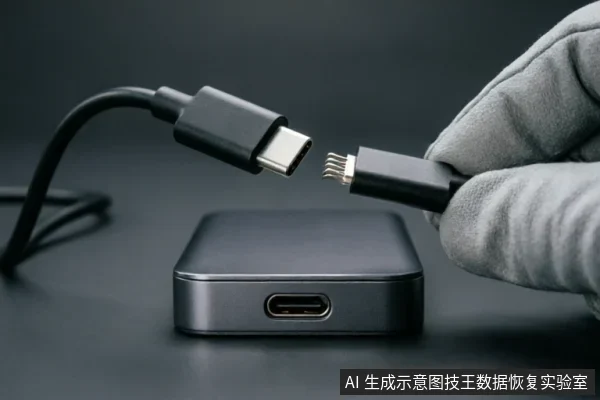
Logical Recovery vs. Physical Failure
| Diagnostic Indicator | Classification | Immediate Action Protocol |
|---|---|---|
| Intermittent Connection Drops | Physical Failure Suspected | Stop all testing immediately. Repeated testing accelerates data loss due to potential controller failure, overheating, or bad blocks. |
| Stable Recognition (No Errors) | Logical Recovery Candidate | Proceed with logical recovery via software imaging if the device is recognized without errors. |
| No Device Detection | Physical Failure Confirmed | Avoid power cycling. Seek professional hardware intervention. |
Assessing Data Risk During Triage
When an X81 drive unexpectedly drops off the system, the immediate priority is to assess the severity of data risk before taking any further action. The first and most critical step is to immediately stop all power attempts. Every time the device is powered on, there is a significant risk that new data writes may occur, potentially overwriting valuable information that has not yet been secured. Preventing any new data writes is essential to preserving the integrity of the existing files. Intermittent connection drops are a strong indicator of underlying hardware issues. These fluctuations often point to controller failure, overheating, or the presence of bad blocks within the storage medium. It is crucial to understand that repeated testing does not help diagnose the issue;instead, it accelerates data loss. Each attempt to reconnect or scan the drive increases the likelihood of permanent corruption. Therefore, users should avoid running diagnostic tools or repeatedly plugging and unplugging the device. The goal during triage is not to fix the drive but to stabilize the situation to prevent further degradation. If the connection is unstable, continuing to force a connection can lead to total data inaccessibility. Users should recognize that the drive’s behavior suggests a serious fault that requires professional intervention. Attempting to bypass safety protocols or ignore warning signs will likely result in irreversible data loss. By halting all activity and avoiding unnecessary interactions, you create the best possible conditions for eventual recovery by experts who have the appropriate tools and environment.
Professional Intervention Requirements
When the X81 drive drops from the system, immediate professional intervention is often necessary to preserve data integrity. The primary objective during this phase is to prevent further logical degradation or permanent loss of accessible files. If the device is recognized without errors, logical recovery is possible through software imaging. This specific condition represents a critical window where professional tools can create a bit-for-bit copy of the drive’s contents before any additional wear or instability occurs. It is imperative that users do not attempt to bypass this step by running standard operating system utilities, as such actions may overwrite critical metadata or trigger background processes that compromise the drive’s state. Professional technicians utilize specialized hardware and isolated environments to ensure that the imaging process does not introduce new variables or stress the failing components. The focus remains strictly on creating a stable snapshot of the current logical structure. Once this image is secured, analysis can proceed without risking the original media. Any deviation from this protocol, such as repeated power cycling or unauthorized formatting attempts, significantly reduces the likelihood of successful data retrieval. Therefore, adhering to the condition of error-free recognition and proceeding directly to software imaging under expert supervision is the most reliable path forward. Users should avoid any DIY approaches that involve modifying registry settings, changing drive letters, or using unverified third-party repair scripts. These actions lack the precision required for sensitive storage devices and may lead to irreversible data loss. The boundary of user responsibility ends at recognizing the drop event;all subsequent technical operations must be handled by certified professionals who understand the nuances of logical recovery protocols.
Frequently Asked Questions
What immediate actions should be taken if a storage device disconnects unexpectedly?
Immediately cease all power attempts and prevent any new data writes to avoid further corruption.
What are the likely causes of intermittent connection drops, and what is the associated risk?
Intermittent drops often indicate controller failure, overheating, or bad blocks. Repeated testing in this state accelerates data loss.
Under what conditions is logical recovery possible?
Logical recovery through software imaging is possible only if the device is recognized by the system without errors.
How should physical failures like controller death or media damage be addressed?
These issues require professional cleanroom services, such as PCB swapping or chip-off recovery.