
HDD Clicking or Grinding After Power Loss: Stop Power Immediately
Published 2026-09-15 | JiWang Data Recovery Technical Team
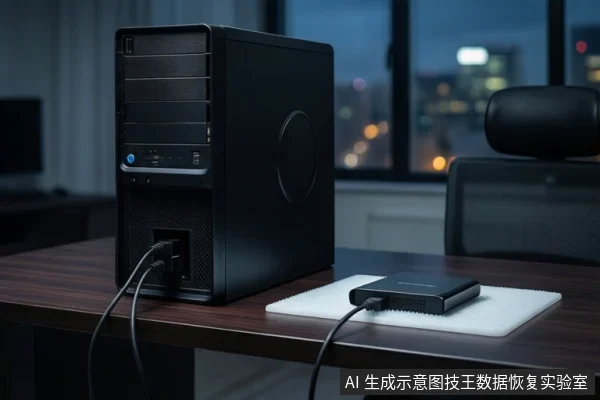
If your mechanical hard drive is not recognized and making 'grinding' or 'clicking' sounds after a power loss, immediately disconnect all power and data cables. Do not attempt to boot the computer again or run software recovery tools. These sounds indicate a physical mechanical failure (likely head or motor issue), and further power cycles can cause permanent platter damage. The only safe next step is to keep the drive powered off and seek professional cleanroom assessment if data recovery is required.
Immediate Safety Actions
The primary action when hearing mechanical noise from a hard drive is to cut power. If the drive is connected via SATA, unplug the power cable from the drive itself or disconnect the power supply unit if it is an internal drive. If it is an external USB drive, unplug the USB cable. Do not attempt to 'jiggle' the cable or restart the computer to see if the drive appears. Every second the drive is powered on while making these sounds increases the risk of the read/write heads scratching the platters.
Why 'Grinding' Sounds Indicate Physical Failure
In a healthy mechanical hard drive (HDD), the read/write heads float on a cushion of air above the spinning platters. They do not touch the surface. When you hear grinding, clicking, or buzzing, it means the mechanical components are struggling. This is typically caused by:
- Head Crash or Misalignment: The heads may have failed to park correctly during the power loss and are now colliding with the platters or the actuator arm is stuck.
- Motor Failure: The spindle motor may be failing to reach or maintain the required rotational speed, causing the drive to stall and retry, creating a rhythmic clicking or grinding noise.
- PCB or Firmware Lockup: While less likely to cause loud mechanical noise, a failed control board can prevent the drive from initializing, leading to erratic motor behavior.
Unlike logical errors (such as file system corruption or accidental deletion), which are software-level issues, these are physical hardware failures. Software cannot fix a broken motor or a scratched platter.
Why Software Recovery Tools Are Dangerous
Many users attempt to run data recovery software on a failing drive. This is highly dangerous in the presence of mechanical noise. Recovery software works by sending read commands to the drive. If the drive is physically failing, these commands force the heads to seek and read from damaged areas. This action:
- Accelerates Wear: Repeated seeking attempts wear down the actuator and heads further.
- Spreads Debris: If a head has already crashed, the friction generates microscopic metal and plastic debris. Continued operation spreads this debris across the platters, causing new scratches and making data recovery impossible.
- Triggers Remapping: The drive's firmware may attempt to remap bad sectors, which involves writing to the drive. Any write operation on a physically failing drive can corrupt the very data you are trying to save.
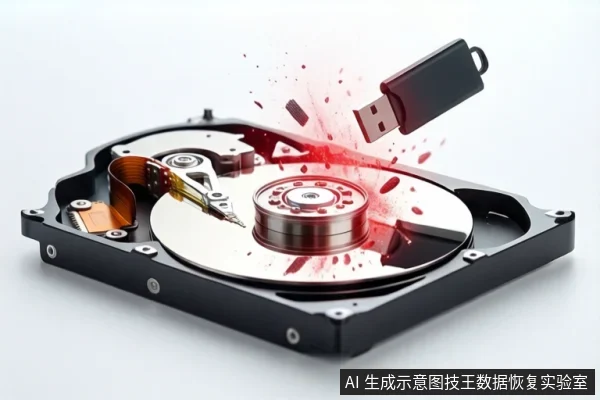
Professional data recovery operates on a 'read-only' principle. Technicians create a bit-for-bit image of the drive using specialized hardware that can handle failing drives without triggering destructive write cycles. This is not possible with consumer software.
Professional Assessment vs. DIY Repair
Do not attempt to open the hard drive. The interior of an HDD is a cleanroom environment. Opening it in a normal room introduces dust particles that are large enough to scratch the platters instantly, rendering the drive unrecoverable. Professional labs have cleanroom facilities and specialized tools to replace heads, repair PCBs, or extract data from damaged platters. If the drive is making noise, the only safe DIY action is to stop using it and seek professional help.
Frequently Asked Questions
Can I use data recovery software if the drive is making noise?
No. If the drive is making mechanical noises like clicking or grinding, do not use any software. These sounds indicate physical failure. Software attempts to read the drive will force the heads to move, potentially causing further physical damage to the platters and making data recovery impossible. The drive must be powered off and assessed by a professional.
Why is it dangerous to try booting the computer again?
Booting the computer powers on the hard drive. If the drive is mechanically failing, the act of powering it on causes the heads to attempt to spin up and seek. This mechanical action can cause head crashes, where the heads strike the platters. Each attempt increases the risk of permanent physical damage to the data storage surface. The goal is to stop the mechanical action immediately by cutting power.
What is the difference between a logical and physical failure in this context?
A logical failure involves the file system or data structure being corrupted, but the physical hardware (platters, heads, motor) is intact. This can often be fixed with software. A physical failure involves damage to the mechanical or electronic components, such as a broken motor, stuck heads, or scratched platters. Mechanical noises like grinding or clicking are signs of physical failure, which cannot be fixed by software and requires professional hardware intervention.