
New Hard Drive Making Noise: When to Stop and How Long Recovery Takes
Published 2026-09-10 | JiWang Data Recovery Technical Team
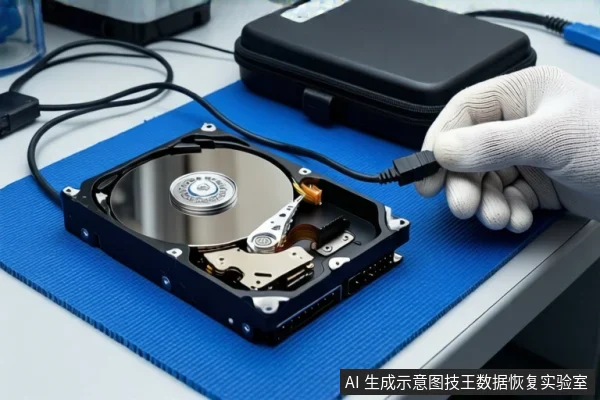
Immediate Action: Stop Powering On
If your new mechanical hard drive is making abnormal noises such as clicking, grinding, or irregular spinning, disconnect the power immediately. Do not attempt to run software recovery tools or repair utilities. These actions can cause physical heads to crash against the platters, converting a recoverable situation into permanent data loss.
Why a 'New' Drive Might Fail
Even brand-new drives can exhibit failure symptoms due to factory defects, transport damage, or power supply instability. The presence of noise indicates an internal mechanical or electrical anomaly, such as head positioning errors, motor stalling, or controller communication failures. The 'new' status does not guarantee that the failure is logical; it often points to early physical defects.
Assessing the Situation: Logical vs. Physical Failure
The recovery timeline and method depend entirely on the drive's current stability. You must distinguish between two states:
1. Stable Drive with Logical Errors
Condition: The drive is recognized by the operating system, remains connected, and can read data (even if slowly or with errors), but does not produce repetitive clicking or grinding sounds.
Action: Stop writing to the drive. Professional logical recovery can proceed via read-only imaging.
Timeline: Approximately 3–5 business days for imaging and file reconstruction, depending on data complexity and priority.
2. Unstable Drive with Physical Symptoms
Condition: The drive makes repetitive clicking/knocking sounds, disconnects frequently, is not recognized, or exhibits irregular spinning speeds.
Action: Do not power on again. This indicates physical failure (e.g., head crash, motor failure). Professional cleanroom assessment and potential component replacement are required.
Timeline: 5–10+ business days, as the process involves physical diagnosis, repair, and data extraction.
Stop Conditions: When to Cease All Attempts
Immediately stop any direct access attempts if you observe any of the following:
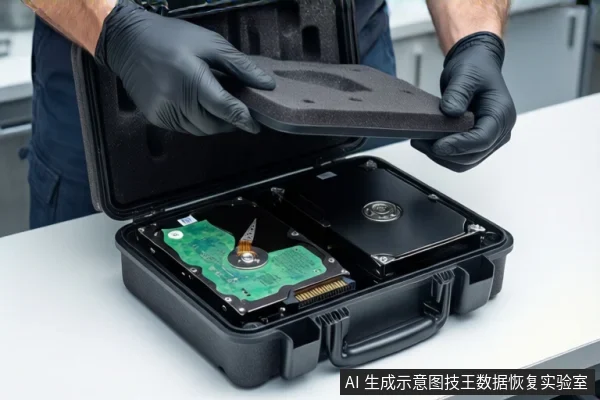
- Repetitive Clicking/Knocking: Indicates head positioning failure or crash risk.
- Frequent Disconnections: The drive drops from the OS or USB bus repeatedly.
- Unusual Heat or Smell: Excessive heat or a burning odor suggests electrical or motor failure.
- Irregular Spinning: The motor stalls, speeds up/slow down erratically, or cycles on/off.
If any of these occur, the drive is in a critical state. Continued power-on attempts will likely cause irreversible platter damage.
Preparing for Professional Assessment
To expedite the process and ensure accurate recovery, prepare the following information for the data recovery service:
- Data Priority: Clearly identify which files are most critical (e.g., financial records, source code, photos). This allows technicians to focus on high-value data first.
- Usage History: Note any recent power outages, drops, or unusual usage patterns.
- Configuration: Specify if the drive was part of a RAID array, encrypted volume, or had complex partition structures.
Providing this context helps the recovery team optimize their scanning strategy and provide a more accurate timeline estimate.
Frequently Asked Questions
Why does a brand-new hard drive make clicking noises?
Clicking in a new drive usually indicates a mechanical defect, such as head misalignment or motor bearing issues, often resulting from manufacturing flaws or transport damage. It is a sign of physical failure, not just software corruption.
Is it safe to run disk repair tools if the drive is clicking?
No. Running repair tools forces the drive to read and write sectors, which can cause the heads to crash against the platters if the mechanism is unstable. This will likely make data unrecoverable.
How do I know if my drive needs cleanroom service?
If the drive is not recognized, disconnects frequently, or makes repetitive clicking/grinding sounds, it likely has physical damage requiring cleanroom intervention. If it is stable and readable, logical recovery may suffice.