
Z370 KRAIT GAMING M.2 SSD Not Recognized After Hot-Plug: Safe Handling and Data Integrity Assessment
Published 2026-09-24 | JiWang Data Recovery Technical Team
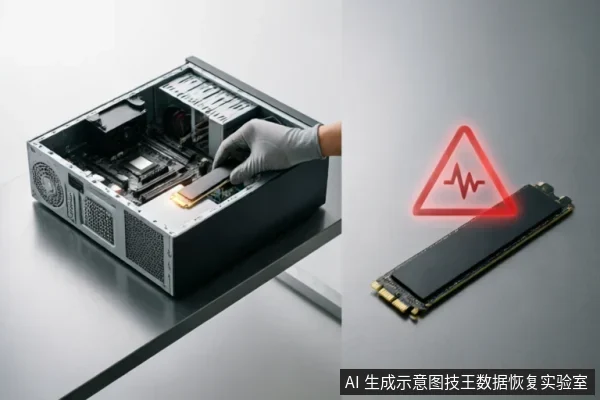
Immediate Actions to Prevent Data Loss
- Verify Device Recognition Status: Immediately check if the operating system detects the M.2 SSD after reinstallation. Inspect BIOS/UEFI settings to ensure the slot is active and the drive is listed in the boot order or storage configuration menu. If the device appears in Disk Management but shows as uninitialized or raw, do not proceed with any initialization steps. This initial verification is critical before confirming any data safety.
- Check Existing Backups: Assess whether recent backups exist on external drives, cloud services, or other networked storage. Confirming the presence of valid backup copies provides a baseline for data recovery options. If backups are intact, the risk of permanent data loss is significantly reduced, allowing for safer diagnostic procedures. However, the absence of backups necessitates extreme caution during all subsequent interactions with the drive.
- Review Previous Operations: Document any actions taken immediately following the recognition failure, such as power cycling, driver updates, or physical reseating. Avoid formatting, initializing, or writing recovered results back to the original medium under any circumstances. Writing new data to the affected drive can overwrite existing file structures, making recovery impossible. Maintain the current state of the drive exactly as it is found, preserving all logical sectors until professional assessment or verified safe extraction methods are employed.
Diagnosing Connection Chain vs. Device Failure
| Connection Chain Verification | Device Status Assessment |
|---|---|
| When the storage device exhibits abnormal behavior such as repeated disconnects or abnormal capacity recognition, stop repeated power-on and long-term scanning. This immediate cessation prevents further instability in the communication link between the motherboard and the drive. The Z370 KRAIT GAMING platform requires a stable handshake to maintain data integrity during initial enumeration. | For complete non-recognition, first confirm the external connection chain before deciding on read-only assessment. Users should verify that the M.2 slot is securely engaged and that no physical obstruction prevents proper seating. If the connection chain is confirmed intact but the device remains invisible to the operating system, the focus shifts to assessing whether the controller has entered a protective state rather than attempting aggressive diagnostic scans. |
| Abnormal capacity recognition often indicates a negotiation failure at the protocol level. In such cases, forcing a full disk scan can exacerbate the issue by triggering unnecessary internal operations that may lead to further disconnection events. The priority is to stabilize the electrical connection and allow the system to re-evaluate the device parameters without interference from background processes. | A read-only assessment serves as a critical decision point. If the device becomes partially visible after stabilizing the connection, it suggests that the underlying media may still be accessible but requires careful handling. Conversely, if the device remains completely undetected despite verified connections, the issue likely lies within the device's internal logic or interface controller, necessitating professional evaluation rather than user intervention. |
Recognizing Abnormal Behavior Patterns
When a storage device exhibits abnormal behavior such as repeated disconnects or abnormal capacity recognition, stop repeated power-on and long-term scanning. These symptoms often indicate instability in the connection chain rather than immediate data loss. For complete non-recognition, first confirm the external connection chain before deciding on read-only assessment. This initial verification is critical to prevent further complications.- Check Physical Connections: Ensure the M.2 slot is clean and the drive is securely seated. Loose connections can cause intermittent signals.
- Inspect Cables and Adapters: If using an adapter, verify its compatibility with the Z370 motherboard. Faulty adapters are common culprits for recognition failures.
- BIOS Settings: Confirm that the SATA mode (AHCI/RAID) matches the previous configuration. Changes here can lead to non-recognition.
When to Stop Self-Repair Attempts
Do not open or disassemble the drive;keep the original media protected and seek professional assessment.they should be handed over to professional institutions with cleanroom environments. This guideline is critical because internal components are sensitive to static discharge and contamination. Attempting to open the drive casing without specialized tools often voids warranties and introduces irreversible damage. Instead of forcing connections or using third-party diagnostic utilities that may trigger background processes, pause all active troubleshooting steps. Observe whether the system BIOS detects any change in device status when the slot is cleaned gently with compressed air. If no recognition occurs within a few minutes of careful reinstallation, cease attempts immediately. Continuing to power on an unstable connection may lead to data corruption or hardware failure. Professional assessment ensures safe evaluation without compromising potential recovery options. Seek certified technicians who possess appropriate facilities for detailed inspection. Avoid relying on consumer-grade software suites claiming automatic fixes, as these lack the precision required for hardware-level anomalies. Prioritize safety and data integrity over quick resolutions. Recognizing when to step back is crucial for preserving valuable information stored on the drive.

Professional Recovery Feasibility Analysis
Do not open or disassemble the drive;keep the original media protected and seek professional assessment.they should be handed over to professional institutions with cleanroom environments. These facilities possess the necessary equipment to perform component-level repairs or chip-off data extraction without introducing further contamination or damage. This ensures that every possible avenue for data retrieval is explored while minimizing the risk of permanent loss.
Frequently Asked Questions
What preliminary checks should be performed before confirming data safety?
Verify the device recognition status, check for existing backups, and review previous operations. Avoid formatting, initializing, or writing recovered results back to the original medium.
How should abnormal storage behavior like repeated disconnects be handled?
Stop repeated power-on and long-term scanning immediately. For complete non-recognition, first confirm the external connection chain before deciding on a read-only assessment.
What is the recommended action for devices with physical damage risks?
keep the original media protected and seek professional assessment.