
Enterprise SSD revenue growth implications for data backup safety
Published 2026-09-04 | JiWang Data Recovery Technical Team
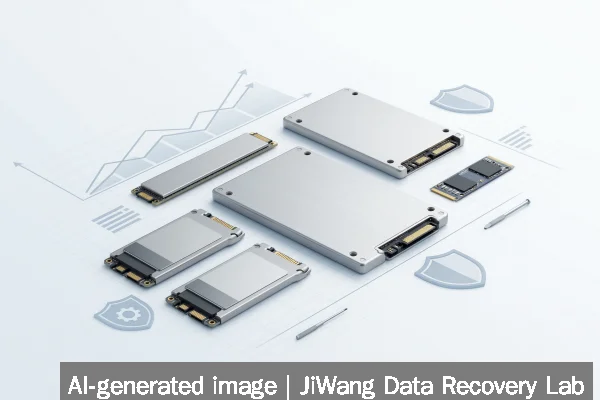
Enterprise SSD revenue growth—driven by higher prices and shipment volumes—reflects intensified adoption in AI, HPC, and cloud infrastructure, not improved reliability. This trend signals increased operational stress on SSDs, especially in write-intensive workloads like swap-heavy laptops or checkpoint-heavy AI training. If your SSD shows slow response, unexplained reboots, or failed writes, stop using it immediately. Do not initialize, format, run CHKDSK, or power-cycle repeatedly. The safest next step is to disconnect the drive and consult a qualified data recovery service that performs read-only diagnostics before any further action.
Symptoms and Risk
Enterprise SSDs experiencing rapid revenue-driven deployment often operate under sustained high-write loads: AI model checkpointing, real-time database logging, virtual machine swap activity, or generative AI agent caching. Under these conditions, symptoms may include:
- Gradual performance degradation without SMART warnings
- Intermittent I/O errors during large sequential reads or writes
- Unexpected system freezes during background garbage collection
- Spontaneous remapping of logical block addresses (LBAs) causing file corruption
- Failure to mount or recognize in BIOS/UEFI, even when powered
These are not isolated hardware failures but systemic stress indicators. Unlike HDDs, SSDs rarely fail catastrophically all at once; instead, they degrade silently through wear-leveling exhaustion, bad block accumulation, or controller firmware instability. The risk escalates when drives are deployed beyond their rated DWPD (Drive Writes Per Day) or TBW (Terabytes Written) limits—common in AI and HPC environments where MLPerf Storage v3.0 benchmarks report checkpoint throughput exceeding 877 GiB/s.
Known Facts
The verified source confirms that top enterprise SSD vendors achieved $37.59 billion in combined revenue in 2Q26—a 103.6% quarter-over-quarter increase driven by both higher contract pricing and increased shipment volume. TrendForce attributes this to three concurrent demand drivers:
- Generative AI agent services requiring low-latency, high-throughput local storage
- Ongoing data center infrastructure deployments by cloud service providers (CSPs)
- Expansion of high-performance computing (HPC) platforms, such as VDURA’s AI-optimized storage at New Mexico State University
This growth reflects market confidence—not technical maturity. NAND Flash suppliers are broadening product lines to capture margins, not necessarily extending endurance or improving error correction. No industry standard mandates public disclosure of actual field failure rates, and vendor-reported MTBF (Mean Time Between Failures) does not correlate with real-world write amplification in AI workloads.
Possible Causes
Observed SSD instability in production environments may stem from several interrelated factors:
- Write amplification under AI workloads: Frequent small random writes from LLM inference caches or vector database updates exceed the drive’s internal garbage collection capacity, accelerating NAND wear.
- Thermal throttling in dense enclosures: As seen in Club3D’s 40 Gbps USB4 NVMe enclosure design notes, sustained throughput can trigger thermal throttling—reducing performance and increasing controller stress if cooling is inadequate.
- Swap-file overuse on memory-constrained systems: Verified in MacBook Neo testing, 8 GB RAM forces heavy reliance on SSD-based swap, burning through rated endurance in months rather than years.
- Firmware inconsistencies across vendor SKUs: Enterprise SSDs often ship with multiple firmware revisions per model; mismatched versions in RAID or clustered storage can cause silent metadata corruption.
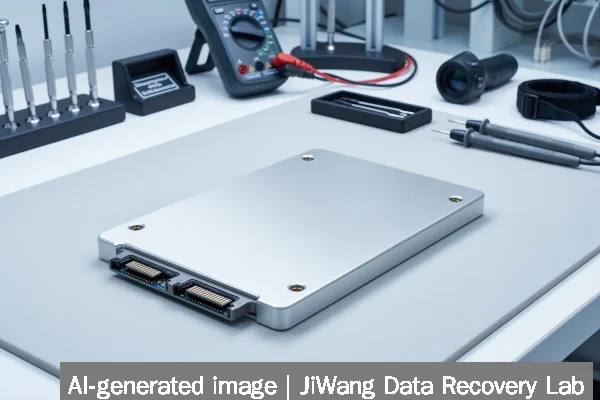
None of these causes are detectable via consumer-grade tools. They require controlled lab analysis—including NAND chip-level readout and controller register inspection—to confirm.
Safe Checks
Before assuming failure or attempting repair, perform only non-invasive, read-only checks:
- Verify drive presence in system BIOS/UEFI and operating system device manager—without initiating enumeration or mounting.
- Use
smartctl -a /dev/nvme0n1(Linux) or CrystalDiskInfo (Windows) to inspect SMART attributes only—focus on Media_Wearout_Indicator, Available_Reserve_Space, and Reallocated_Sector_Ct. Do not interpret “OK” status as safe for continued use. - Check system logs (
dmesg | grep nvmeor Windows Event Viewer > System) for NVMe command timeout or namespace errors—these indicate controller-level instability, not just NAND wear. - Confirm physical connections: loose M.2 screws, bent pins, or insufficient PCIe lane allocation can mimic SSD failure.
These checks preserve original data integrity. They do not trigger writes, reset counters, or initiate background operations.
Actions to Avoid
Certain common troubleshooting steps actively destroy recoverable data on SSDs:
- Running CHKDSK, fsck, or disk repair utilities: These issue write commands to repair filesystem structures—even in “read-only” mode, some variants log metadata changes.
- Initializing or formatting the drive: This overwrites critical controller metadata needed for logical-to-physical mapping reconstruction.
- Power cycling repeatedly: Forces unclean shutdowns that corrupt in-flight journal entries and erase volatile controller cache contents essential for recovery.
- Using vendor-specific “refresh” or “secure erase” tools: These permanently zero-fill NAND blocks and erase wear-leveling tables, eliminating all chance of logical recovery.
- Opening the drive or shorting components: SSDs contain no user-serviceable parts. Physical tampering voids forensic traceability and risks electrostatic damage to NAND chips.
RAID rebuilds, NAS volume resyncs, and virtual machine snapshot merges also constitute destructive write operations unless performed on verified bit-for-bit clones.
Data-Preservation Workflow
A safe data-preservation workflow prioritizes immutability and isolation:
- Physically disconnect the suspect SSD and store it powered-off in anti-static packaging.
- If the system remains operational, immediately suspend all applications writing to shared storage paths.
- For network-attached or cloud-backed systems, verify immutability settings on backup targets—Omdia’s study confirms 83% of enterprises experienced ransomware attacks in the past 24 months, underscoring the need for immutable, air-gapped backups.
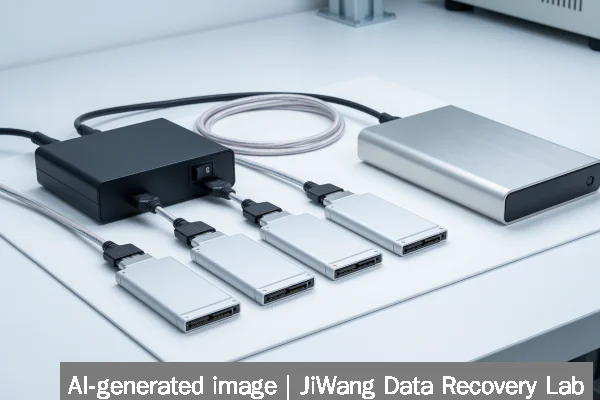
- Only after full forensic imaging (using write-blocked hardware duplicators) should analysis proceed. Imaging must preserve all namespaces, including those marked “reserved” or “hidden” by the controller.
- Recovery attempts—whether logical file carving or NAND chip-off reconstruction—must occur exclusively on the clone, never the original.
This workflow applies equally to single NVMe drives, multi-disk RAID arrays, and virtualized storage pools. It does not assume success, speed, or cost—it assumes preservation is the sole priority.
Frequently Asked Questions
Does higher enterprise SSD revenue mean better reliability?
No. Revenue growth reflects market demand and pricing power—not component quality or longevity. Increased shipments often accompany aggressive cost-cutting in NAND sourcing or firmware validation, particularly in high-volume AI-optimized SKUs. Reliability depends on workload alignment, not vendor revenue.
Can I trust SMART data to predict SSD failure?
Not reliably. SMART attributes like Media_Wearout_Indicator reflect controller estimates—not direct NAND health. Many enterprise SSDs suppress or delay reporting of early-stage errors to maintain uptime SLAs. A “100%” wear indicator does not guarantee remaining life; it only means the drive has not yet exceeded its programmed threshold.
Is cloning an SSD safe for recovery?
Cloning is safe only when performed with a certified hardware write blocker and verified sector-by-sector integrity checks (e.g., SHA-256 hash comparison pre- and post-clone). Software-based cloning tools may skip reserved areas, misinterpret NVMe namespaces, or trigger unintended controller writes.
Do I need physical recovery if my SSD isn’t detected in BIOS?
Not necessarily. Undetected status may result from firmware hang, PCIe negotiation failure, or corrupted controller boot ROM—all potentially reversible in lab conditions. However, physical intervention (chip-off, PCB replacement) is required only if NAND chips remain intact and readable. There is no universal diagnostic path; each case requires individual assessment.
Should I keep backups on the same SSD model used in production?
No. Using identical SSD models for primary and backup storage creates correlated failure risk—especially under synchronized workloads like AI checkpointing or database replication. Diversify media types (e.g., tape, object storage with immutability locks) and vendors to reduce systemic exposure.