
Evidence for Recovering Data from a Damaged Storage Device
Published 2026-08-25 | JiWang Data Recovery Technical Team
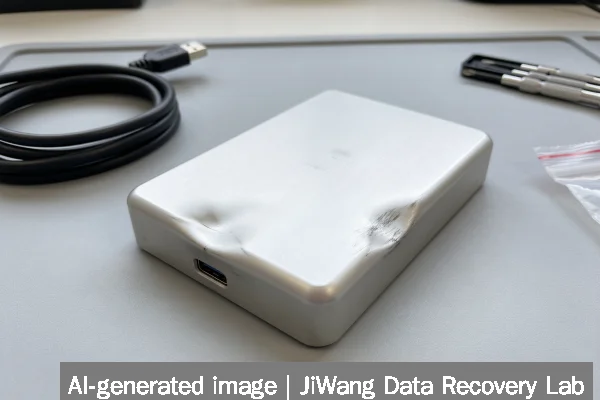
Immediate risk: Any further use or incorrect diagnostic attempt may overwrite or permanently damage recoverable data. Stop using the device now—do not power it on again if it makes clicking, grinding, or high-pitched whining sounds; do not run CHKDSK, format, initialize, or rebuild RAID arrays; and do not open enclosures or attempt firmware fixes. For SSDs and NVMe drives, avoid TRIM-triggering operations or host-managed garbage collection. The safest next step is to disconnect the device, document all observed symptoms (including error messages, sounds, and behavior across multiple systems), and consult a qualified lab for non-invasive evaluation before any read attempt.
Symptoms and Risk
Observable symptoms provide the first layer of evidence about failure type and recovery feasibility. Mechanical failure in HDDs often presents as repeated clicking (“click of death”), spindle stall, or absence of spin-up—indicating damaged heads, seized bearings, or failed preamplifier circuits. Electrical failure may show as no power response, burning odor, or visible capacitor bulging. Solid-state devices behave differently: an unresponsive NVMe drive with no PCIe enumeration suggests controller or power delivery failure; inconsistent detection across reboots may point to NAND wear-out or firmware corruption. Critical risk arises when symptoms suggest active degradation—such as increasing bad-sector counts during attempted reads, or spontaneous reboots during access. These indicate progressive damage that worsens with continued operation.
Known Facts
Recovery viability depends on verifiable physical and logical conditions—not assumptions. Known facts include: (1) Data remains intact on undamaged NAND cells or magnetic platters until overwritten; (2) Firmware metadata (e.g., LBA-to-physical mapping on SSDs, G-List/P-List on HDDs) is essential for reconstruction but may be corrupted or inaccessible; (3) Logical damage (e.g., deleted files, corrupted file system structures) is often recoverable without hardware intervention; (4) Physical damage to platters or NAND dies is irreversible and limits sector-level access; (5) Encryption keys stored in volatile memory or controller chips may be lost on power loss, especially on self-encrypting drives (SEDs). These facts are independent of brand, model, or age—and apply equally to consumer SSDs, enterprise NVMe, NAS volumes, and virtual disk images.
Possible Causes
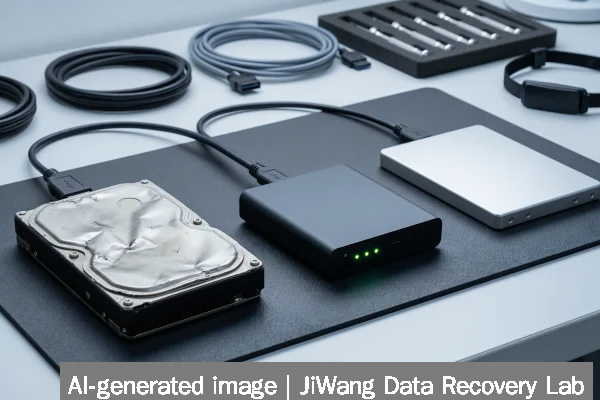
Cause identification helps prioritize evidence-gathering but does not guarantee recovery. Common causes include: power surges damaging PCB components (especially on older HDDs); head crashes from physical shock or contamination; NAND cell degradation in SSDs after excessive write cycles; firmware bugs causing boot-loop behavior in controllers; and file system corruption due to improper ejection or OS crash. In RAID arrays, simultaneous drive failure or misconfigured rebuilds may destroy parity consistency. For NAS and virtual environments, underlying storage abstraction layers (e.g., ZFS pool state, VMware VMDK headers) add complexity—recovery depends on intact metadata across multiple devices or snapshots. Importantly, cause and severity are not directly correlated: a single faulty capacitor may disable an entire drive, while severe firmware corruption may leave user data fully readable via direct NAND imaging.
Safe Checks
Safe checks gather evidence without altering device state. First, verify connectivity: test cables, ports, and power supplies on known-good systems. Use USB-SATA adapters only for basic enumeration—not for reading—and avoid them entirely with NVMe or encrypted drives. On Windows, check Device Manager for unrecognized devices or error codes (e.g., Code 43); on macOS, use diskutil list and system_profiler SPSerialATADataType. Linux users can run lsblk, dmesg | tail -30, and smartctl -a /dev/sdX (if the drive responds). For SSDs, avoid smartctl -t long—it may trigger internal erase routines. Never mount the volume or browse contents. Image-based diagnostics (e.g., creating a bit-for-bit copy using ddrescue with noerror and sync flags) are safe only when the drive powers stably and shows no mechanical distress.
Actions to Avoid
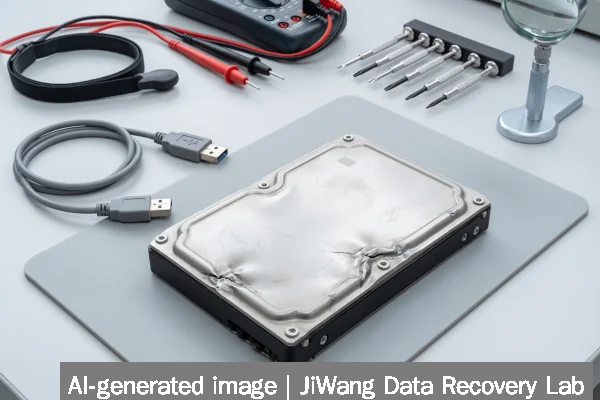
Certain actions eliminate recovery options permanently. Do not initialize, format, or repartition—even “quick” formats write new file system structures. Do not run CHKDSK /f, fsck -y, or disk repair utilities: they modify metadata and may reallocate sectors containing recoverable data. Avoid RAID rebuilds unless full backups exist and array status is confirmed stable. Never open HDD enclosures outside a Class 100 cleanroom—dust particles cause immediate head crashes. Do not short pins, tap drives, freeze them, or apply external voltage to PCBs. For SSDs and NVMe, disabling TRIM via OS settings has no effect post-failure; firmware flashing tools risk bricking the controller. Repeated power cycling accelerates degradation in failing flash memory and may corrupt translation tables beyond reconstruction.
Diagnostic Limits
Software-based diagnostics cannot assess physical media integrity. SMART attributes report controller-logged metrics—not raw platter or NAND health—and many SSDs suppress critical values (e.g., reallocated block count) or report generic “Caution” states without specifics. NVMe drives expose fewer standardized telemetry fields than SATA SSDs, limiting visibility into wear leveling or bad block management. RAID controllers often hide individual drive status behind opaque vendor interfaces. Virtual machine disks (VMDK, VHDX) require parsing of both guest file systems and host storage layout—errors in either layer complicate evidence interpretation. Crucially, no remote tool can determine whether a head is physically contacting a platter or whether NAND cells retain charge without controlled imaging under lab conditions.
Frequently Asked Questions
Can I tell if my drive is physically damaged just by listening to it?
Yes—consistent clicking, grinding, or high-frequency whining strongly suggests mechanical failure in HDDs. However, silence does not rule out damage: a completely seized spindle or failed preamp may yield no sound. SSDs and NVMe drives produce no acoustic indicators; unresponsiveness or intermittent detection requires electronic or firmware analysis, not auditory assessment.
Does SMART data confirm whether data can be recovered?
No. SMART provides predictive metrics—not forensic evidence. A “PASSED” status does not guarantee readability; a “FAILED” attribute does not mean data is unrecoverable. Some drives report zero reallocated sectors despite extensive physical damage. SMART is useful for trend monitoring, not definitive diagnosis.
Is imaging the drive myself a safe first step?
Only if the drive powers reliably, shows no mechanical noise, and has no history of instability. Imaging writes no data—but repeated read attempts on a failing drive may accelerate degradation. If the drive disconnects mid-process, freezes, or triggers OS errors, stop immediately. For SSDs, avoid imaging tools that issue ATA PASS THROUGH commands unless explicitly designed for flash-aware recovery.
Why can’t software tools fix a corrupted RAID configuration?
RAID recovery requires reconstructing low-level stripe and parity relationships across multiple devices. Software tools rely on heuristics when metadata is missing or inconsistent—and may produce incomplete or misaligned results. Correct reconstruction demands exact knowledge of chunk size, layout order, and failure sequence—information often lost during controller resets or improper shutdowns.
Does encryption prevent recovery if the drive fails?
It depends on encryption scope. Full-disk encryption (e.g., BitLocker, FileVault) stores keys separately—if the OS partition survives, keys may be extracted. Self-encrypting drives (SEDs) store keys in controller memory; power loss typically erases them unless the drive implements secure key backup. Without the key or backup mechanism, encrypted data is mathematically unrecoverable regardless of physical condition.