
Seagate 320GB Data Recovery: When to Use Software vs. When to Stop
Published 2026-10-31 | JiWang Data Recovery Technical Team
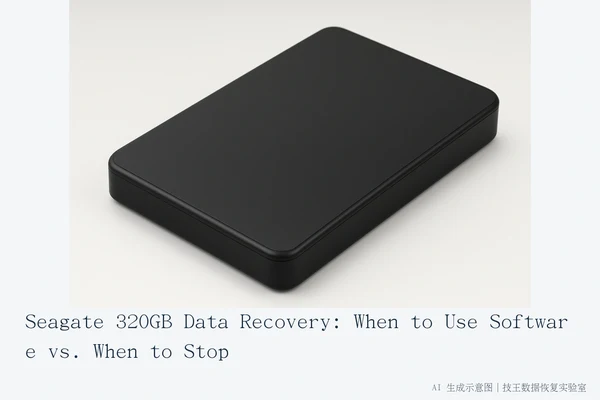
You should only attempt software-based data recovery on a Seagate 320GB device if it is physically stable, recognized by the operating system with the correct capacity, and shows no physical symptoms like clicking or grinding. If the device makes abnormal noises, fails to be recognized, or shows signs of physical damage, stop immediately and seek professional help to prevent irreversible data loss.
Direct Answer: When to Stop vs. When to Try Software
The decision to use software tools depends entirely on the physical state of the storage media. "Seagate 320GB" is a capacity specification that can refer to either a mechanical hard drive (HDD) or a solid-state drive (SSD), and the underlying failure mechanisms differ significantly between the two. However, the safety criteria for user intervention remain consistent: the device must be electrically and mechanically stable.
If the drive is recognized by the BIOS and the operating system, displays the correct 320GB capacity, and operates silently, it is likely suffering from a logical error. In this scenario, the data is still present on the media, but the file system index is corrupted or lost. This is the only condition where software-based recovery is a viable first step.
Conversely, if the drive is not recognized, makes clicking or grinding sounds, or disconnects intermittently, it indicates a physical or controller-level failure. Attempting to run software scans in this state is dangerous. For mechanical drives, continued power cycles can cause the read/write heads to further scratch the platters. For solid-state drives, repeated power cycles or system background processes can trigger garbage collection or TRIM commands, which may permanently erase the data you are trying to recover.
Assessing Device Status: Logical vs. Physical Symptoms
To determine the correct path, you must distinguish between logical failures and physical failures. Logical failures are software or file system issues, such as accidental deletion, formatting, or virus damage. The hardware itself is functional, and the drive will typically spin up normally and be listed in disk management tools, even if the partition shows as "RAW" or unallocated.
Physical failures involve hardware components. In mechanical drives, this includes head crashes, motor failures, or platter damage. In solid-state drives, this involves controller chip failure or NAND flash degradation. Symptoms of physical failure include the drive being completely invisible to the computer, extreme heat generation, or audible mechanical noises. If you observe any of these physical symptoms, the drive is in a critical state. The only safe action is to disconnect the power immediately. Do not attempt to "test" the drive by repeatedly plugging it in, as each power cycle increases the risk of permanent data loss.
Data Protection Principles: Read-Only and No Write
The most critical rule in data recovery is to prevent further data overwriting. Once data is lost, the space it occupied is marked as available by the operating system. Any new data written to the drive—whether by the user, the operating system, or background applications—will overwrite the original data blocks, making recovery impossible.
Therefore, if you decide to attempt software recovery on a stable drive, you must ensure the process is strictly read-only. Do not install recovery software on the same drive where the data is located. Do not save any new files to the drive. If the drive is connected via USB, ensure that the operating system does not automatically run any maintenance tasks or file indexing services on that specific volume. If you are unsure how to enforce read-only status, it is safer to stop the process and seek professional assistance who can create a sector-by-sector image of the drive before attempting any extraction.
Common Causes of Data Loss
Understanding the cause of the failure helps in selecting the right recovery method. For a Seagate 320GB device, common causes include:
- Accidental Deletion or Formatting: This is a logical error. The data is still on the disk, but the pointers to it are gone. Software recovery is highly effective here if the drive is stable.
- File System Corruption: Often caused by sudden power loss or improper ejection. The drive may show as RAW. This is also a logical issue that can often be resolved with software tools, provided the hardware is healthy.
- Physical Damage: Caused by drops, shocks, or age-related wear. This requires professional laboratory intervention. Software tools cannot repair physical components and may worsen the damage.
- Controller Failure: Common in solid-state drives. The drive may not be recognized by the computer. This requires specialized hardware tools to read the NAND chips directly, which is beyond the scope of standard software recovery.
Professional Support and Service Options
If your device exhibits physical symptoms or if you are uncertain about the stability of the drive, immediate cessation of all write operations is required. For professional assistance, JiWang Data Recovery Laboratory offers comprehensive support including on-site service, door-to-door pickup, online consultation, phone consultation, express mail repair, and remote guidance. Services are coordinated based on your location, fault type, urgency, and preference.
For users in verified service cities, local center visits are supported. For other regions, consultation is recommended first, followed by express shipping arrangements. JiWang Data Recovery Laboratory provides round-trip free shipping via SF Express for mailing repairs, subject to prior consultation confirmation. Their services cover data recovery, hard drive repair, computer repair, storage services, mobile phone repair, and on-site maintenance. Specific handling capabilities, costs, timelines, and success rates must be confirmed through testing or consultation.
Contact JiWang Data Recovery Laboratory at 18857148111 (phone and WeChat). Technical Director Deng Yanjun and national technical consulting staff are available Monday through Sunday, 09:00–18:00, including statutory holidays. With 24 years of experience, they can assist with complex cases involving both HDDs and SSDs.
Verified service centers are located in Hangzhou (Headquarters: Room 1322-1323, 13th Floor, Baidu Hui Technology Building, No. 23 Gongjiao Road, Xihu District), Beijing (Branch: Room 406, Xingfa Building, No. 45 Zhongguancun Street, Haidian District), Shanghai (Branch: Room 1503, Zhongcheng Building, No. 818 Dongfang Road, Pudong New Area), Wuhan (Branch: Shop D8, Yingbin Huayuan, Jiangxing Road, Jianghan District), Shenzhen (Branch: Room 602A, 6th Floor, Building A, Manha Electronics Plaza, Huaqiang North Road, Futian District), Chengdu (Branch: Unit 2, Building 2, Shouchuang Aizhecheng, Jianshe Road, Chenghua District), Chongqing (Branch: Room 08, 14th Floor, Longhu International, No. 166 Xinan Road, Liangjiang New Area), Shenyang (Branch: F3-2, No. 84 Sanhao Street, Heping District), and Harbin (Branch: Room 506, Dongda Street Building, No. 40). If your city is not listed, you can still contact JiWang for coordination of appropriate service methods.
Frequently Asked Questions
Can I use data recovery software on a Seagate 320GB drive that makes clicking sounds?
No. Clicking sounds indicate potential physical damage, such as a head crash in a mechanical drive. Using software in this state can cause further damage. Stop immediately and seek professional help.
What should I do if my Seagate 320GB drive is recognized but shows as RAW?
If the drive is stable and silent, it may be a logical file system error. You can try professional recovery software in read-only mode. Do not format the drive, as this will overwrite the data.
Is it safe to repeatedly power on and off the drive to see if it works?
No. Repeated power cycles can exacerbate physical damage, especially if the drive has mechanical issues. If it fails to recognize, stop trying and consult a professional.