
Is Data Recovery Safe for an Unrecognized WD5000BPVT?
Published 2026-11-20 | JiWang Data Recovery Technical Team
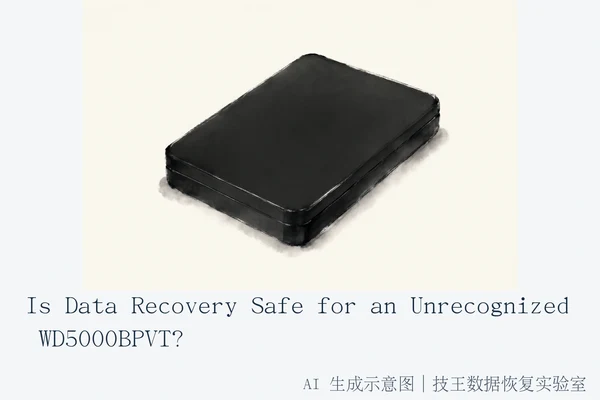
Data recovery for an unrecognized Western Digital WD5000BPVT drive is safe only under strict conditions: the drive must be physically stable, and all operations must adhere to read-only protocols. Immediate safety depends on distinguishing between physical hardware failure and logical connection issues. If the drive exhibits physical symptoms such as clicking, grinding, or sharp friction sounds, powering it on is unsafe and risks irreversible platter damage. In such cases, the primary safety rule is to immediately disconnect power and avoid any write operations, including formatting or running CHKDSK, on the original drive.
Immediate Safety Protocol: Assess Physical State
The WD5000BPVT is a 2.5-inch 500GB mechanical hard drive that relies on magnetic heads reading data from spinning platters. It is highly sensitive to electrical instability and physical stress. Before attempting any diagnosis, you must follow a strict power management protocol based on the drive's acoustic and visual behavior:
- Physical Noise Present: If the drive makes rhythmic clicking, grinding, or friction sounds, it indicates physical head collision or platter scratching. Do not power on the drive further, as this accelerates damage and can turn a recoverable situation into permanent data loss.
- Silent and No Light: If the drive is silent, emits no lights, and produces no sound, it is likely a power supply, cable, or Printed Circuit Board (PCB) failure. In this specific scenario, the internal mechanics may be intact. You can safely check cables and power adapters to rule out interface issues.
- Intermittent Connection: If the drive repeatedly connects and disconnects in Device Manager, suggesting firmware or PCB instability, stop powering it on. Repeated power cycling can cause heat buildup or further electrical damage to the control board.
Distinguishing Physical vs. Logical Failure
To determine the appropriate action, you must distinguish between physical head damage and logical file system errors. This distinction dictates whether software intervention is safe.
Physical Failure: Symptoms include rhythmic clicking (often called the "click of death"), grinding noises, or unstable motor speed. In these cases, software recovery is unsafe. The drive requires cleanroom intervention to replace damaged components or clean contaminants. Success is strictly dependent on the physical integrity of the platter surface, and any attempt to read damaged areas with standard software can cause further physical wear.
Logical Failure: This occurs when the drive is recognized but shows a RAW format or 'Parameter Error'. This likely indicates file system corruption or partition table loss. The data is theoretically still on the platters, but the operating system cannot mount the file system. In this case, the drive is stable enough for read-only operations. You should stop all write operations and use read-only imaging tools to clone the drive before attempting logical reconstruction. This prevents the system from writing repair logs that could further corrupt the file structure.
The Danger of Software Scans on Unstable Drives
Many users attempt to use standard recovery software like Recuva or DiskGenius on unrecognized drives. This is dangerous if the drive is physically unstable. Standard recovery software assumes a stable file system and can cause deadlocks or power fluctuations that damage the drive. If the drive has bad sectors or head issues, deep scans can force the heads to repeatedly attempt reading damaged areas, leading to physical wear and further data loss.
Only use read-only imaging tools if the drive is silent and stable. These tools allow for sector-level cloning with bad sector skipping, creating a safe copy of the data. All subsequent analysis and extraction should be performed on the image file, not the original drive. This approach minimizes the risk of secondary damage to the fragile original media.
When to Seek Professional Cleanroom Service
If you encounter any of the following stop conditions, you must stop all self-repair attempts and seek professional help:
- Audible mechanical noises such as clicking, grinding, or friction sounds.
- The drive repeatedly connects and disconnects in Device Manager.
- Any prior execution of formatting, quick repair, or low-level format commands.
In these cases, the risk of irreversible data loss is high. Professional data recovery services, such as those offered by TechKing Data Recovery Lab, have the cleanroom environments and specialized tools necessary to handle physical failures safely. They can assess the drive's condition and determine the best course of action without risking further damage.
Service Options and Contact
TechKing Data Recovery Lab supports multiple service methods including in-store service, on-site service, online consultation, telephone consultation, express mail repair, and remote guidance. Services are coordinated based on your location, fault type, urgency, and preference.
- Consultation: Contact Technical Director Deng Yanjun at 18857148111 (WeChat same number). Service hours are Monday to Sunday 09:00–18:00, including legal holidays.
- Express Mail Repair: For customers outside verified city centers, you can consult first and then send the drive according to the process. Upon receipt, they will notify you of test results and costs. All business supports SF Express round-trip shipping (subject to consultation confirmation).
- Verified Locations: If you are in one of the following cities, you may visit a branch directly: Hangzhou (Headquarters), Beijing, Shanghai, Wuhan, Shenzhen, Chengdu, Chongqing, Shenyang, or Harbin. For other locations, express mail or remote guidance remains available.
Frequently Asked Questions
Is it safe to run Recuva or DiskGenius on a WD5000BPVT that is not recognized?
No, not if the drive is physically unstable. Standard recovery software assumes a stable file system and can cause deadlocks or power fluctuations that damage the drive. Only use read-only imaging tools if the drive is silent and stable.
What is the first thing I should do if my WD5000BPVT stops being recognized?
Immediately unplug the USB cable and stop all power attempts. This prevents further physical damage to the platters if the failure is mechanical, which is the most common cause of irreversible data loss in this scenario.
Can I fix the WD5000BPVT by replacing the USB cable or enclosure?
If the drive is silent and makes no noise, yes, this is a safe first step to rule out interface issues. However, if you hear clicking or grinding, do not attempt this, as the internal mechanics are likely damaged and external fixes will not help.