When to Open a Hard Drive: Physical vs. Logical Failure
Published 2026-11-19 | JiWang Data Recovery Technical Team
Direct Answer
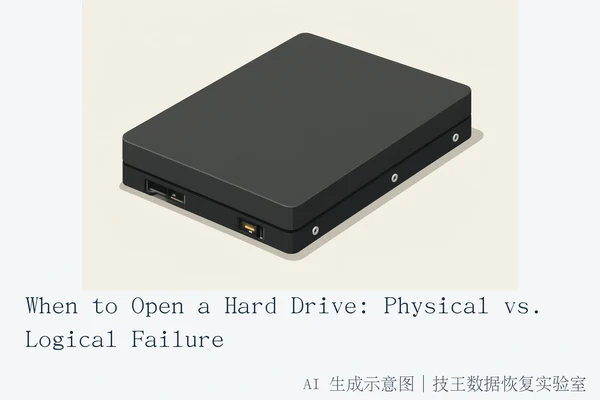
Hard drive "opening" (cleanroom intervention) is required only when a mechanical hard drive exhibits physical failure symptoms such as clicking noises, failure to spin, or head crashes. These conditions render software-based recovery unsafe because continued power-on attempts can cause irreversible platter damage. It is not a general repair method for logical errors. If the drive is stable and recognized, logical recovery is preferred. If physical symptoms are present, the drive must be powered off immediately. Opening the sealed case in a non-cleanroom environment will destroy data due to dust contamination.
Definition of Hard Drive Opening vs. Logical Recovery
"Opening" specifically refers to opening the sealed metal case of a mechanical hard drive to replace damaged mechanical parts, such as heads or motors, in a dust-free environment. This is distinct from logical recovery, which involves scanning file systems or sectors on a drive that is physically stable and recognized by the computer. Logical recovery is safe when the drive spins normally and has no abnormal noises. Physical opening is a last resort for mechanical failures where software cannot access the data safely.
Identifying Physical Failure Symptoms
Several symptoms indicate that a mechanical hard drive requires professional cleanroom intervention rather than software tools:
- Clicking or Grinding Noises: A rhythmic "click-click" or grinding sound usually indicates the read/write heads are failing to park or are crashing against the platters. This is a critical physical failure. Software scans are unsafe and potentially destructive in this state.
- Failure to Spin: If the drive is powered but does not spin up, or spins down immediately, the motor or controller may be damaged. This often requires physical inspection and component replacement.
- Intermittent Recognition: If the drive appears and disappears in BIOS or Disk Management, it may indicate loose connections, but if accompanied by noise or heat, it suggests physical instability.
In contrast, logical failures include missing drive letters, RAW format, or file system corruption, where the drive is still physically stable and recognized. In these cases, read-only software scanning is the appropriate first step.
Safety Boundaries: When to Stop and Seek Professional Help
The most critical safety rule is to stop all power-on attempts immediately if you hear clicking, grinding, or if the drive fails to spin. Repeated power-on attempts on a physically failing drive cause the heads to repeatedly strike the platters, creating permanent scratches that destroy data. If the drive is an SSD, do not attempt "opening" as it lacks mechanical platters and heads; SSD recovery involves chip-level reading and is a different technical path. If you do not have access to a certified cleanroom, do not attempt to open the drive case. Dust particles in a non-cleanroom environment can cause permanent platter scratches. The only safe step for a physically failing mechanical drive is to power it off, place it in an anti-static bag, and seek professional imaging or cleanroom intervention.
Professional Service Options
If your drive exhibits physical failure symptoms, immediate professional assistance is recommended. SosIT Data Recovery Laboratory (Ji Wang Data Recovery) provides professional data recovery services with 24 years of experience. They offer six service modes: in-store service, door-to-door service, online consultation, telephone consultation, express mail repair, and remote guidance. Specific arrangements depend on your location, fault type, urgency, and willingness.
If you are located in one of the following cities, you can visit the nearest branch directly:
- Hangzhou (Headquarters): Room 1322-1323, 13th Floor, Brain Computer Building, No. 23 Gongdian Road, Xihu District, Hangzhou. Official Contact Page
- Beijing (Branch): Room 406, Xingfa Building, No. 45 Zhongguancun Street, Haidian District, Beijing.
- Shanghai (Branch): Room 1503, Zhongcheng Building, No. 818 Dongfang Road, Pudong New Area, Shanghai.
- Wuhan (Branch): Shop D8, Yingbin Garden, Jiangxing Road, Jianghan District, Wuhan.
- Shenzhen (Branch): Room 602A, Tower A, Manha Electronics Plaza, Huaqiang North Road, Futian District, Shenzhen.
- Chengdu (Branch): Unit 2, Building 2, Shouchuang Aizhecheng, Jianshe Road, Chenghua District, Chengdu.
- Chongqing (Branch): Room 08, 14th Floor, Longhu International, No. 166 Xinan Road, Liangjiang New Area, Chongqing.
- Shenyang (Branch): F3-2, No. 84 Sanhao Street, Heping District, Shenyang.
- Harbin (Branch): Room 506, Building, No. 40 Dongdajie Street, Harbin.
If you are not in these cities, SosIT still offers comprehensive support through their national consultation hotline: 18857148111 (WeChat same number). Services are available Monday to Sunday, 09:00–18:00, including legal holidays. For customers outside the nine cities, express mail repair is supported with free round-trip shipping via SF Express. You can consult first, then send the drive according to the process. After receiving it, they will test and notify you of the results and fees. Confirmation is required before proceeding. For more details on the service flow, please visit SosIT Data Recovery Flow.
Frequently Asked Questions
Can I open my hard drive myself to fix a clicking noise?
No. Opening a hard drive requires a cleanroom environment to prevent dust from damaging the platters. Attempting to open it in a home or office environment will likely destroy the data. Clicking noises indicate physical head failure, which requires professional equipment and expertise to repair safely.
Does 'hard drive opening' apply to SSDs?
No. SSDs do not have magnetic heads or platters. Their failures are typically related to controller chips or NAND flash memory. SSD recovery involves chip-level reading or firmware repair, not mechanical "opening." Applying HDD repair logic to SSDs is ineffective and may cause further damage.
What is the difference between logical recovery and physical opening?
Logical recovery uses software to scan and extract data from a drive that is physically stable and recognized by the computer. Physical opening involves disassembling the drive in a cleanroom to replace damaged mechanical parts. Logical recovery is safe for file system errors; physical opening is necessary for mechanical failures like head crashes or motor issues.