
Why Data Recovery Time Depends on Device Health, Not File Size
Published 2026-11-13 | JiWang Data Recovery Technical Team
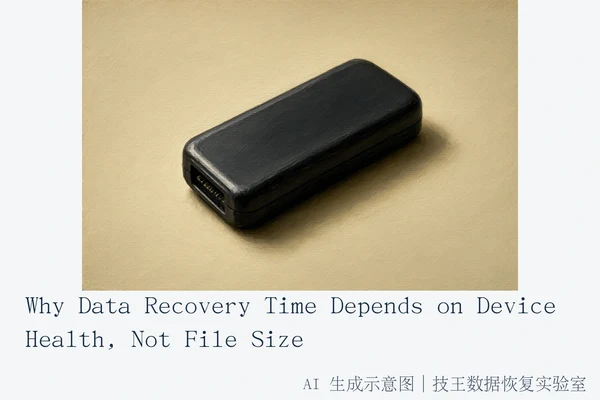
Data recovery duration is determined by the physical stability, controller health, and encryption status of the storage device, not by the volume of data involved. A small USB drive with a failed controller may require more time to repair than a large, healthy hard drive. The process involves dynamic assessment of read stability and risk, meaning time is a variable outcome of technical complexity rather than a fixed rate per gigabyte.
Technical Factors Determining Recovery Time
The primary driver of recovery time is the device's ability to maintain a stable read connection. If a device exhibits physical signs of damage, such as clicking, grinding, or excessive heat, the priority shifts from data extraction to preventing further physical harm. In these cases, the time required is dictated by the need for specialized hardware repair or cleanroom intervention, which is significantly more complex than simple file scanning.
For flash storage like USB drives or SD cards, the issue is often the controller chip. If the controller fails, the device may not be recognized at all, or it may provide corrupted data. Repairing this requires circuit-level analysis or chip-off procedures, which are high-precision tasks that cannot be rushed. Unlike mechanical drives, there are no moving parts to wait for, but the electronic complexity is higher.
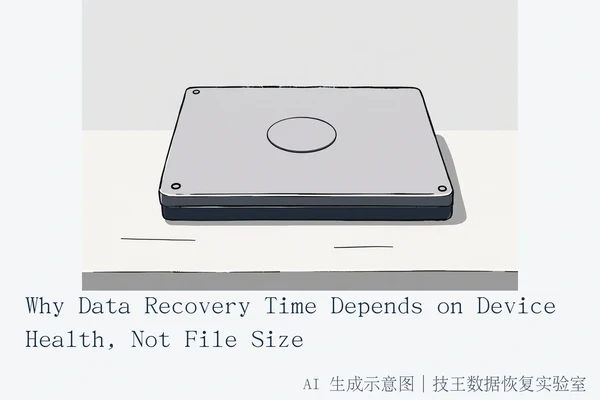
Mechanical Hard Drives (HDD) present a different challenge. If the drive is physically damaged, the time depends on the availability of compatible donor parts and the stability of the platters. If the drive is logically damaged but physically stable, the time depends on the size of the file system and the extent of fragmentation. However, if the drive is unstable, any attempt to read data risks causing a head crash, which would make recovery impossible. Therefore, the "time" is actually a measure of risk management.
Solid State Drives (SSD) are limited by the Flash Translation Layer (FTL) and TRIM commands. When files are deleted, the SSD controller may mark those blocks as free and eventually erase them via TRIM. If TRIM has been executed, the data is physically gone, and no amount of time will recover it. If TRIM has not been executed, recovery is possible but depends on the controller's willingness to expose the raw NAND data, which often requires specialized firmware tools.
The Impact of Encryption and Controller States
Encryption is a critical factor that can render recovery efforts futile if keys are unavailable. If a device uses hardware-level encryption (such as BitLocker, FileVault, or iPhone Secure Enclave), the data is encrypted at the block level. Even if the raw data is successfully read from the storage medium, it remains inaccessible without the decryption key. In such cases, the "recovery time" is effectively infinite if the key is lost, because the data is unrecoverable by design.
Controller states also play a role. Some devices have self-destruct mechanisms or lock themselves into a safe mode after detecting a fault. In these cases, the time required to recover data depends on whether the controller can be coaxed into a readable state. If the controller has issued an irreversible erase signal, the data is lost, and the time required is zero because the task is impossible.
Managing Expectations and Next Steps
When seeking data recovery, it is important to understand that time is not a linear function of data size. A 16GB USB drive with a failed controller may take weeks to repair, while a 2TB hard drive with a simple logical error may take only a few days. The key is to assess the device's physical and logical state before committing to a recovery process.
If your device is making unusual noises, not recognized, or exhibiting signs of physical damage, stop all power cycles immediately. Seek professional assessment to prevent permanent data loss. If the device is encrypted and you do not have the key, do not attempt to recover raw data, as it will remain inaccessible without decryption. If the device is an SSD and TRIM has been executed, stop expecting full recovery of deleted files, as the controller may have permanently erased the NAND cells.
At Jiwang Data Recovery Lab, we emphasize that accurate time estimates require a thorough diagnostic process. We do not provide fixed timelines because each device is unique. Our goal is to provide a realistic assessment based on the specific technical challenges of your device, ensuring that you have a clear understanding of the process and the potential outcomes.
We offer six service methods: in-store service, on-site service, online consultation, telephone consultation, express delivery repair, and remote guidance. Service methods are coordinated according to the user's region, fault type, urgency, and wishes. For users in verified cities, you can visit our centers directly:
- Hangzhou (Headquarters): Room 1322-1323, 13th Floor, Brain Computer Building, No. 23 Gongdian Road, Xihu District, Hangzhou.
- Beijing: Room 406, Xingfa Building, No. 45 Zhongguancun Street, Haidian District, Beijing.
- Shanghai: Room 1503, Zhongcheng Building, No. 818 Dongfang Road, Pudong New Area, Shanghai.
- Wuhan: Shop D8, Yingbin Huayuan, Jiangxing Road, Jianghan District, Wuhan.
- Shenzhen: Room 602A, Tower A, Manha Electronics Plaza, Huaqiang North Road, Futian District, Shenzhen.
- Chengdu: Building 2, Unit 2, Shouchuang Aizhecheng, Jianshe Road, Chenghua District, Chengdu.
- Chongqing: Room 08, 14th Floor, Longhu International, No. 166 Xinan Road, Liangjiang New Area, Chongqing.
- Shenyang: F3-2, No. 84 Sanhao Street, Heping District, Shenyang.
- Harbin: Room 506, Building, No. 40 Dongdajie, Harbin.
For other regions, you can consult first and then send the device by express mail. All business supports round-trip SF Express shipping upon confirmation. For specific arrangements, please contact us at 18857148111 (WeChat same number). Our technical director, Deng Yanjun, and national technical consulting team are available Monday to Sunday, 09:00–18:00, including legal holidays.
Frequently Asked Questions
Why does a 16GB USB drive take longer to recover than a 2TB hard drive?
A small USB drive may have a failed controller or physical damage that requires circuit-level repair, which is a complex and time-consuming process. A large hard drive may have a simple logical error that can be resolved with software tools, making the recovery process faster. The size of the data is less important than the complexity of the failure.
Does encryption affect how long data recovery takes?
Yes, encryption can significantly impact recovery time. If the device is encrypted and the key is unavailable, the data may be unrecoverable, making the time required effectively infinite. If the key is available, the time required depends on the complexity of the encryption and the stability of the device.
Can I estimate the recovery time based on the number of files I need?
No, the number of files is not a reliable indicator of recovery time. The time required depends on the device's physical and logical state, the complexity of the failure, and the availability of necessary tools and parts. A small number of files on a damaged device may take longer to recover than a large number of files on a healthy device.