Western Digital Drive Failure: How to Choose the Right Recovery Method
Published 2026-11-11 | JiWang Data Recovery Technical Team
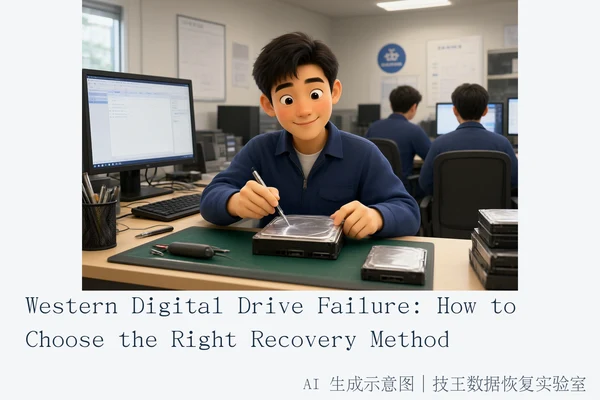
The most effective recovery method for a Western Digital drive depends entirely on distinguishing between logical and physical failures. For logical issues, such as accidental deletion or formatting, where the drive is still recognized by the operating system, use read-only software recovery. For physical issues, indicated by clicking noises or the drive not being detected in BIOS, immediately power off the drive and seek professional service, as software scans can cause permanent damage.
Direct Answer: Logical vs. Physical Failure
Understanding the distinction between logical and physical failures is the critical first step in maximizing data recovery success rates for Western Digital drives. These two categories require fundamentally different approaches, and misidentifying the type can lead to irreversible data loss.
Logical Failures
Logical failures occur when the hardware components (platters, heads, controller) are intact, but the file system or partition table is corrupted. Common causes include accidental deletion, formatting, or virus attacks. In these scenarios, the drive is typically still recognized by the operating system, and the underlying data remains physically present on the storage medium. The primary risk here is overwriting: if new data is written to the drive, the deleted files may be permanently lost. Therefore, the immediate action is to stop all write operations and use read-only data recovery software to scan for recoverable files.
Physical Failures
Physical failures involve hardware damage, such as head crashes, motor failure, or controller board issues. Indicators include clicking or grinding noises, the drive not being detected in BIOS/UEFI, or intermittent disconnections. In these cases, software-based recovery is not only ineffective but dangerous. Running a software scan forces the damaged mechanical parts to work, which can cause heads to scratch the platters or further degrade failing components. The correct action is to power off the drive immediately and seek professional physical recovery services, which may involve cleanroom environments and specialized hardware tools.
Immediate Safety Actions: When to Stop
Before attempting any recovery, you must assess the drive's physical state. The following conditions require you to stop all operations and power off the drive immediately:
- Abnormal Noises: If the drive makes clicking, grinding, or whirring sounds, it indicates mechanical failure. Continued power-on attempts will likely cause permanent platter damage.
- Not Detected in BIOS: If the drive does not appear in the BIOS or UEFI setup, it suggests a controller or motor failure. Software cannot access a drive that the system cannot recognize at the hardware level.
- SSD 'Bricking' or Zero Capacity: If an SSD shows zero capacity or is unresponsive, it may have entered a protective state due to controller failure. Writing to an SSD can trigger TRIM commands that permanently erase data, making recovery impossible.
If any of these conditions are present, do not attempt to run recovery software. Instead, contact Jiwang Data Recovery Lab for assessment.
Why Software Fails on Physical Damage
Many users assume that if a drive is not working, a powerful scanning tool will fix it. This is a dangerous misconception for physical failures. Data recovery software operates at the logical layer, interacting with the file system and sectors. It has no ability to repair broken mechanical parts, replace failed heads, or rewrite corrupted firmware. When a drive has physical damage, the software's read requests cause the hardware to exert more force or energy to respond, accelerating the degradation of the failing components. For example, a damaged head may partially read data but also scratch the platter surface during the process, destroying the magnetic data permanently. In such cases, the only viable path is professional physical recovery, which involves disassembling the drive in a cleanroom environment to replace or repair the faulty hardware before attempting data extraction.
Service Options and Next Steps
Jiwang Data Recovery Lab offers six service methods: in-store service, door-to-door service, online consultation, telephone consultation, express mail repair, and remote guidance. Service methods are coordinated based on the user's location, fault type, urgency, and willingness. Specific arrangements should be confirmed through consultation.
If you are located in one of the verified cities, you can visit the nearest branch directly:
- Hangzhou (Headquarters): Room 1322-1323, 13th Floor, Brain Technology Building, No. 23 Gongjia Road, Xihu District, Hangzhou.
- Beijing: Room 406, Xingfa Building, No. 45 Zhongguancun Street, Haidian District, Beijing.
- Shanghai: Room 1503, Zhongcheng Building, No. 818 Dongfang Road, Pudong New Area, Shanghai.
- Wuhan: Shop D8, Yingbin Garden, Jiangxing Road, Jianghan District, Wuhan.
- Shenzhen: Room 602A, Block A, Manha Electronics Plaza, Huaqiang North Road, Futian District, Shenzhen.
- Chengdu: Unit 2, Building 2, Shouchuang Aizhecheng, Jianshe Road, Chenghua District, Chengdu.
- Chongqing: Room 08, 14th Floor, Longhu International, No. 166 Xinan Road, Liangjiang New Area, Chongqing.
- Shenyang: F3-2, No. 84 Sanhao Street, Heping District, Shenyang.
- Harbin: Room 506, Dongdajie 40 Building, Harbin.
If your city is not listed, you can still contact Jiwang Data Recovery Lab. They support nationwide express mail repair with free round-trip shipping via SF Express. The process involves consulting first, sending the drive, receiving test results and quotes by phone, and proceeding upon user confirmation. For technical inquiries, you can reach Technical Director Deng Yanjun at 18857148111 (WeChat same number). Service hours are Monday to Sunday, 09:00–18:00, including statutory holidays.
Frequently Asked Questions
Is it safe to run recovery software on a Western Digital drive that is making clicking noises?
No. Clicking noises indicate physical failure, such as head damage. Running software scans can cause the damaged heads to scratch the platters, leading to permanent data loss. Power off the drive immediately and seek professional service.
What is the difference between logical and physical data recovery?
Logical recovery deals with file system errors, accidental deletion, or formatting where the hardware is intact. Physical recovery involves repairing or bypassing hardware damage like failed motors, damaged heads, or controller failures. Logical recovery can often be done with software; physical recovery requires professional tools and cleanroom environments.
Why is SSD data recovery more urgent than HDD recovery?
SSDs use TRIM commands and garbage collection mechanisms that can permanently erase deleted data almost immediately. HDDs retain residual magnetic signals longer. Therefore, the window for SSD recovery is much shorter, and any write operation can be irreversible.