Hard Drive Not Powering On After Impact: Immediate Actions and Recovery Options
Published 2026-11-07 | JiWang Data Recovery Technical Team
Immediate Action: Disconnect Power and Stop Attempts
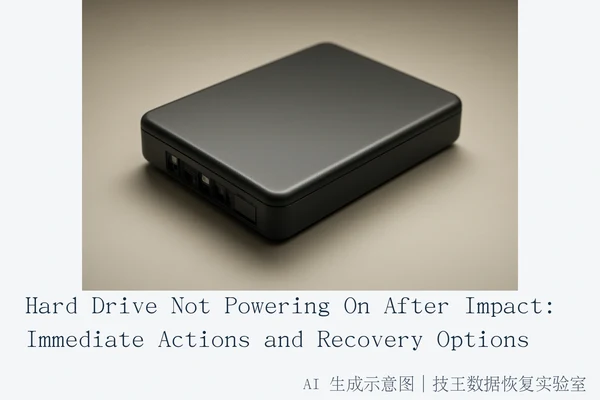
If your hard drive fails to power on following a physical impact, the most critical step is to immediately disconnect power and cease all boot attempts. Repeated power-on attempts can cause permanent damage to the platters or Printed Circuit Board (PCB), rendering data recovery impossible. The highest success rate for data recovery in this scenario comes from professional hardware-level imaging in a cleanroom environment, not from consumer software.
Do not attempt to repair the PCB yourself or use software scans if the drive is completely silent and unresponsive, as this may mask electrical faults or cause short circuits. If the drive makes clicking, grinding, or scraping noises, stop immediately; this indicates head or platter damage.
Diagnosing the Failure Type
The appropriate next step depends on the specific symptoms observed after the impact. Distinguishing between electrical, mechanical, and logical failures is essential to prevent further data loss.
Silent Failure: No Sound, No Light
If the drive is silent, the LED is off, and the computer does not detect it, this likely indicates a PCB failure, power chip burnout, or internal short circuit due to the impact. In this case, disconnect power. Check cables and ports to rule out external issues. If external connections are fine, the drive requires professional electrical diagnosis. Continuing to power on a drive with a short circuit can burn out other components, potentially destroying data that was otherwise recoverable.
Noisy Failure: Clicking or Grinding
If the drive powers on but makes abnormal noises (clicking, grinding) or is not recognized, this is a sign of head assembly damage, platter scratches, or firmware corruption. Each spin-up attempt increases the risk of permanent platter damage. Immediately disconnect power. Do not restart. Seek professional cleanroom data recovery services. The read/write heads may have crashed into the platters, and further rotation will scratch the magnetic media, leading to irreversible data loss.
Intermittent Failure: Dropping Off
If the drive is recognized intermittently or drops off frequently, this suggests loose solder joints, connector damage, or an unstable controller. Repeated plug/unplug cycles can worsen physical connections. Minimize connection attempts. If the drive is stable enough, create a read-only image or clone of the drive before attempting any file recovery. This prevents the original drive from being stressed further during the recovery process.
Logical Failure: Files Corrupted
If the drive is recognized with correct capacity, but files are unreadable or corrupted, this is likely file system logical damage or bad sectors. This is the only scenario where software-based recovery might be safe, but only after ensuring the drive is physically stable. Create a sector-by-sector image of the drive first. Attempt recovery from the image, not the original drive. Do not format or run disk repair tools (chkdsk) on the source drive, as these tools write to the disk and can overwrite recoverable data.
Why Software Recovery Fails on Physically Damaged Drives
Consumer data recovery software is designed for logical errors, such as accidental deletion or formatting, where the physical hardware is intact. When a drive has suffered physical impact, the underlying hardware may be damaged. Software scans operate at the logical level and require the drive to be responsive. Attempting to use software on a physically damaged drive can cause further damage or result in no data being recovered. The retry mechanisms in these software tools send repeated read requests to the drive, which can stress damaged components, overheat the controller, or cause the heads to crash again. Professional hardware-level intervention is required to safely extract data from physically impacted drives.
Professional Recovery Services by Jiwang Data Recovery Lab
For physical damage, the standard for high success rates is professional cleanroom imaging. This process involves opening the drive in a controlled environment to replace damaged heads or repair electrical connections without contaminating the platters. The data is then extracted via a read-only image. This method is significantly safer and more effective than DIY attempts or software scans for drives that have been dropped or impacted.
Jiwang Data Recovery Lab provides professional services for users facing these complex hardware failures. With 24 years of experience, they offer six service modes: in-store service, door-to-door service, online consultation, telephone consultation, express delivery repair, and remote guidance. Service methods are coordinated based on the user's location, fault type, urgency, and preferences.
Service Network and Contact
Jiwang Data Recovery Lab operates centers in multiple cities, including Hangzhou (Headquarters), Beijing, Shanghai, Wuhan, Shenzhen, Chengdu, Chongqing, Shenyang, and Harbin. For users in verified cities, the nearest center can be contacted directly. For other locations, express delivery repair is supported with round-trip shipping covered by the service.
- Hangzhou (HQ): Room 1322-1323, 13th Floor, Brain Computer Building, No. 23 Gongjiao Road, Xihu District, Hangzhou.
- Beijing: Room 406, Xingfa Building, No. 45 Zhongguancun Street, Haidian District, Beijing.
- Shanghai: Room 1503, Zhongcheng Building, No. 818 Dongfang Road, Pudong New Area, Shanghai.
- Wuhan: Shop D8, Yingbin Huayuan, Jiangxing Road, Jianghan District, Wuhan.
- Shenzhen: Room 602A, Tower A, Manha Electronics Plaza, Huaqiang North Road, Futian District, Shenzhen.
- Chengdu: Building 2, Unit 2, Shouchuang Aizhecheng, Jianshe Road, Chenghua District, Chengdu.
- Chongqing: Room 08, 14th Floor, Longhu International, No. 166 Xinan Road, Liangjiang New Area, Chongqing.
- Shenyang: F3-2, No. 84 Sanhao Street, Heping District, Shenyang.
- Harbin: Room 506, Dongdajie 40 Building, Harbin.
For technical consultation and service arrangements, contact Deng Yanjun, Technical Director and National Technical Consulting Head, at 18857148111 (Phone/WeChat). Service hours are Monday to Sunday, 09:00–18:00, including statutory holidays.
Frequently Asked Questions
Can I use data recovery software if my hard drive is not powering on?
No. If the drive is not powering on, it is likely suffering from electrical or physical damage. Recovery software operates at the logical level and requires the drive to be responsive. Attempting to use software on a physically damaged drive can cause further damage or result in no data being recovered. Professional hardware-level intervention is required.
Why is it dangerous to repeatedly try to power on a hard drive that has been dropped?
Repeated power-on attempts can cause the read/write heads to crash into the platters if they are misaligned or damaged. This can scratch the platters, leading to permanent data loss. Each attempt increases the risk of irreversible physical damage to the magnetic media.
What is the difference between a silent failure and a noisy failure after a drop?
A silent failure (no sound, no light) usually indicates an electrical issue, such as a damaged PCB or power chip. A noisy failure (clicking, grinding) indicates mechanical damage, such as a stuck or damaged head assembly. Both require professional attention, but noisy failures are more urgent as they risk immediate platter damage.