
External Drive RAW After Unplugging: Logical vs Hardware Failure
Published 2026-11-04 | JiWang Data Recovery Technical Team
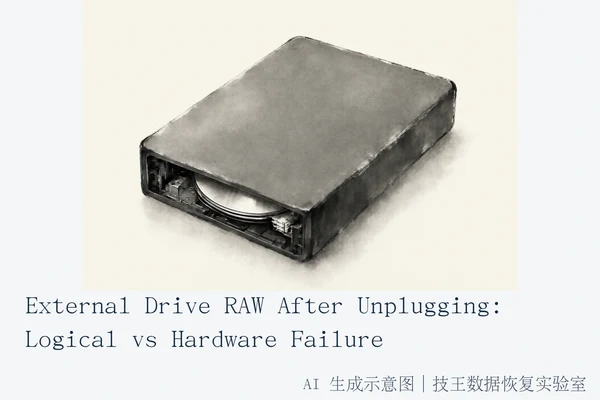
Accidental unplugging of an external drive typically causes logical file system corruption, resulting in a RAW or Unallocated status, rather than immediate physical damage. The correct immediate response is to stop all write operations to prevent data overwriting. If the drive is recognized in Disk Management but appears as RAW, it is likely a logical error recoverable via software. If the drive is not recognized at all, or displays a Code 10 error in Device Manager after swapping cables and ports, it may indicate a hardware failure requiring professional intervention.
Immediate Safety Steps: Stop Writing
The most critical action following an accidental unplug is to prevent further data loss. To maximize the chances of successful recovery, users should minimize or completely avoid using the computer to prevent overwriting free space where deleted file data may still reside. Do not attempt to format the drive, as formatting erases all data and should only be performed if data recovery is unnecessary or has already failed. If the drive emits clicking, grinding, or other unusual noises, cease all power cycles immediately to avoid physical head damage.
Diagnosing the Failure Type
To determine whether the issue is logical or hardware-related, follow these diagnostic steps:
- Check Physical Connection: Basic hardware troubleshooting for undetected external drives involves connecting to a different USB port, using a different cable, testing on a different computer, and verifying that the drive's activity light is on.
- Inspect Disk Management: If the drive appears as RAW or Unallocated in Disk Management after attempting different ports, cables, and computers, and data recovery is needed, professional data recovery services should be considered. This status typically indicates logical file system corruption.
- Check Device Manager: If a device in Device Manager shows a Code 10 error after trying another cable and computer, the drive has likely suffered a hardware failure, and data recovery services should be consulted if data is critical.
Logical vs. Hardware Failure Indicators
Logical Failure (RAW/Unallocated): This occurs when the file system index is damaged, but the physical media remains intact. The drive is recognized by the operating system, but the file structure is unreadable. This is frequently caused by interrupted write operations during abrupt unplugging.
Hardware Failure (Code 10/No Media): This occurs when the USB controller, power supply, or internal drive components fail. The drive may not be recognized by the system at all, or it may display an error code in Device Manager. This scenario requires professional technical assessment.
Recovery Options and Limitations
If the drive is recognized as RAW, you can attempt software-based recovery. Windows File Recovery is a command-line application available from the Microsoft Store that can be used to recover lost files from local storage devices, including external drives and USB devices. Note that the source and destination drives for Windows File Recovery must be different; recovering from the operating system drive requires using /n filters to specify user files or folders.
If the drive is not recognized or shows a Code 10 error, do not attempt software recovery. Seek professional hardware assessment instead. If the drive is recognized but files are unreadable, avoid opening files repeatedly and use read-only recovery tools to extract data to a different drive.
For complex hardware failures or if software recovery fails, consider contacting a professional data recovery service. JiWang Data Recovery Lab provides professional data recovery services for such cases. For specific service arrangements, including on-site, remote, or mail-in options, please contact them directly.
Frequently Asked Questions
Can I format a RAW drive to fix it?
No. Formatting a drive erases the file system structures and all data. You should only format a drive if you have already recovered your data or do not need the files stored on it. Formatting a RAW drive that contains important data will make recovery significantly more difficult or impossible.
What does a Code 10 error in Device Manager mean?
A Code 10 error in Device Manager typically indicates a hardware failure or a driver conflict. It suggests that the operating system cannot start the device. This often points to issues with the USB controller, power supply, or internal drive components, requiring professional technical assessment rather than simple software fixes.
Is it safe to use software recovery tools on a failing drive?
Software recovery tools can be safe for drives showing logical errors (RAW/Unallocated) if the drive is stable and recognized. However, if the drive exhibits hardware symptoms like clicking noises, intermittent connection, or is not recognized, running software tools can cause further damage. In cases of hardware failure, professional assessment is required before any recovery attempts.