
Handling database server when RAID controller detects foreign configuration
Published 2026-08-26 | JiWang Data Recovery Technical Team
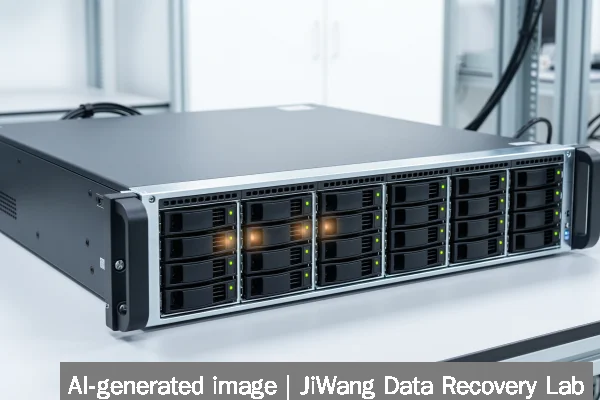
When a RAID controller reports a foreign configuration, the database server must be powered down immediately—no further writes, no reboot attempts, and no controller-initiated import or clear operations. This message indicates the controller has detected RAID metadata inconsistent with its current configuration database, often due to an unexpected shutdown, drive reordering, or prior controller replacement. Any write operation—including automatic rebuilds, initialization, or “import foreign config” actions—may overwrite critical metadata needed for reconstruction. The safest next step is to power off the system, document all drive positions and serial numbers, and engage a data recovery specialist who can perform read-only forensic analysis of each physical drive before any logical reconstruction begins.
Symptoms and Risk
A “foreign configuration” alert appears during POST or in the RAID controller’s BIOS utility (e.g., Dell PERC, HPE Smart Array, LSI MegaRAID). It may accompany failure to boot, missing logical drives, or database service crashes (e.g., SQL Server refusing to attach MDF files, PostgreSQL failing to start due to inaccessible tablespace paths). The immediate risk is not data loss per se—but irreversible metadata corruption. RAID controllers store configuration data (array layout, stripe size, disk order, parity algorithm) in non-volatile memory on the controller *and* in reserved sectors on each drive. When those two sources disagree, the controller flags the configuration as foreign. If the user selects “Import” without verifying consistency, the controller may overwrite drive-level metadata with its own incomplete view—erasing evidence needed to reconstruct the original array geometry. For database servers, this compounds risk: transaction logs, checkpoint files, and file-system journal entries may become unrecoverable if underlying block mapping is altered.
Known Facts
The foreign configuration state is a controller-level detection—not a drive failure indicator. Drives themselves may be fully functional and uncorrupted. RAID metadata resides in multiple locations: on-controller NVRAM, drive firmware areas (e.g., LSI “BBU cache”), and drive-reserved sectors (e.g., Intel RST uses 1MB at end of drive; MegaRAID stores metadata near LBA 0 and at drive end). No standard defines exact placement, so recovery tools must scan broadly. Database files (MDF, LDF, .ibd, WAL segments) remain physically intact *if no write occurs after the alert*. However, modern SSDs and NVMe devices add complexity: Sandisk NAS 800 PCIe 5.0 drives use internal wear-leveling and over-provisioning that may remap blocks unpredictably during even “read-only” controller diagnostics. This means raw sector reads from host OS may not reflect physical NAND layout—a known limit for logical recovery alone.
Possible Causes
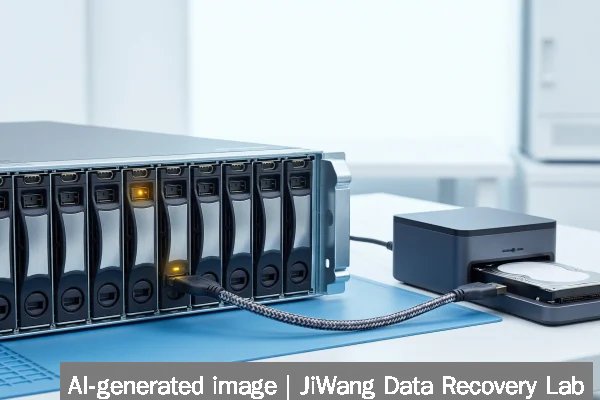
Causes fall into three categories: operational, hardware, and configuration-related. Operational causes include unplanned power loss during RAID resync or firmware update, improper shutdown before controller cache flush, or hot-swap of drives without pausing I/O. Hardware causes involve replacing a failed controller with one of identical model but different firmware revision—or inserting drives into a new controller without first clearing foreign status on the original unit. Configuration causes include moving drives between controllers with mismatched settings (e.g., changing stripe size or RAID level in BIOS), or using third-party utilities that modify metadata outside controller control. In QNAP QuTS MEGA environments, Cross-Cluster Mirroring failures rarely trigger foreign config—but misaligned Ceph OSD journal writes across nodes can corrupt local RAID metadata if cluster quorum is lost during maintenance.
Safe Checks
Before powering on, photograph every drive bay with visible serial number and slot position. Record controller model, firmware version, and cached battery status (BBU/CacheVault health). Once powered on *only to gather diagnostics*, enter the controller BIOS and note: (1) exact foreign config message text, (2) listed drive count and status (Online/Unconfigured Good/Foreign), (3) whether “Clear Foreign Config” or “Import Foreign Config” options are available—and whether either is pre-selected by default. Do *not* select either. Use vendor CLI tools (e.g., storcli /c0 show for LSI) to export full configuration dump to USB—*only if the controller supports read-only export*. Avoid OS-level tools like mdadm or Windows Disk Management: they cannot interpret proprietary RAID metadata and may trigger unwanted resyncs. For Synology RS826RP+ systems, do not access DSM web UI—its volume manager may auto-import and overwrite.
Actions to Avoid
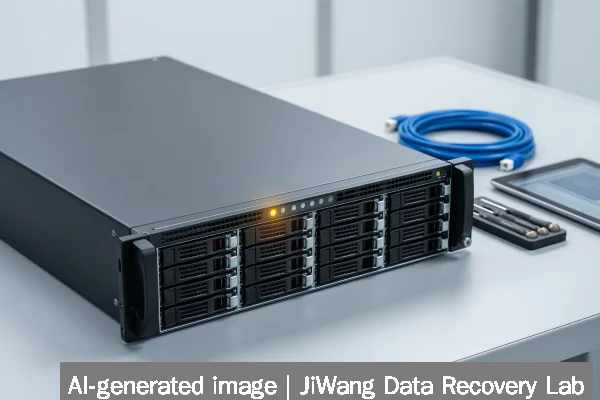
Never initialize, format, or run CHKDSK, fsck, or diskpart clean. Never click “Import Foreign Config” or “Clear Foreign Config” in controller BIOS. Never flash RAID controller firmware while foreign status is active. Never repeatedly power-cycle the server hoping the message clears. Never remove or reseat drives without documenting original positions. Never attempt manual RAID reconstruction using software tools (e.g., R-Studio, UFS Explorer) unless you have verified bit-for-bit drive images—because live controller access may alter SSD internal mapping. Never mount filesystems or attach database files in production mode. These actions risk overwriting metadata headers, superblocks, or database page headers required for accurate reconstruction. Sandisk NAS 600 SATA SSDs, for example, reserve 200MB for firmware; writing to that region—even unintentionally—can brick the drive or invalidate endurance ratings.
Data-Preservation Workflow
Preservation begins with isolation: power off, label drives, and store in anti-static bags. Next, create forensic images of each drive using write-blocked hardware duplicators (e.g., Tableau T8-USB3) or Linux ddrescue with conv=noerror,sync—never plain dd. Image to same-capacity or larger target drives or verified checksummed files (SHA-256). Verify image integrity with cmp or sha256sum. Only then may analysis begin: scan images for RAID signatures (e.g., Intel Matrix RAID magic bytes at LBA 0x00000000, MegaRAID “MR” header at LBA 0x0000001F), locate database file headers (SQL Server’s 0x00000001 signature in first 512 bytes of MDF), and map logical-to-physical block offsets. For NVMe arrays, account for namespace ID shifts and controller-specific namespace management—Sandisk NAS 800 drives require parsing of NVMe Identify Namespace data structures before interpreting logical block addresses.
Frequently Asked Questions
Can I recover database files without rebuilding the RAID array?
Yes—if the database files reside on a single drive (e.g., RAID 1 mirror) or if file-system metadata remains intact on individual drives. Tools can locate NTFS $MFT or ext4 superblocks directly on drive images. However, for RAID 5/6 or striped databases (e.g., SQL Server FILESTREAM on separate volumes), reconstructing the original stripe order and offset is required to reassemble fragmented files. That demands metadata analysis—not just file carving.
Does “foreign configuration” mean my drives are failing?
No. Drive health (SMART attributes, reallocated sectors, media errors) is independent of foreign config status. A drive can report “Predictive Failure” *and* be part of a foreign config—or show perfect SMART data and still trigger the alert. Always verify drive health separately using vendor utilities (e.g., smartctl -a /dev/sdb) *after* imaging, never before.
Will updating the RAID controller firmware fix this?
No. Firmware updates do not resolve foreign configuration. They may change how the controller interprets metadata—but risk making the situation worse by altering parsing logic. Firmware should only be updated *after* full data recovery is complete and validated.
Can I use cloud backup services like Backblaze to restore my database?
Only if backups were configured *before* the foreign config event and include application-consistent snapshots (e.g., VSS-aware SQL Server backups). Backblaze and similar services protect files—not raw RAID structures. If your last backup predates the issue and was not transaction-log consistent, restoring may yield corrupted or incomplete databases.