
Lexar Muse Portable SSD Thin Design Impact on Backup and Data Safety
Published 2026-09-06 | JiWang Data Recovery Technical Team
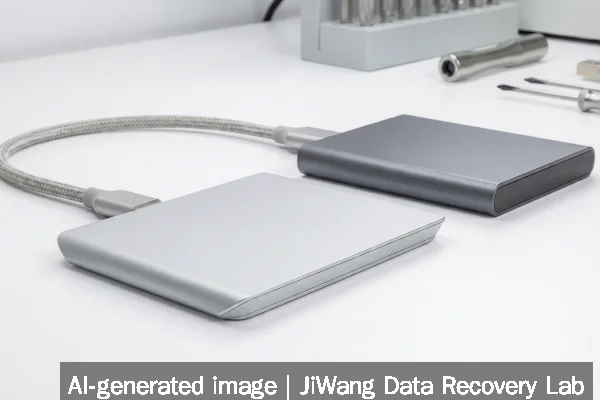
If your Lexar Muse portable SSD fails—especially after physical damage, magnetic connector misalignment, or unexpected disconnection—stop using it immediately. Do not attempt to reseat the SnapLink connector repeatedly, force power cycles, or connect it to unverified hosts. Avoid any action that writes data, including OS auto-mount attempts, disk utility repairs, or firmware updates. The safest next step is to disconnect the device and consult a qualified data recovery specialist who can assess whether the NAND flash memory remains readable without triggering controller-level corruption or wear-leveling interference.
Symptoms and Risk
Lexar Muse portable SSDs exhibit distinct failure patterns due to their ultra-thin mechanical design and proprietary SnapLink interface. Verified symptoms include intermittent recognition (device appears and disappears in OS device managers), complete non-detection despite magnetic connection, or detection without logical volume access. Unlike conventional USB-C SSDs, the Muse lacks standard port retention and relies entirely on precise pogo-pin alignment and magnet strength. Physical flexing—even minor bending during pocket carry—can misalign internal connectors or stress solder joints on the controller-to-NAND interposer. Because the drive uses a custom controller architecture optimized for minimal thickness, error reporting to the host OS is often suppressed or incomplete. This means standard tools may report “no media” or “I/O device error” without indicating whether the issue lies in the interface layer, controller firmware state, or NAND flash integrity.
Known Facts
The Lexar Muse was introduced at IFA 2026 as a commercially announced product, not a prototype. Its verified physical dimensions are 3.8 mm at maximum thickness, tapering to ~1 mm at edges. It eliminates the USB-C port entirely in favor of SnapLink: a proprietary magnetic pogo-pin interface requiring a dedicated cable with N52-grade neodymium magnets. The drive uses NVMe-over-USB tunneling (likely UASP-compliant) but does not expose raw NVMe commands to the host. No public datasheet confirms NAND type (TLC/QLC), die stacking, or onboard capacitors. Lexar has not published controller vendor information, ECC implementation details, or power-loss protection specifications. As of current public documentation, the Muse does not support hardware encryption, TRIM passthrough visibility, or SMART attribute reporting via standard USB-attached interfaces.
Possible Causes
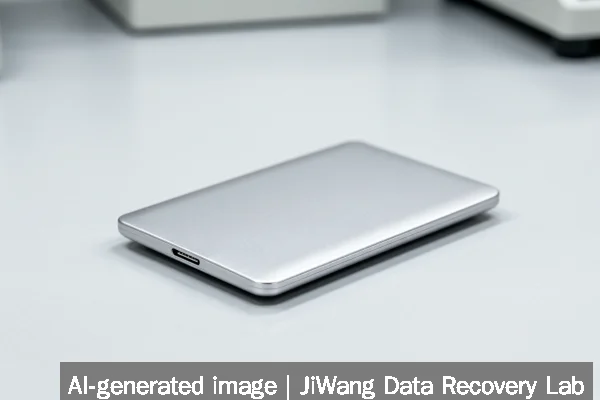
Failure causes fall into three tiers: interface-related, controller-related, and NAND-related. Interface issues include magnet degradation (reducing contact pressure), pogo-pin oxidation or debris accumulation, or cable connector fatigue—each preventing stable electrical handshake. Controller-related failures may stem from firmware hang states triggered by abrupt disconnection during write operations; such hangs are non-volatile and persist across power cycles but do not necessarily corrupt NAND contents. NAND-related issues are less common at early failure stages but become probable if the drive experienced sustained thermal stress (e.g., prolonged use inside a hot laptop bag) or voltage irregularities through the magnetic interface. Importantly, none of these causes can be reliably distinguished by software diagnostics alone—especially when the OS fails to enumerate the device beyond the USB hub level.
Safe Checks
Before assuming hardware failure, perform only passive, read-only checks. First, verify the SnapLink cable and Muse surface for visible debris or corrosion using magnification—not abrasives or solvents. Second, test on multiple hosts (Windows, macOS, Linux) with known-good USB-C ports and updated USB controllers—avoid hubs or docks. Third, check system logs: on Windows, review Device Manager > View > Devices by connection for USB enumeration errors; on macOS, run system_profiler SPUSBDataType in Terminal while connecting. Fourth, monitor for subtle signs of power negotiation: a faint LED glow (if equipped), brief vibration, or thermal response near the edge seam. None of these steps involve writing, mounting, or initiating storage commands. If the device does not appear in any host’s low-level USB enumeration—even before driver loading—it indicates a pre-controller failure point, likely in the SnapLink interface or power regulation circuitry.
Actions to Avoid
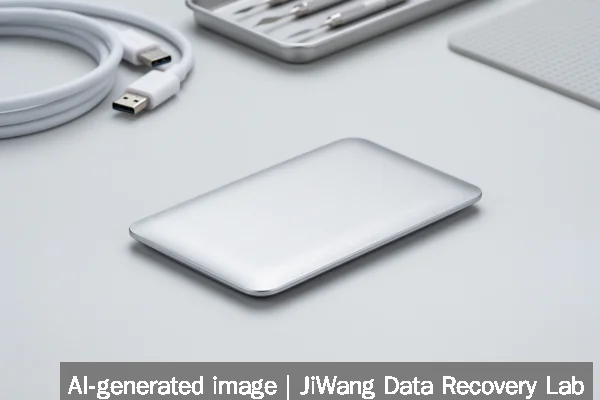
Never initialize, format, or run CHKDSK, Disk Utility First Aid, or fsck on a Muse SSD showing instability. These tools assume a functional block translation layer and may overwrite critical metadata or trigger unsafe garbage collection. Do not attempt firmware updates—Lexar has not released field-upgradable firmware for the Muse, and unofficial tools risk bricking the controller. Avoid repeated forced insertions/removals of the SnapLink connector: each cycle increases wear on pogo pins and may dislodge micro-soldered components. Never open the enclosure: the Muse’s laminated construction requires specialized delamination tools, and exposure to ambient humidity or particulates risks NAND contamination. Do not connect to RAID controllers, NAS enclosures, or virtualized USB passthrough environments—these layers add unpredictable command translation that may accelerate controller confusion.
Diagnostic Limits
Standard diagnostic utilities—including CrystalDiskInfo, smartctl, and USB descriptor readers—cannot retrieve meaningful health data from the Muse. Its USB bridge does not forward NVMe SMART attributes, and no public evidence confirms support for USB Attached SCSI (UAS) sense data passthrough. Vendor-specific tools are unavailable for end users. Thermal sensors, if present, are not exposed externally. NAND wear leveling maps, bad block tables, and spare block counts remain inaccessible without direct NAND chip access and controller-specific decoding logic. Physical diagnosis—such as NAND chip removal, X-ray inspection, or JTAG debugging—is required to determine whether data remains intact at the flash die level. Even then, success depends on whether the controller’s mapping table was preserved in nonvolatile RAM or lost during power loss. No remote or software-based assessment can confirm recoverability.
Frequently Asked Questions
Can I recover data from a Muse SSD that isn’t recognized by any computer?
Recognition failure alone does not mean data is unrecoverable. Many Muse units in this state retain readable NAND contents, but accessing them requires bypassing the controller entirely—either via NAND chip-off extraction or controlled firmware emulation. This is a physical lab procedure, not a software fix. Success depends on whether NAND cells retained charge stability after last use and whether the controller’s logical-to-physical translation table was preserved in backup registers.
Does the Muse’s thin design make it more prone to data loss than standard SSDs?
Yes—but not uniformly. Its mechanical fragility increases risk from bending, impact, and thermal cycling, which can disrupt internal connections before NAND wear becomes relevant. However, its NAND flash lifetime metrics (if published) would align with industry-standard endurance ratings for consumer TLC SSDs. The primary safety difference is reduced fault tolerance: conventional SSDs often fail gradually with warning signs (slow transfers, CRC errors); Muse failures may occur abruptly with no prior indication due to interface or controller lockup.
Is the SnapLink magnetic connector safe for long-term backup use?
Magnetic connectors introduce two reliability trade-offs: lower mating cycle endurance (typically rated for ~5,000–10,000 connects vs. 10,000+ for USB-C) and susceptibility to misalignment-induced signal degradation. For archival backup, this makes the Muse less suitable than drives with standardized, keyed interfaces. Frequent connect/disconnect cycles—common in active editing workflows—increase wear on both the Muse’s pogo pins and the cable’s magnets. Long-term storage should occur with the device powered off and disconnected, not left mated.
Should I use the Muse for primary backups of irreplaceable data?
No. Its lack of standardized interface feedback, absence of user-accessible health telemetry, and reliance on proprietary connectivity reduce observability and increase single-point-of-failure risk. Omdia’s 2026 ransomware study highlights that 83% of enterprises suffered successful attacks—making immutable, air-gapped, and verifiably restorable backups essential. The Muse offers none of those properties. It is appropriate for mobile capture and short-term transfer, not for backup targets where verification, versioning, and immutability matter.