
Recovering a NAS after unexpected shutdown and file system corruption
Published 2026-09-04 | JiWang Data Recovery Technical Team
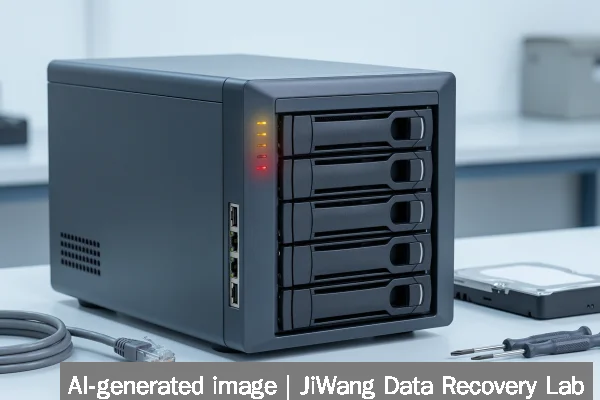
After an unexpected NAS shutdown, file system corruption poses immediate risk of irreversible data loss. Power cycling, mounting the volume, or running automatic repair tools may overwrite critical metadata. Stop all write operations: do not initialize, format, rebuild RAID, run fsck without read-only verification, or attempt firmware updates. Do not remove drives from their original order or enclosure. The safest next step is to power down the NAS completely, document drive positions and model numbers, and consult a professional data recovery service that performs imaging before analysis. Preserving the original state is essential—no recovery method can succeed if structural metadata has been altered.
Symptoms and Risk
A NAS affected by unexpected shutdown and file system corruption often exhibits one or more of these observable symptoms: inability to boot or mount volumes, repeated “volume degraded” or “filesystem error” alerts in the web UI, missing or inaccessible shared folders, files appearing with zero size or corrupted timestamps, and log entries referencing I/O errors, journal failures, or “orphaned inodes.” These are not isolated glitches—they indicate structural damage to on-disk metadata such as superblocks, allocation bitmaps, journal logs, or B-tree indexes used by ZFS, Btrfs, ext4, XFS, or proprietary NAS filesystems. The primary risk is cascading metadata overwrites: any subsequent write—even auto-repair attempts—can replace recoverable structures with new, invalid ones. Unlike single-file deletion, file system corruption affects the map itself; recovery depends on reconstructing that map from surviving fragments, not just copying intact files.
Known Facts
File system corruption after abrupt power loss is a documented behavior across all major NAS-optimized filesystems. ZFS relies on copy-on-write and transactional pools; interruption during a sync or pool import can leave inconsistent state in the MOS (Meta Object Set) or ZIL (ZFS Intent Log). Btrfs uses extent trees and checksummed metadata; a crash mid-commit may orphan root tree nodes. ext4 and XFS depend on journal replay—failure to complete recovery leaves the journal in an indeterminate state. RAID layer integrity does not guarantee filesystem health: a healthy RAID 5 array can still host a corrupted XFS superblock. Physical drive health (as reported by SMART) is independent of logical structure integrity—drives showing “OK” status may still contain unrecoverable filesystem damage. No consumer-grade NAS OS performs full metadata validation on boot; it assumes consistency unless explicitly instructed otherwise.
Possible Causes
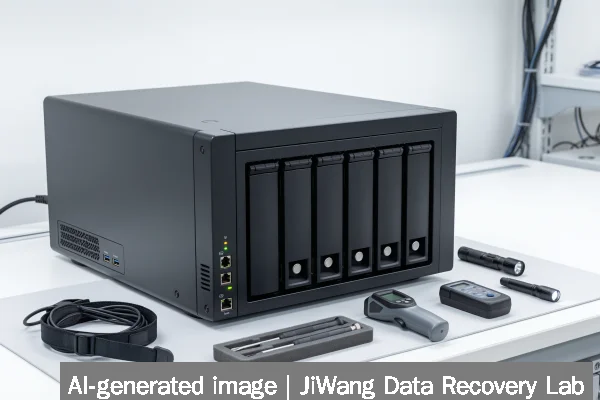
Unexpected shutdowns leading to corruption commonly originate from external infrastructure failure—not internal NAS faults. Verified causes include upstream UPS overload or battery depletion, circuit breaker trips, PoE switch failures feeding network-attached storage units, and unclean power events (brownouts, surges) affecting multi-bay enclosures. Less common but documented causes include kernel panics triggered by buggy SMB/CIFS modules, memory corruption in low-RAM NAS models under sustained load, and firmware bugs in early versions of certain ARM-based SoCs used in budget NAS devices. While SSD wear-leveling or NVMe controller resets can contribute to latency spikes, they do not directly cause file system corruption unless paired with a concurrent power event. Ransomware or malware is not a typical cause of *spontaneous* corruption—it usually manifests as encrypted filenames or ransom notes, not silent metadata decay.
Safe Checks
Before powering on, visually verify drive bay positions and record serial numbers. If the NAS boots but fails to mount volumes, access the console via SSH (if enabled) and run read-only diagnostics only: cat /proc/mdstat for Linux software RAID status, zpool import -d /dev/disk/by-id -n for ZFS (the -n flag prevents import), or xfs_info /dev/sdX1 to inspect XFS geometry without mounting. Check system logs using dmesg | grep -i "error\|fail\|ata\|nvme"—not for repair, but to identify whether errors point to physical media (e.g., “UNC” or “ABRT”) or logical inconsistency (e.g., “bad block in AG 3”). Avoid fsck -y, zpool clear, or any command containing -f, --force, or rebuild. If the unit fails to POST or emits beeps, stop immediately—this indicates hardware-level failure beyond file system scope and requires physical diagnosis.
Actions to Avoid
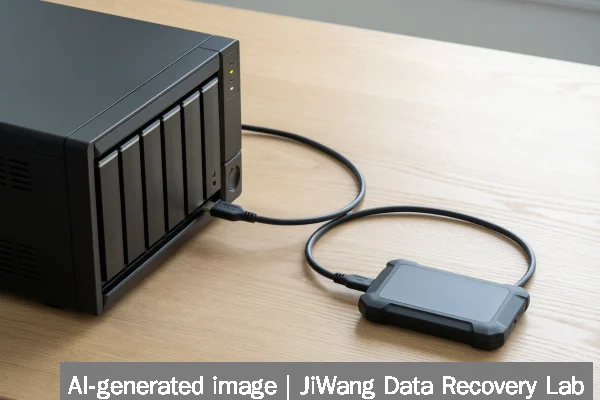
Never perform these actions on a NAS with suspected file system corruption: initializing the volume through the web UI; running fsck -f, chkdsk /f, or vendor-specific “repair” wizards; rebuilding RAID arrays without first imaging each drive; flashing new firmware while volumes are mounted or degraded; removing drives to connect individually to Windows or macOS (which may auto-mount and write Spotlight or .DS_Store files); or using third-party “NAS recovery” utilities that write to source devices. These operations assume the filesystem is repairable in-place—a dangerous assumption when metadata structures are fragmented or overwritten. Even “safe mode” boot options on Synology or QNAP devices may trigger background journal replay or auto-resync, risking further damage. USB-to-SATA adapters and NVMe M.2 enclosures (like the Club3D CAC-2510) are unsuitable for forensic imaging of NAS drives—they lack write-blocking and may misreport sector sizes or LBA offsets.
Diagnostic Limits
Software-based diagnostics cannot determine whether corruption stems from transient memory errors, persistent NAND cell degradation, or controller firmware bugs—these require physical drive analysis in a cleanroom environment. Tools like smartctl report only surface-level attributes (e.g., Reallocated_Sector_Ct), not latent media defects that manifest only under specific I/O patterns. RAID reconstruction success does not imply filesystem recoverability: a rebuilt array may present a coherent block device while its embedded XFS or Btrfs structures remain logically invalid. Virtual machine images (.vmdk, .qcow2) stored on the NAS inherit the same corruption—no hypervisor-level tool can restore guest filesystem integrity without first recovering the underlying storage layer. Cloud-first benchmarks like MLPerf Storage v3.0 measure throughput under controlled conditions; they do not validate real-world resilience to unclean shutdowns.
Frequently Asked Questions
Can I recover data by connecting NAS drives directly to a PC?
No. Direct connection bypasses the NAS’s hardware abstraction layer and risks unintended writes. Consumer OSes may attempt auto-mounting, journal replay, or TRIM commands—especially on SSDs—which overwrite recoverable metadata. Even read-only access can trigger firmware-level caching behaviors that alter drive state. Imaging must occur using write-blocked hardware interfaces and sector-accurate tools.
Does RAID redundancy protect against file system corruption?
No. RAID protects against physical drive failure, not logical corruption. A RAID 6 array with two failed drives may be unrecoverable, but a fully functional RAID 5 array can still host a corrupted ZFS pool or damaged ext4 journal. Redundancy ensures block-level availability—not structural consistency of higher-layer filesystems.
Is ZFS immune to corruption after power loss?
No. While ZFS provides strong end-to-end checksumming and copy-on-write semantics, it is not invulnerable. Interruption during pool import, ZIL replay, or asynchronous writes to cache devices (L2ARC, SLOG) can leave the pool in an inconsistent state. Recovery requires importing with -F (force) only after full disk imaging—and even then, some datasets may be unrecoverable.
Should I update NAS firmware before attempting recovery?
No. Firmware updates write to flash memory and may alter bootloader behavior or partition tables. They do not repair existing filesystem damage and introduce additional variables. Recovery must begin from the exact state present at time of failure.
What role does SSD endurance play in NAS corruption scenarios?
SSD endurance metrics (TBW, DWPD) reflect NAND wear—not filesystem stability. An enterprise SSD nearing its rated endurance may exhibit increased uncorrectable errors, but corruption after sudden shutdown is primarily a function of journaling implementation and power-loss protection (PLP) design—not total write cycles. Devices without PLP (common in budget NAS SSDs) are significantly more vulnerable to metadata loss during outages.