
SanDisk NAS 800 PCIe 5.0 Impact on data recovery and Backup Safety
Published 2026-08-31 | JiWang Data Recovery Technical Team
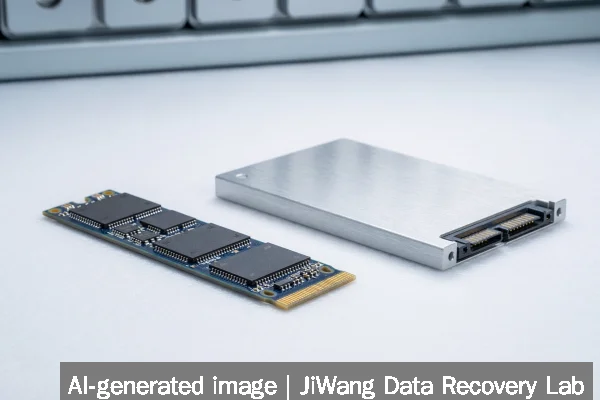
If your NAS uses a SanDisk NAS 800 PCIe 5.0 SSD and you observe sudden unresponsiveness, missing volumes, or I/O timeouts—not accompanied by physical damage or audible failure—do not reboot the NAS, reinitialize the drive, or run filesystem repair tools. These actions risk overwriting critical metadata in the drive’s internal controller cache or NAND mapping tables. Immediately power down the NAS at the wall outlet, disconnect the drive if safe to do so without force, and retain all original hardware. The safest next step is to consult a data recovery specialist who supports PCIe 5.0 NVMe SSDs with firmware-level access and non-invasive imaging protocols.
Symptoms and Risk
SanDisk NAS 800 drives operate at PCIe 5.0 speeds (up to 14,900 MB/s) and use advanced NAND management, including host-managed shingled writes, dynamic wear leveling, and multi-layered encryption keys stored in volatile and non-volatile controller memory. When failure occurs, symptoms differ from legacy SATA SSDs: no SMART errors may appear in the NAS UI; the drive may vanish entirely from the PCIe enumeration list; or it may report “unsupported device” during boot. Unlike mechanical drives, there is no gradual degradation—failure often manifests as an abrupt loss of logical visibility. The primary risk is not data corruption on disk, but irreversible loss of the drive’s internal translation layer (FTL) state, which maps logical block addresses to physical NAND locations. Without preserving that state, even intact NAND cells become unrecoverable.
Known Facts
Based on SanDisk’s official specifications and independent verification by StorageReview:
- The SanDisk NAS 800 is a PCIe 5.0 x4 NVMe SSD, available in capacities up to 7.68 TB.
- It delivers up to 14,900 MB/s sequential read throughput and targets NAS workloads with mixed random I/O, endurance up to 3,500 TBW, and power-loss protection via onboard capacitors.
- The SanDisk NAS 600 is a SATA III SSD (up to 4 TB, 2,500 TBW), designed for backward compatibility in legacy bays.
- Both models include enterprise-grade features: end-to-end data path protection, AES-256 encryption, and RAID-aware firmware.
- Neither model supports user-accessible low-level formatting or vendor-specific diagnostic utilities outside OEM NAS platforms (e.g., QNAP or Synology firmware).
Possible Causes
Unplanned NAS 800 unavailability may stem from several distinct layers—none of which are reliably diagnosable via standard OS tools:
- Firmware state corruption: A failed firmware update, unexpected power loss during background garbage collection, or incompatible NAS OS patch can leave the controller in an inconsistent boot state. This does not imply NAND damage but prevents FTL initialization.
- PCIe link negotiation failure: Motherboard BIOS/UEFI incompatibility, outdated chipset drivers, or signal integrity issues (e.g., poor slot contact, thermal throttling) may cause the system to fail enumeration—even if the drive is electrically functional.
- Encryption key loss: If the NAS platform manages encryption keys in volatile memory or external key stores (e.g., TPM or NAS OS keystore), a crash or misconfigured reboot may prevent key reconstruction, rendering data logically inaccessible.
- Controller microcode hang: Unlike SATA SSDs, PCIe 5.0 controllers execute complex real-time tasks. A stalled thread in the controller’s RISC core may freeze communication without triggering hardware reset signals.
None of these causes involve physical NAND failure—and none are resolved by software-based “repair” attempts.
Safe Checks
Before any intervention, perform only passive, read-only verifications:
- Confirm the NAS chassis power supply and cooling are stable—overheating can trigger PCIe link resets.
- In the NAS web interface, check whether the drive appears under “Storage > Disks” or “System > Hardware Status.” Do not click “Repair,” “Format,” or “Initialize.”
- If accessible, log into the NAS CLI (e.g., via SSH) and run
lspci -vv -s [slot]to verify PCIe device detection. Absence here suggests hardware or link-layer failure—not filesystem damage. - Check system logs (
/var/log/messagesor equivalent) for entries like “nvme nvme0: Device not ready” or “PCIe Bus Error.” These indicate controller-level issues—not file corruption. - Verify backup status: confirm whether recent snapshots, offsite mirrors (e.g., QNAP Cross-Cluster Mirroring), or cloud backups exist and remain intact.
All checks must avoid write operations, driver reloads, or forced rescan commands like echo 1 > /sys/class/scsi_device/*/device/rescan.
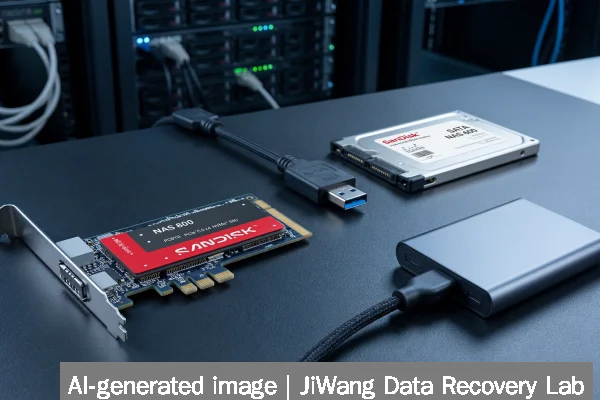
Actions to Avoid
Certain common troubleshooting steps are actively harmful for PCIe 5.0 NVMe SSDs:
- Do not run CHKDSK, fsck, or xfs_repair: These assume a recoverable filesystem structure. With NAS 800 drives, the issue is usually below the filesystem layer—in the FTL or controller state.
- Do not initialize, format, or create new partitions: Even “quick format” triggers controller-level metadata writes that overwrite critical mapping tables.
- Do not flash firmware manually: SanDisk does not release standalone firmware update tools for NAS 800. Unofficial binaries or mismatched versions will brick the drive.
- Do not hot-swap repeatedly or force power cycles: Each cycle risks capacitor discharge events that corrupt volatile controller RAM where encryption keys or pending write buffers reside.
- Do not attempt RAID rebuilds: If the NAS 800 resides in a RAID array, rebuilding against a non-responsive drive will overwrite parity or mirror copies with zeroes or stale data.
Data-Preservation Workflow
Preserving recoverable data requires strict adherence to a hardware-first workflow:
- Power off the NAS completely—unplug from wall power, not just via software shutdown.
- If physically accessible and undamaged, remove the NAS 800 drive using ESD-safe handling. Do not touch gold contacts or PCB components.
- Store the drive in its original anti-static packaging or a shielded container. Do not connect it to a desktop PC unless using a PCIe 5.0–compatible adapter with write-blocking firmware support.
- Retain all related hardware: NAS motherboard, power supply, and any boot drives containing configuration or key stores.
- Provide full context to a recovery lab: NAS model, firmware version, failure timeline, and whether encryption was enabled (e.g., Synology Full Disk Encryption or QNAP QTS encryption).
This workflow prioritizes controller state preservation over speed or convenience. Imaging a PCIe 5.0 NVMe SSD requires specialized hardware capable of direct NAND access or controller-jtag debugging—neither of which is available in consumer tools.
Frequently Asked Questions
Can I recover data from a SanDisk NAS 800 using standard cloning tools like dd or Clonezilla?
No. Standard cloning tools rely on the OS-level block device interface, which disappears when the NVMe controller fails to enumerate. Even if the drive appears briefly, dd cannot access raw NAND pages or reconstruct FTL metadata. Attempting such clones may trigger internal controller resets or write amplification that damages recoverable data.
Does the SanDisk NAS 600 have the same recovery constraints as the NAS 800?
No. As a SATA SSD, the NAS 600 uses a simpler command set and more widely supported controller architecture. While still requiring caution, it is more likely to respond to passive diagnostics (e.g., SMART reads via smartctl) and may allow sector-level imaging with appropriate hardware. However, encryption and power-loss protection features still prohibit filesystem-level repairs.
Is my data safe if I enabled NAS-level snapshots before the failure?
Potentially yes—but only if snapshots were written to separate physical storage (e.g., another pool, external USB drive, or offsite cluster). Snapshots stored on the same NAS 800 drive—or on a shared volume using copy-on-write—are not independent and may be lost with the drive’s controller state.
Can firmware corruption be reversed without professional help?
No known public method exists to restore corrupted NAS 800 firmware. SanDisk does not publish recovery binaries, JTAG pinouts, or debug interfaces for this product line. Controller recovery requires proprietary test equipment and firmware signing keys held exclusively by the manufacturer or authorized service partners.
Does PCIe 5.0 speed increase the chance of data loss during failure?
Speed itself does not increase failure likelihood, but it changes failure behavior. Higher bandwidth means larger amounts of cached, uncommitted data reside in volatile controller memory at any moment. A sudden power loss or crash therefore risks losing more pending writes than on slower interfaces—making timely, controlled shutdowns more critical in NAS environments.