
SD Card Suddenly Unreadable—What to Do Next
Published 2026-09-08 | JiWang Data Recovery Technical Team
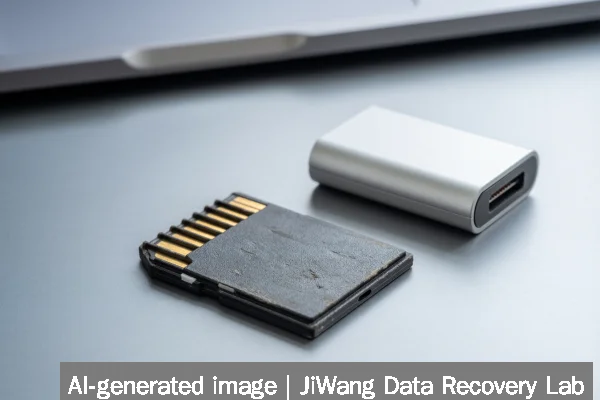
When an SD card suddenly becomes unreadable, the immediate risk is accidental overwriting of recoverable data. Stop using the card right away: unplug it from all devices, avoid opening it in file explorers, and do not attempt formatting, initialization, or disk repair tools like CHKDSK. Do not power-cycle the card repeatedly or insert it into multiple readers. The safest next step is to create a forensic image of the card’s raw sectors using read-only acquisition software—only if the host system recognizes the device at the block level. If the card fails to appear in Disk Management, Device Manager, or diskutil list (macOS), physical diagnosis may be required. Never proceed with write operations without first preserving original contents.
Symptoms and Risk
An unreadable SD card may exhibit one or more of these observable symptoms: disappearance from File Explorer or Finder; appearance as “Unknown” or “No Media” in Windows Disk Management; error messages such as “The disk is not formatted,” “You need to format the disk before you can use it,” or “SD card is damaged”; failure to mount on cameras, phones, or card readers; or intermittent detection across different USB ports or hosts. These signs indicate either logical corruption, controller-level failure, or physical damage. The primary risk is not hardware degradation alone—it is user-initiated write activity. Even browsing folder contents in some operating systems triggers thumbnail generation or metadata updates that overwrite slack space where deleted files reside. Each access attempt reduces the probability of full logical recovery.
Known Facts
SD cards use NAND flash memory managed by an embedded controller that handles wear leveling, bad-block remapping, and error correction. Unlike hard drives, they lack traditional file system structures visible at the physical layer unless successfully enumerated by the host. A card recognized in Device Manager but not assigned a drive letter usually indicates partition table or filesystem corruption—not necessarily NAND failure. Cards that vanish entirely after insertion often reflect communication breakdowns between the host interface (e.g., USB-to-SD bridge chip) and the SD controller. Power delivery issues, especially with high-capacity UHS-II or microSD Express cards, can cause enumeration failures indistinguishable from hardware faults. No SD card supports true “low-level formatting” by end users; what appears as formatting is always a logical operation that erases the filesystem and may trigger internal garbage collection.
Possible Causes
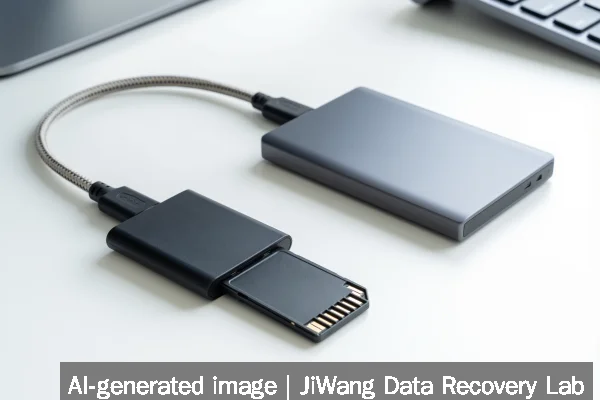
Unreadability can stem from several non-exclusive sources:
- Logical corruption: Sudden power loss during write operations, improper ejection, or OS crashes may leave the FAT32/exFAT filesystem inconsistent.
- Controller firmware hang: The SD controller may enter a stuck state due to invalid commands or timing errors, preventing proper initialization.
- Wear-out or NAND degradation: Consumer-grade SD cards have limited program/erase cycles; heavy usage over time increases uncorrectable bit errors.
- Physical interface damage: Bent pins, cracked solder joints, or moisture ingress can interrupt electrical signaling without visible external damage.
- Host-side incompatibility: Some older readers or embedded systems fail to negotiate newer SD specifications (e.g., SDXC with exFAT on legacy Windows XP).
None of these causes can be definitively isolated through software diagnostics alone. Controller-level issues, for example, may mimic filesystem problems but require specialized hardware tools for verification.
Safe Checks
Before assuming failure, perform only read-only verifications:
- Test the card in another known-working reader and host system—preferably one running a different OS.
- Check Device Manager (Windows) or
system_profiler SPUSBDataType(macOS) to confirm whether the device enumerates at the USB or SDHCI level. - If visible as a raw block device (e.g.,
/dev/disk2on macOS or\\.\PhysicalDrive1on Windows), run a sector-read test usingddorWinHexin read-only mode to verify basic accessibility. - Use
smartctl -a /dev/sdXonly if the card reports SMART data via USB bridge (rare; most SD controllers do not expose SMART).
These checks preserve integrity. They do not repair, rewrite, or reinitialize any part of the card. If the device does not appear in low-level device listings, further software attempts are ineffective.
Actions to Avoid
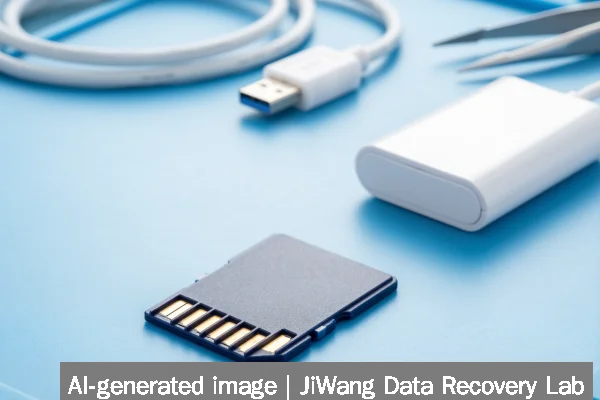
Certain common responses actively reduce recovery potential:
- Formatting or initializing the card — overwrites the boot sector and FAT tables, eliminating filesystem reconstruction paths.
- Running CHKDSK / fsck with write flags — forces repairs that assume structural validity, often discarding orphaned directory entries containing recoverable filenames and timestamps.
- Using “repair” utilities bundled with card readers or camera software — many silently reformat or reset controller state.
- Inserting into incompatible hosts — some Android devices or action cameras auto-format unrecognized cards without warning.
- Applying heat, freezing, or tapping the card — introduces mechanical stress with no technical basis for restoring function.
SSD-specific concerns do not apply to standard SD cards, as they lack DRAM caches, complex FTL mapping, or NVMe command sets. RAID, NAS, virtual machine, or database contexts are irrelevant here—SD cards operate as standalone block devices without distributed metadata.
Diagnostic Limits
Software-based diagnosis cannot determine whether unreadability originates from NAND die failure, controller firmware corruption, or broken signal traces. Tools that report “bad sectors” on SD cards are misapplying HDD concepts—the SD controller abstracts physical blocks entirely. If the card fails to respond to CMD0 (GO_IDLE_STATE) or CMD8 (SEND_IF_COND) during initialization, the issue lies below the filesystem layer and requires hardware-level analysis. Oscilloscope verification of clock/data line signals, voltage rail stability, and controller response timing fall outside end-user capability. No consumer-grade utility can safely reflash SD controller firmware; doing so typically bricks the device permanently. Physical diagnosis becomes necessary when the card is invisible to all host interfaces—even after trying multiple readers, cables, and computers.
Frequently Asked Questions
Can I recover data myself using free software?
Yes—if the card is detected as a block device and has only logical corruption. Tools like PhotoRec or ddrescue can extract files without altering the source. However, success depends entirely on whether the card remains readable at the sector level. If the device does not appear in Disk Management or lsblk, no software-only method will help.
Why does my computer see the card but show “no media”?
This usually means the SD controller responded to initialization commands but failed to report valid capacity or partition information. It may indicate corrupted internal metadata, a failed communication handshake, or partial controller lockup. The “no media” state prevents OS-level writes but does not guarantee raw sector access is possible.
Is buying a new card reader likely to fix the problem?
Only if the original reader is faulty. A working reader merely provides a communication path—it cannot restore functionality to a card whose controller has halted or NAND has degraded. If multiple readers yield identical behavior, the issue resides with the SD card itself.
Does encryption prevent recovery if the card becomes unreadable?
If the card uses built-in hardware encryption (e.g., some Secure Digital Ultra Capacity cards), and the encryption key is stored exclusively in the controller’s volatile memory or lost due to power failure, recovery of plaintext data is impossible—even with physical NAND access. Standard consumer SD cards do not implement user-accessible encryption by default.