
Ensuring Backup Accessibility: Sharing the WindowsImageBackup Folder
Published 2026-11-23 | JiWang Data Recovery Technical Team
Understanding the WindowsImageBackup Location
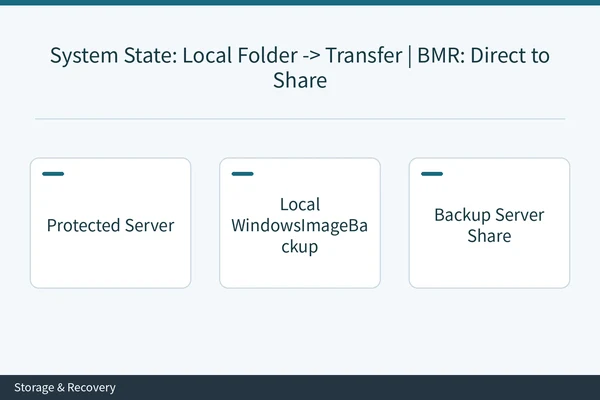
When performing system state or Bare Metal Recovery (BMR) backups using Windows Server Backup, the system creates a folder named WindowsImageBackup in the root directory of the backup destination. For system state backups, this folder is initially created on the protected server's local drive before being transferred to the backup server. However, for BMR backups, the process differs: the backup server calls Windows Server Backup to create a shadow copy and saves the backup directly to a shared location on the backup server computer, rather than storing it on the protected server's local folder first.
The Critical Role of Folder Sharing
A common point of failure during recovery is the accessibility of the backup files. The documentation explicitly states that if the folder containing the WindowsImageBackup directory is not shared, the restore process will be unable to locate the backup. This is particularly relevant when restoring via the Windows Recovery Environment (WinRE) or when using Windows Server Backup to restore from a network location. The restore mechanism requires network access to the backup data, which is facilitated by sharing the parent folder.
Required Action: Share the Parent Folder
To ensure a restore process can successfully locate and use the backup, you must share the folder that is one level above the WindowsImageBackup folder. Specifically, you need to configure the share so that the root of the shared folder is the WindowsImageBackup folder itself. By doing this, you provide the necessary network path and permissions for the recovery environment or the backup server to access the system image or system state data during the restoration process. Without this sharing configuration, the recovery wizard or command-line tools will fail to find the backup source.
Frequently Asked Questions
Why must I share the folder above WindowsImageBackup?
Sharing the parent folder allows the restore process to access the backup files over the network, which is required when using WinRE or restoring from a network location.
What happens if I do not share the backup folder?
If the folder is not shared, the restore process will be unable to locate the backup, causing the recovery operation to fail.
Does this apply to both System State and BMR backups?
Yes, while BMR backups are saved directly to a share on the backup server, both scenarios require the backup location to be accessible via a share for the restore process to find it.