
Synology APM 2.0: Platform Support, Security, and Limitations
Published 2026-09-07 | JiWang Data Recovery Technical Team
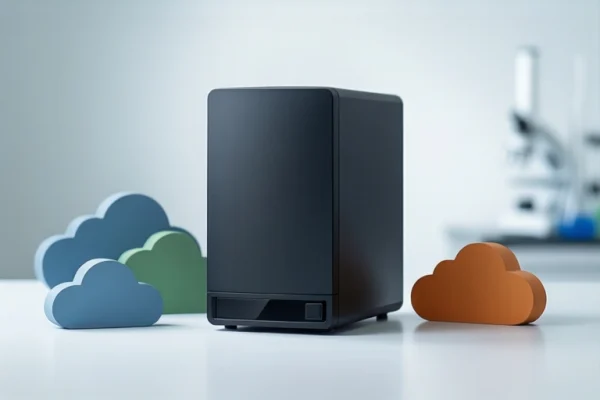
Synology ActiveProtect Manager 2.0 supports Proxmox VE, Nutanix AHV, Amazon EC2, Azure VM, and Google Workspace. It provides volume-level encryption and role-based access controls. AI/ML anomaly detection and pre-recovery malware scanning are not yet available. Verify your specific platform version before deployment.
Overview of ActiveProtect Manager 2.0
Synology’s ActiveProtect lineup is a purpose-built backup appliance designed to provide enterprise-level data protection for businesses of all sizes [Source 5]. The core purpose of APM 2.0 is to enable organizations to secure diverse workloads while managing and monitoring them from a single, unified platform [Source 1]. This approach addresses the complexity of modern IT environments where data resides in hypervisors, cloud instances, and SaaS applications. By centralizing management, IT teams can reduce the operational overhead associated with managing multiple disparate backup tools. The appliance model ensures that backup operations are isolated from production workloads, enhancing stability and performance. For decision-makers, this means a single point of control for backup policies, monitoring, and recovery tasks across a heterogeneous infrastructure. This centralized visibility is critical for maintaining consistent backup strategies across different technology stacks. It allows administrators to define consistent retention policies and monitor backup health from a single dashboard, reducing the risk of configuration drift between different backup agents.
New Platform Support and Recovery Flexibility
APM 2.0 extends protection to Proxmox VE, Nutanix AHV, Google Workspace, Amazon EC2, and Azure VM [Source 1]. This expansion is significant for organizations that have adopted open-source hypervisors or multi-cloud strategies. For example, a company using Proxmox VE for virtualization can now integrate its backup workflow into the Synology ecosystem without requiring third-party agents or complex scripting. Similarly, support for Google Workspace allows for the backup of critical SaaS data, which is often excluded from traditional server-based backup solutions. The inclusion of Amazon EC2 and Azure VM supports hybrid cloud architectures, enabling consistent backup policies across on-premises and cloud environments. Users should verify that their specific versions of these platforms are supported, as compatibility can depend on the underlying operating system and hypervisor version. This flexibility allows for a more cohesive disaster recovery strategy, where recovery points are managed uniformly regardless of the underlying infrastructure. It is important to note that this list represents new additions and does not imply that other platforms are unsupported, but rather that these specific environments now have direct integration paths. This direct integration reduces the need for custom scripts to trigger backups, ensuring that backup jobs are initiated consistently and monitored centrally.
Proactive Cyber Resilience Features (Current vs. Upcoming)
It is crucial to distinguish between currently available features and those that are pending. AI/ML anomaly detection and pre-recovery malware scanning are listed as features that are 'Coming soon' and not currently available [Source 2]. Organizations should not rely on these capabilities for their current security posture. The current release focuses on established security controls such as encryption and access management. While the upcoming AI features promise to enhance threat detection, their absence means that users must implement other layers of security, such as network segmentation and regular integrity checks, to mitigate risks. Decision-makers should plan their security architecture based on the currently available features and treat the AI capabilities as a future enhancement rather than a present-day safeguard. This distinction is vital for compliance reporting and risk assessment, as claiming protection from AI-driven detection would be inaccurate for the current version. If your compliance framework mandates automated anomaly detection in backups, APM 2.0 is not currently suitable for that specific requirement until the feature is released. You must implement manual integrity checks or third-party scanning tools to compensate for the lack of automated AI-based detection in the current release.
Enterprise-Grade Protection: Encryption and RBAC
ActiveProtect provides optional storage encryption that protects data at the volume level with keys stored locally on the device [Source 3]. This feature helps organizations maintain data confidentiality and meet compliance requirements. By encrypting data at the volume level, the appliance ensures that backup copies are protected even if the storage media is physically compromised. The local storage of encryption keys adds an additional layer of security, as keys are not exposed to external systems. Role-based access controls (RBAC) are also part of the enterprise-grade protection suite, allowing administrators to define granular permissions for different user roles. This ensures that only authorized personnel can access sensitive backup data or perform recovery operations. For compliance-driven industries, such as finance and healthcare, these features are essential for demonstrating data protection controls. Users should configure encryption and RBAC policies according to their internal security standards and regulatory obligations. This level of control is particularly useful for organizations that need to segregate duties between backup administrators and recovery operators. The local key storage ensures that even if the backup data is exfiltrated, it remains unreadable without the local keys, providing a strong defense against data theft.
Remote Storage Options and Compliance
New remote storage options include Azure Blob Storage and additional Synology NAS models such as the FS Series, '22-'25 Series [Source 4]. In addition to remote storage options such as Amazon S3, Wasabi Cloud Storage, and C2 Object Storage, ActiveProtect will now support Azure Blob Storage as well as additional Synology NAS models as an option for storing backup copies or tiered data for long-term data retention purposes and regulatory compliance [Source 4]. This expansion provides flexibility for organizations looking to offload backup copies to cloud storage for cost efficiency or to use dedicated Synology NAS models for on-premises long-term retention. The DP5200 appliance supports the 3-2-1-1-0 backup strategy through off-site data replication and centralized visibility [Source 6]. This strategy ensures that multiple copies of data are stored in different locations, reducing the risk of data loss due to a single point of failure. Users should evaluate their compliance requirements and choose storage destinations that align with their data residency and retention policies. The ability to use Azure Blob Storage is particularly relevant for organizations already invested in the Microsoft ecosystem, as it simplifies integration and management. This tiered approach allows for efficient long-term storage while maintaining immediate access to recent backups. It enables organizations to balance cost and accessibility by storing recent backups on fast local storage and older archives in cost-effective cloud or remote NAS solutions.
Frequently Asked Questions
Does ActiveProtect Manager 2.0 support Proxmox VE and Nutanix AHV?
Yes, APM 2.0 extends protection to Proxmox VE and Nutanix AHV, among other new platforms [Source 1].
Is AI-based anomaly detection available in the current release of APM 2.0?
No, AI/ML anomaly detection and pre-recovery malware scanning are listed as 'Coming soon' and are not currently available [Source 2].
Can I store backup copies in Azure Blob Storage using ActiveProtect 2.0?
Yes, ActiveProtect 2.0 supports Azure Blob Storage as a remote storage option for storing backup copies [Source 4].