
Synology RS826RP+ and RS826+ NAS impact on data recovery and backup safety
Published 2026-08-27 | JiWang Data Recovery Technical Team
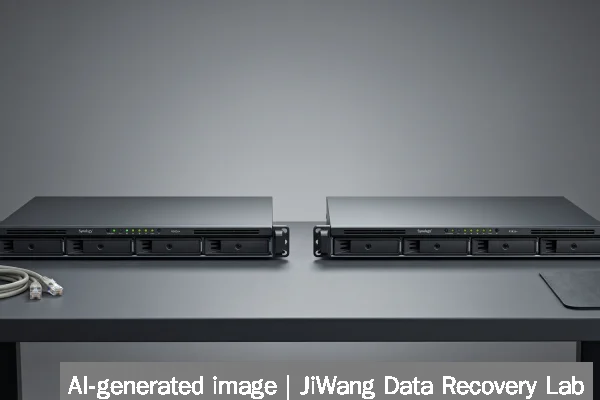
If your Synology RackStation RS826RP+ or RS826+ shows unresponsive UI, repeated boot loops, missing volumes, or RAID status warnings (e.g., “Degraded,” “Crashed,” or “Inactive”), stop all write operations immediately. Do not attempt to rebuild RAID, run volume repair tools, or power-cycle repeatedly. Unplug the unit from network and storage clients—but leave drives physically installed and powered off. The safest next step is to verify whether data remains intact on individual drives by imaging them to a separate, trusted system using read-only forensic acquisition tools. This preserves original drive state for professional evaluation.
Symptoms and Risk
RS826RP+ and RS826+ units may exhibit symptoms including: persistent “Volume Not Mounted” alerts in DSM, failure to recognize installed drives during boot, inconsistent SSD cache behavior, or sudden loss of shared folders after firmware updates. These are not isolated to hardware failure—many cases trace to metadata corruption in Synology’s Btrfs-based volume layer or misaligned cache flushes during unexpected shutdowns. Because both models use 4-bay internal bays with optional expansion (up to 8 bays via RX1223RP+), risk escalates when mixed drive types (e.g., SATA HDD + NVMe SSD cache) or mismatched firmware versions are present. Critical risk arises when users mistake logical volume errors for physical drive faults and replace working drives prematurely.
Known Facts
The RS826RP+ and RS826+ are 1U rackmount NAS devices released by Synology for SMB and edge deployments. They support up to four 3.5" or 2.5" SATA drives, optional M.2 NVMe SSD caching (on RS826RP+ only), and expansion via RX1223RP+ units. Both run DiskStation Manager (DSM) on a Linux kernel with Btrfs as the default file system for volumes. Verified documentation confirms they do not support hardware RAID controllers—RAID is software-managed by DSM. Synology explicitly states that RAID 5/6 parity calculations occur in memory and rely on consistent drive reporting; any timing inconsistency (e.g., due to aging SATA cables or power delivery variance) can trigger false “drive offline” events without actual media failure.
Possible Causes
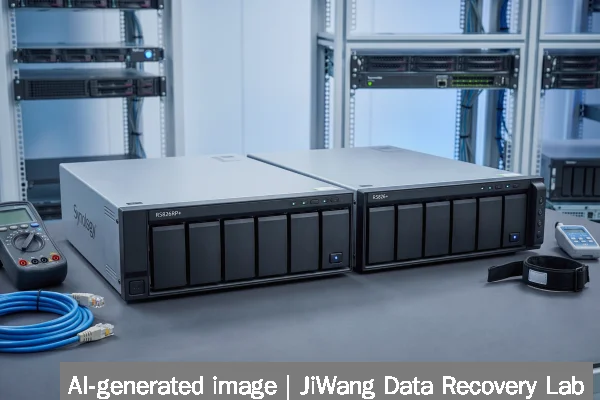
Observed failures fall into three categories: logical, firmware-related, and environmental. Logical causes include Btrfs superblock corruption after abrupt power loss, especially when SSD cache is enabled but not configured with proper write barriers. Firmware-related issues stem from known DSM version bugs—such as DSM 7.2.1–7.2.3 failing to remount volumes after certain SMB session timeouts, falsely reporting “volume crashed.” Environmental causes include undervoltage conditions in rack environments, thermal throttling of M.2 SSDs leading to cache timeout errors, and SATA link negotiation failures between older drives and the Marvell 88SE9235 controller used in these units. None of these require drive replacement unless diagnostic imaging confirms physical defects.
Safe Checks
Before assuming drive failure, perform these read-only checks: First, confirm power stability using a UPS-rated outlet and inspect SATA cables for bent pins or excessive flexing. Second, access the unit via SSH (if enabled) and run sudo synodisk --list to verify drive detection at the kernel level—not just DSM UI. Third, check system logs (/var/log/messages) for repeated “ataX: failed command” or “btrfs: device scan failed” entries. Fourth, if SSD cache is active, disable it temporarily in DSM > Storage Manager > SSD Cache > Remove, then reboot. Fifth, use smartctl -a /dev/sdX on each drive (via SSH) to review SMART attributes—focus on Reallocated_Sector_Ct, Current_Pending_Sector, and UDMA_CRC_Error_Count. Values above zero warrant caution but do not confirm unrecoverable data loss.
Actions to Avoid
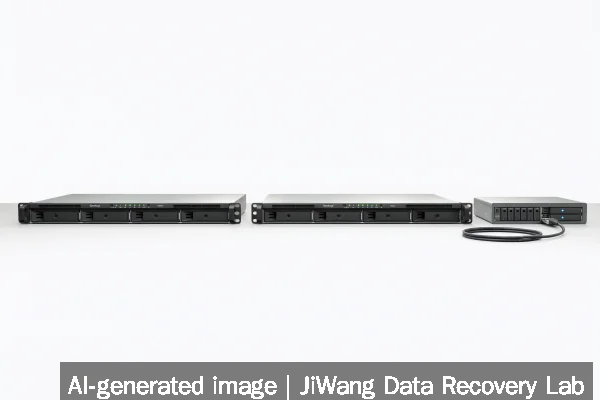
Avoid these irreversible actions: Do not initialize, format, or “repair” volumes through DSM’s Storage Manager interface—these write new metadata and overwrite critical Btrfs tree roots. Do not run CHKDSK, fsck.btrfs --repair, or any tool that modifies on-disk structures without first creating full bitwise drive images. Do not hot-swap drives while the unit is powered—even if DSM reports a drive as “missing,” the controller may still be communicating with it. Do not flash custom firmware or downgrade DSM versions without verifying compatibility matrices; mismatched firmware can brick the bootloader. And never open the chassis to “clean contacts” or reseat M.2 modules unless trained—ESD exposure risks NAND damage on SSDs and cache modules.
Diagnostic Limits
Software-level diagnostics cannot determine NAND wear on M.2 SSD cache modules or detect subtle PCB-level degradation in SATA drives. Btrfs checksum mismatches logged in DSM indicate logical inconsistency but do not localize whether the fault lies in RAM, controller firmware, or flash translation layer. RAID status reported by DSM reflects software state—not raw drive health—so “Healthy” does not guarantee sector integrity. Physical diagnosis requires lab-grade tools: USB-SATA bridge analysis cannot replicate the exact timing and voltage conditions of the RS826RP+’s internal controller, and SMART data alone cannot predict imminent failure in high-endurance NAS SSDs like the SanDisk NAS 600/800 series. If imaging fails with I/O errors beyond LBA 0, or if drives spin down immediately upon connection to external systems, physical evaluation is required.
Frequently Asked Questions
Can I recover data from an RS826RP+ if DSM won’t boot?
Yes—if drives remain mechanically functional. DSM boot failure often stems from corrupted bootloader partitions or initramfs issues, not volume damage. Data resides on separate partitions (e.g., /volume1/@docker, /volume1/photo) that can be accessed by mounting the Btrfs filesystem directly on a Linux system with mount -o ro,noload. Bootloader recovery does not affect user data partitions unless manual reinitialization was attempted.
Does enabling SSD cache increase data loss risk?
It introduces additional failure modes—not inherent risk. Cache operates in write-back mode by default, meaning writes are acknowledged before reaching HDDs. A sudden power loss during this window may cause metadata inconsistency. However, Synology implements journaling and copy-on-write safeguards. Risk is mitigated by using UPS protection and enabling “Write Through” mode in Storage Manager for critical workloads.
Is RAID 5 on RS826+ safe for long-term backups?
No RAID level replaces backup. RAID 5 protects against single-drive failure but offers no defense against accidental deletion, ransomware, or silent corruption. Synology’s Hyper Backup or third-party tools like Backblaze integration (as noted in Jamf-administered Mac workflows) are required for point-in-time recovery. Also, RAID 5 rebuild times on 4-bay systems with large drives exceed safe thresholds—making RAID 6 or object-based replication (e.g., QNAP’s Cross-Cluster Mirroring) more resilient for production use.
What happens if I replace one drive in a degraded RAID 5?
DSM will initiate automatic rebuild—but only if the remaining drives report clean SMART status and pass Btrfs device scan. Rebuilds stress aging drives and may expose latent errors. If the array was degraded due to transient communication loss (not physical failure), replacement may be unnecessary and could erase valid data if the original drive is later reconnected with outdated metadata.
Do SanDisk NAS SSDs change recovery expectations for RS826RP+?
They improve endurance and thermal stability but do not alter recovery fundamentals. SanDisk NAS 800 (PCIe 5.0) and NAS 600 (SATA) are rated for high-write NAS workloads, yet their onboard controllers still abstract NAND geometry. Forensic imaging must use vendor-agnostic tools (e.g., ddrescue with direct NVMe passthrough where supported), not DSM utilities. Wear leveling and TRIM behavior mean logical block addresses rarely map 1:1 to physical locations—a key limit for file carving.