
Toshiba S300 AI Surveillance Drives for Reliable Backup and Recovery
Published 2026-08-28 | JiWang Data Recovery Technical Team
If your Toshiba S300 AI Surveillance drive shows symptoms like intermittent disconnection, slow response during video playback, or failure to initialize in a surveillance NVR—stop writing new footage immediately. Do not power-cycle repeatedly, run CHKDSK, format, or attempt RAID rebuilds. These drives use specialized firmware and workload-optimized caching; improper intervention risks permanent metadata loss. The safest next step is to disconnect the drive and verify whether video streams are still being recorded to alternate storage. If no redundancy exists, preserve the drive’s current state and consult a lab with experience in surveillance-grade HDD firmware and sector-level recovery.
Symptoms and Risk
Toshiba S300 AI Surveillance drives are engineered for 24/7 write-intensive workloads, including AI-assisted motion detection and multi-stream recording. When failure occurs, symptoms often differ from consumer HDDs: delayed error reporting, partial frame corruption in recorded video, or sudden “drive not found” messages in NVR interfaces—even when SMART attributes appear nominal. Unlike general-purpose drives, these units rely on firmware-managed write caching and rotational vibration compensation tuned for rack-mounted enclosures. As a result, early-stage degradation may not trigger standard OS-level I/O errors but instead cause silent frame drops or timestamp misalignment across channels. This increases risk of incomplete forensic reconstruction or missing critical event windows.
Known Facts
The Toshiba S300 AI Surveillance series was introduced in bulk packaging in November 2025 and later released in retail packaging to broaden access for system integrators and IT resellers. It is explicitly designed for AI-enabled surveillance systems—not general backup or archival use. Verified specifications include support for up to 64 HD camera streams, workload-rated endurance (not TBW), and firmware features such as AllFrame AI™ for reduced dropped frames. The drive uses conventional magnetic recording (CMR), not SMR, and does not implement host-managed shingled zones. Retail packaging includes the same firmware and hardware as bulk units—no functional difference exists between distribution channels. It is not rated for NAS or server boot volumes, nor is it validated for use in RAID 5/6 arrays without vendor-specific guidance.
Possible Causes
Common failure modes align with surveillance-specific stressors. Firmware corruption can occur after abrupt power loss during AI metadata indexing or firmware update attempts outside Toshiba’s certified tools. Mechanical wear may accelerate in high-vibration environments where the drive’s RV sensors are underspecified for the mounting configuration. Thermal throttling—often mistaken for failure—can manifest as temporary unresponsiveness when ambient temperatures exceed 45°C in poorly ventilated NVR chassis. Bad sectors may cluster in the “video journal” region used by NVR firmware for cyclic overwrite management, leading to inconsistent playback despite intact file headers. These causes are distinct from typical desktop HDD failures and require targeted diagnostics—not generic disk utilities.
Safe Checks
Before any diagnostic action, confirm physical connections: use only SATA III cables under 1 meter, avoid daisy-chained power splitters, and verify the NVR’s SATA controller is set to AHCI mode (not IDE or RAID). For software-level assessment, run smartctl -a /dev/sdX (Linux) or CrystalDiskInfo (Windows) to review raw SMART values—focus on Reallocated_Sector_Ct, Current_Pending_Sector, and UDMA_CRC_Error_Count. Do not interpret “OK” status as operational safety: surveillance drives often mask marginal sectors until cache flushes fail. If the drive mounts but video files show playback gaps, check NVR logs for “write timeout” or “journal full” entries—these indicate firmware-level bottlenecks, not necessarily drive failure. Never mount the drive read-write on a general-purpose OS unless using a write-blocker.
Actions to Avoid
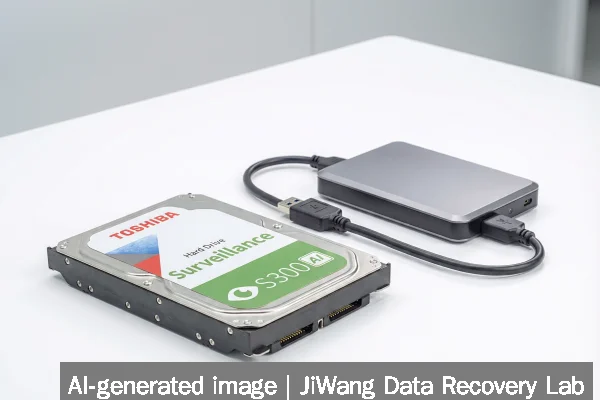
Avoid all operations that alter on-disk structures. Do not run CHKDSK, fsck, or any filesystem repair utility—even in read-only mode, some tools issue write commands to validate structures. Do not initialize, format, or repartition the drive. Do not flash firmware using unofficial tools or versions intended for non-AI S300 models. Do not open the drive enclosure: contamination risk is high, and Toshiba’s sealed actuator design requires cleanroom tools for platter access. Do not attempt DIY head swaps or PCB replacements—the S300 AI uses adaptive calibration data stored on the drive’s service area, which is not recoverable from donor units without matching firmware revision and calibration logs. Avoid repeated power cycling: each failed spin-up degrades the voice coil motor and increases stiction risk.
Diagnostic Limits
Standard diagnostic tools cannot interpret Toshiba’s proprietary video journal metadata or AI feature tables. Tools like HD Tune or Victoria report throughput and error rates but cannot reconstruct how the NVR maps logical video segments to physical LBA ranges. Firmware-level diagnostics require Toshiba’s internal utilities, which are not publicly distributed. Physical diagnosis—such as identifying head stack wear or preamp failure—requires oscilloscope analysis of servo signal integrity and laser interferometry of platter surface topography. These capabilities exist only in specialized labs. SSD-based diagnostics (e.g., for NVMe NAS units) do not apply here: the S300 AI is a CMR HDD with no NAND wear-leveling or controller abstraction layer. RAID-level recovery is also out of scope unless the drive was part of a Toshiba-certified surveillance array—standard RAID recovery workflows assume uniform block alignment and parity calculation, which do not hold for AI-optimized journaling layouts.
Frequently Asked Questions
Can I recover deleted video clips from a Toshiba S300 AI drive using consumer recovery software?
No. Consumer tools assume standard FAT32/NTFS/ext4 allocation and ignore the drive’s proprietary video journal structure. They may locate fragmented file headers but cannot reconstruct time-synchronized multi-channel streams or AI-tagged metadata. Recovery requires parsing the NVR’s journal format, which varies by manufacturer and firmware version.
Is it safe to continue using the drive if SMART shows “Caution” but video records normally?
No. “Caution” status often reflects degraded servo performance or marginal sectors in the journal region—conditions that may not disrupt current writes but will likely cause catastrophic journal corruption during the next power cycle or firmware update. Continued use increases risk of unrecoverable video loss.
Does the retail packaging version differ in reliability from the original bulk release?
No. Toshiba confirmed identical firmware, hardware revision, and qualification testing across both packaging formats. Retail availability expanded distribution—not functionality or endurance ratings.
Can I clone the drive to another S300 AI unit for immediate replacement?
Not safely. Cloning copies raw sectors but not adaptive calibration data or firmware-specific service area parameters. The cloned drive may fail to initialize in the NVR or exhibit unstable behavior due to mismatched head positioning offsets. Replacement requires factory initialization via Toshiba’s certified process.
What backup practice best protects against S300 AI drive failure?
Maintain an independent, time-stamped copy of video streams on separate storage—ideally using NVR-native snapshot or offsite mirror features (e.g., QNAP Cross-Cluster Mirroring or Synology Hyper Backup). Avoid relying solely on the drive’s built-in cyclic overwrite. Backups must be verified for playback integrity, not just file presence.