
VDURA storage platform implications for AI data backup and recovery
Published 2026-09-03 | JiWang Data Recovery Technical Team
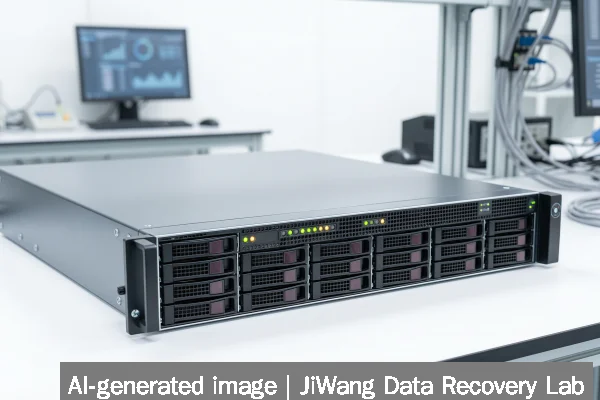
If your AI or HPC storage system—like the VDURA platform deployed at New Mexico State University—exhibits unexplained latency spikes, silent write failures, or inconsistent checkpoint saves, stop all active training jobs and suspend automated backup workflows immediately. Do not restart services, reinitialize volumes, or run filesystem repair tools. The safest next step is to capture a full read-only diagnostic log from the storage controller (if accessible) and isolate the affected volume without mounting it on any host that permits writes. Preserve original media integrity first: no overwrite, no rebuild, no firmware reset.
Symptoms and Risk
High-performance AI and HPC storage platforms like VDURA’s deployment at NMSU are engineered for massive parallel I/O, low-latency checkpointing, and sustained throughput—often exceeding 800 GiB/s as measured in MLPerf Storage v3.0. When such systems fail, symptoms rarely resemble consumer drive errors. Instead, users may observe:
- Intermittent job failures during model checkpoint writes, with no OS-level I/O error logged;
- Metadata inconsistencies across distributed namespace mounts (e.g., NFSv4.2 or GPFS-style layouts);
- Delayed or missing snapshots despite scheduled backup policies;
- Unexplained “stale file handle” responses after failover events;
- Gradual degradation in checkpoint restore fidelity—not outright corruption, but subtle tensor misalignment or version skew.
These are not signs of single-drive failure. They reflect systemic stress on durability guarantees under sustained mixed workloads—especially when immutability controls (e.g., WORM or object-lock policies) are misconfigured or bypassed by orchestration layers.
Known Facts
The VDURA deployment at NMSU is a production-grade, high-durability storage platform serving R1 research workloads. Verified facts include:
- It supports AI and HPC use cases requiring high-throughput, low-latency access to large unstructured datasets;
- The infrastructure is built for scalability and resilience—not consumer-grade redundancy;
- No public documentation confirms whether the platform implements immutable backups, air-gapped copies, or cryptographic verification of restored checkpoints;
- Its design aligns with modern storage benchmarks like MLPerf Storage v3.0, which now includes vector database and KV cache tests—workloads sensitive to timing consistency and metadata atomicity.
These facts matter because they define the operational envelope: recovery depends less on recovering individual files and more on validating end-to-end pipeline integrity—from raw sensor input through training loop checkpoints to inference-serving artifacts.

Possible Causes
When data loss or inconsistency occurs in such environments, root causes typically fall into three categories:
- Configuration drift: Backup schedules misaligned with checkpoint frequency; snapshot retention policies allowing overwrites before validation completes; or mount options permitting client-side caching that masks write failures.
- Immutability gaps: As highlighted in the Omdia study, 83% of enterprises experienced successful ransomware attacks in the past 24 months—many exploiting unprotected backup repositories. If the VDURA platform relies on logical snapshots without backend object-lock enforcement, those snapshots remain mutable and vulnerable.
- Hardware-assisted timing faults: NVMe-oF fabrics, RDMA networks, or persistent memory tiers can introduce microsecond-scale race conditions during power-loss scenarios or controller failovers—causing partial writes that pass CRC checks but fail semantic validation later.
None of these causes require physical drive failure. All are recoverable—if caught before overwrites occur—but none are diagnosable via standard SMART tools or Windows CHKDSK.
Safe Checks
Before initiating any recovery action, perform only these non-invasive, read-only verifications:
- Review controller logs for “write hole,” “namespace mismatch,” or “asynchronous flush timeout” entries—never rely on host OS dmesg alone;
- Compare hash values of recent checkpoint directories against known-good references stored outside the primary storage domain (e.g., offline object store or air-gapped NAS);
- Validate snapshot lineage using native CLI tools (e.g.,
vdura snapshot list --verboseif available), confirming creation timestamps align with job logs; - Check whether backup targets reside on physically separate controllers or shared backplanes—co-located backups defeat fault isolation.
Do not mount suspect volumes in read-write mode. Do not run fsck, xfs_repair, or btrfs check with repair flags. Do not query SSD wear-leveling counters remotely—those values are estimates, not diagnostics.
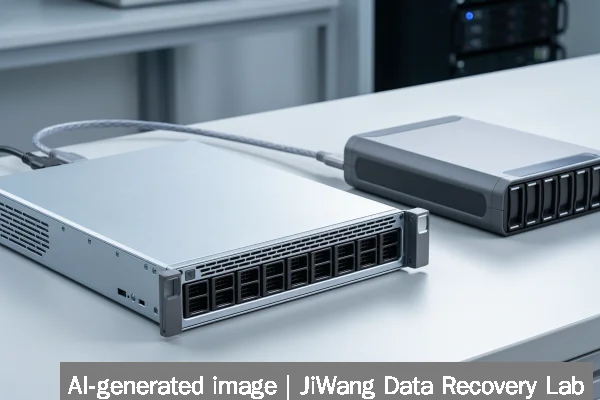
Actions to Avoid
Certain actions permanently reduce recovery probability in high-performance storage contexts:
- RAID or erasure-coding rebuilds: These assume sector-level corruption and overwrite parity blocks—destroying evidence needed to reconstruct partial writes or timing faults.
- SSD/NVMe firmware updates mid-failure: Firmware flashing resets internal wear tables and may discard pending journal entries critical to forensic reconstruction.
- Repeated power cycling of storage nodes: Can trigger unsafe controller state transitions, especially in NVMe-oF topologies where discovery state is volatile.
- Using generic disk-imaging tools (dd, Clonezilla) on live HPC volumes: May capture inconsistent buffer states or skip metadata regions not exposed via block layer.
These actions are prohibited—not discouraged—because they violate the core principle: preserve original data state before analysis.
Data-Preservation Workflow
A verified preservation workflow for AI/HPC storage incidents follows strict sequencing:
- Immediately halt all write operations to the affected namespace or bucket prefix;
- Use vendor-provided read-only export utilities (e.g., VDURA’s
export-snapshot --readonly) to create byte-identical copies of suspect datasets; - Store exported copies on isolated, write-once media (e.g., LTO-9 tapes with WORM enabled or S3 Object Lock-compliant buckets);
- Perform checksum validation (
sha256sumorshasum -a 256) on both source and copy before releasing the original volume from quarantine; - Only then begin forensic analysis—using application-layer validation (e.g., PyTorch checkpoint loader + tensor shape verification) rather than filesystem-level inspection.
This workflow respects the reality that AI data integrity is defined by semantic correctness—not just bit-for-bit accuracy.
Frequently Asked Questions
Can I recover a corrupted ML checkpoint using standard file carving tools?
No. Checkpoint files (e.g., PyTorch .pt or TensorFlow .ckpt) contain structured binary metadata, tensor layouts, and version headers. File carving tools operate at the unstructured block level and cannot reconstruct interdependent tensor offsets or validate parameter serialization order. Recovery requires application-aware parsing—not raw sector recovery.
Does immutability guarantee protection against accidental deletion?
Not automatically. Immutability policies must be enforced at the object or bucket level—not just the filesystem layer. A POSIX mount with immutable attributes can still be overridden by root-level remount commands or container runtime privileges. True immutability requires backend enforcement (e.g., S3 Object Lock, Veeam hardened repositories, or VDURA’s native lock API if implemented).
Is RAID 6 sufficient for AI training storage resilience?
RAID 6 protects against two simultaneous drive failures but does not prevent silent corruption, write holes, or metadata inconsistency across distributed namespaces. In AI workloads, the greater risk is not drive loss—it’s undetected partial writes during multi-terabyte checkpoint saves. Modern platforms mitigate this with end-to-end checksumming, not wider parity stripes.
Should I trust cloud-based backup for on-prem HPC storage?
Only if the cloud target enforces strict immutability, provides cryptographic verification of restores, and separates control plane credentials from data plane access. Public cloud backups are vulnerable to credential compromise, misconfigured lifecycle policies, and cross-tenant metadata leaks—risks documented in the Omdia immutability gap report.
What makes AI storage different from general-purpose backup?
AI storage demands temporal consistency across petabytes—not just point-in-time snapshots. A valid recovery requires matching input data, model weights, optimizer state, and random seed across all nodes in a distributed training job. General-purpose backup tools rarely track or validate this cross-node dependency graph.