
WD5003ABYX-01WERA1 Failure: Stop Powering On and Assess Damage
Published 2026-09-14 | JiWang Data Recovery Technical Team
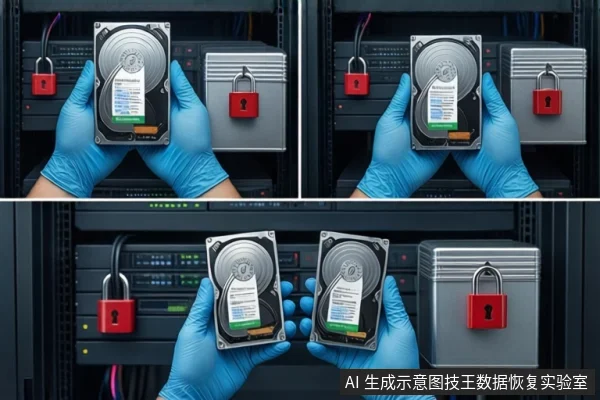
If your WD5003ABYX-01WERA1 enterprise hard drive is clicking, grinding, or failing to spin, disconnect power immediately. For logical errors where the drive is stable, stop all write operations and create a read-only image before attempting recovery. This 500GB SATA drive is designed for high-density enterprise use, meaning its internal components are more sensitive to environmental contaminants and mechanical stress than consumer drives. Incorrect handling can turn a recoverable logical issue into a permanent physical failure.
Immediate Safety Protocol: Stop Writing and Power Management
The first step in any data recovery scenario is to prevent further damage. For the WD5003ABYX-01WERA1, this involves strict power management and write inhibition.
- Disconnect Power: If the drive is making rhythmic clicking, grinding, or sharp friction sounds, it indicates physical head collision or platter scratching. Powering it on further will likely cause irreversible damage. Disconnect it immediately.
- Stop Write Operations: If the drive is recognized but files are missing or corrupted, do not install recovery software on the affected drive. Do not run disk checks (Chkdsk) or format the drive. These actions modify the file system and can overwrite the very data you are trying to save.
- Limit Power-On Time: Even if the drive seems stable, every second of operation increases mechanical wear. If the drive is slow or lagging, limit power-on time to the minimum necessary for assessment.
Diagnosing Failure Types: Physical vs. Logical vs. Firmware
Understanding the nature of the failure determines the correct recovery path. The WD5003ABYX-01WERA1 typically exhibits three distinct failure categories:
- Physical Failure:
- Symptoms: Clicking, grinding, no spin, or complete unresponsiveness.
- Assessment: Indicates head damage, motor seizure, or PCB failure. This is a critical state where software tools are ineffective and dangerous.
- Action: Do not attempt software scans. Professional cleanroom intervention is required to replace heads or repair the motor.
- Firmware Failure:
- Symptoms: Drive spins but is not recognized by BIOS, or shows incorrect capacity (e.g., a few MB instead of 500GB).
- Assessment: The drive’s internal control logic is corrupted. It cannot complete initialization or locate data sectors correctly.
- Action: Requires specialized firmware repair tools. Standard OS-level recovery software will not work.
- Logical Failure:
- Symptoms: Drive is recognized, reads normally, but files are missing, corrupted, or partitions are lost.
- Assessment: File system errors, accidental deletion, or formatting. The physical media is likely intact.
- Action: This is the most recoverable state. Stop all writes and create a read-only image. Recovery can then be performed on the image, keeping the original drive safe.
The Role of Read-Only Imaging in Enterprise Drive Recovery
For the WD5003ABYX-01WERA1, the standard safe procedure is to create a bit-for-bit read-only image of the drive before any data extraction. This process serves two critical purposes:
- Preservation: It creates a static copy of the data. If the original drive fails during the recovery process, the image remains intact.
- Stability: Recovery software often performs intensive reads. Imaging allows the drive to be powered off while the complex analysis and reconstruction are performed on the image file, reducing the risk of mechanical failure during the process.
Note: Imaging is only safe if the drive is physically stable. If the drive is clicking or has bad sectors that cause the head to hang, imaging may exacerbate the damage. In such cases, professional hardware-level repair is necessary first.
Why Self-Service Tools Are Dangerous for WD5003ABYX-01WERA1
Many users attempt to use consumer-grade data recovery software on enterprise drives. This is risky for several reasons:
- High-Density Platters: The WD5003ABYX-01WERA1 uses high-density platters. If the drive has physical issues, the read heads may struggle to locate data. Software scans force the heads to retry repeatedly, increasing the chance of head crashes and platter scratches.
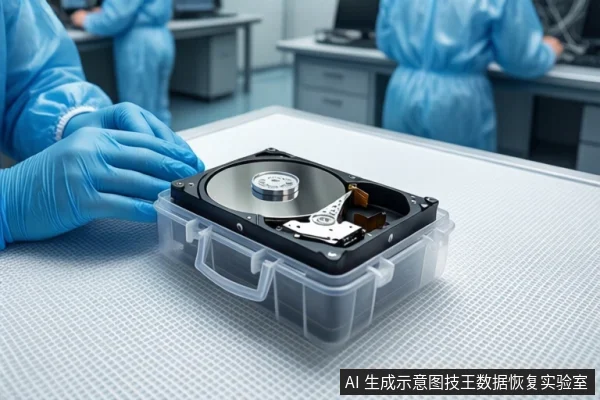
- Cleanroom Requirements: If the drive requires physical repair (e.g., head replacement), it must be opened in an ISO Class 5 or better cleanroom. Opening it in a home or office environment will introduce dust particles that are larger than the gap between the head and platter, causing immediate and permanent data loss.
- Firmware Complexity: Enterprise drives have complex firmware areas (Service Area) that consumer tools cannot access or repair. Attempting to force recognition with generic tools can corrupt the firmware further.
For a reliable assessment, it is best to consult a professional service like SOSIT Data Recovery Lab, which has the specialized equipment and cleanroom environment required for enterprise-grade drives. Assessing the value of data recovery can help you decide if the cost is justified based on the criticality of the data.
Frequently Asked Questions
Can I recover data from a WD5003ABYX-01WERA1 that is making clicking noises?
No, not with software. Clicking indicates physical head damage. You must stop powering on the drive immediately. Recovery requires professional cleanroom service to replace the heads and image the data. Attempting software recovery will likely destroy the data.
Is it safe to use data recovery software on this drive if it is still recognized?
It is safer than doing nothing, but it is not the best practice. If the drive is stable and has no physical symptoms, you can create a read-only image first. Then, run recovery software on the image. Never run recovery software directly on the original drive if you can avoid it, as this increases the risk of overwriting data.
What is the difference between backup and data recovery for this enterprise drive?
Backup is a preventive measure that copies data to another medium. It only restores data up to the last backup time. Data recovery is a remedial technique that attempts to extract data from a failed or corrupted drive. Backup cannot recover data created after the last backup, nor can it fix physical damage to the drive itself.