
Consequence of Breaking SQL Restore Chain During Dynamics 365 PITR
Published 2026-11-26 | JiWang Data Recovery Technical Team

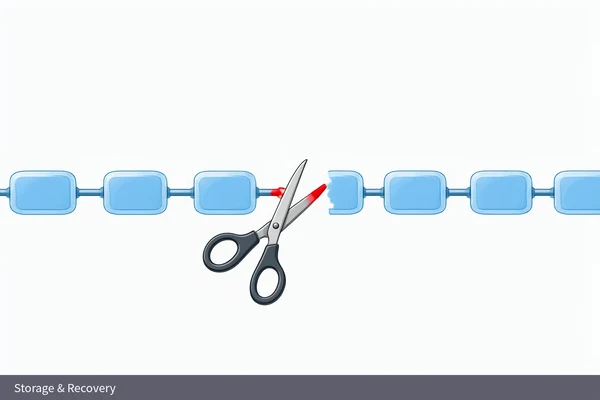
Executing a point-in-time restore (PITR), database refresh, or rollback in Microsoft Dynamics 365 Finance & Operations breaks the continuous SQL database chain of available restore points. This action severs the automated backup lineage, meaning subsequent incremental backups may no longer be recoverable to the original timeline. Consequently, you lose the ability to perform granular restores to any point between the break and the current time, effectively resetting the backup history window.
Key Takeaway: Never perform a production PITR without verifying that you have an independent, offline backup of the current state. This operation is irreversible regarding the backup chain and should only be used for catastrophic data corruption recovery, not routine testing.
Understanding the SQL Backup Chain Disruption
As a storage engineer, I view the SQL backup chain as a linked list of transaction logs. When you initiate a point-in-time restore in Dynamics 365, the system does not merely copy data; it creates a new base for the backup sequence. This operation breaks the SQL database chain of available restore points, a critical constraint often overlooked by administrators.
The technical mechanism works as follows:
- Severing the Link: The restore operation establishes a new recovery point. All incremental backups taken after the restore point in time are no longer part of the valid recovery path for the pre-restore state.
- Lost Granularity: You cannot restore to a moment between the break point and the current time using the old chain. The timeline is effectively reset.
- Retention Policy Impact: While Microsoft maintains automated backups for 28 days for production and 7 days for sandbox environments, this retention applies to the new chain starting from the restore. The historical chain leading up to the restore is discarded for recovery purposes.
This disruption is not a bug; it is a fundamental property of SQL Server recovery models. Once the chain is broken, the previous sequence of log backups becomes orphaned and unusable for point-in-time recovery.
Operational Risks: Downtime and Data Loss Windows
Beyond the technical chain break, the operational impact on a live environment is severe. Restoring a production database is not a routine lifecycle operation; it is an emergency procedure for significant data corruption.
Primary Risks:
- Extended Downtime: A full database restore can take multiple hours, depending on the database size. During this window, the production environment is unavailable.
- SQL Data Loss: You will lose all data entered after the selected restore point. The amount of data loss is directly proportional to how far back you choose to restore.
- In-Progress State: The restored database is provided "as is." Batch jobs, workflows, and other data elements may be left in an in-progress state, requiring manual review and synchronization.
Comparison of Environment Impacts:
| Environment Type | Backup Retention Period | Primary Risk Factor | Recommended Use Case |
|---|---|---|---|
| Sandbox (UAT) | 7 Days | Minor data inconsistency | Routine testing, customization validation |
| Production | 28 Days | Chain Break & Major Downtime | Catastrophic data corruption recovery only |
For sandbox environments, the chain break is less critical because the environment is ephemeral. In production, however, breaking the chain removes your safety net for the next 28 days, leaving you vulnerable to any new corruption until the next full backup cycle completes.
Step-by-Step Execution and Rollback Mechanics
To mitigate the risks of breaking the SQL chain, you must follow strict execution protocols. If the restore fails, the system attempts to automatically roll back to the pre-restore state. However, this rollback is not always sufficient.
Execution Protocol:
- Navigate to Environment Details: Go to your target production or sandbox Environment Details page in Lifecycle Services.
- Initiate Move Database: Select Maintain > Move database.
- Select Point-in-Time Restore: Choose the specific timestamp for the restore.
- Review Warnings: Acknowledge the warnings regarding data loss and chain breaking.
- Monitor Logs: Use the Environment change history page to download logs if the operation fails.
When Rollback is Required: A manual rollback is often required if a customization in the target sandbox environment cannot complete a database synchronization with the newly restored data. In production, if the restore fails, the system rolls back, but you must verify the integrity of the backup chain afterward. If the chain is broken, you must immediately schedule a new full backup to establish a new, valid recovery point.
Related Reading
- Managing Staging Storage Account Costs During Disk Restoration
- Z1P3EQL5 Storage Device Not Recognized: Safe Troubleshooting Sequence and Stop Conditions
- Purpose of Restore Files or Folders Wizard in Windows Backup
Frequently Asked Questions
Does a failed point-in-time restore automatically preserve the original backup chain?
Yes, if the restore operation fails, the system automatically rolls back to the state before the restore began. This preserves the original SQL backup chain because the disruptive operation was never committed. However, you must verify the rollback via the Environment change history logs to ensure no partial data corruption occurred.
How long does a production database restore typically take to complete?
A production database restore can take multiple hours, depending entirely on the size of the database. This duration directly correlates to the amount of downtime your business will experience, making it critical to schedule these operations during maintenance windows.
Can I recover data lost during the gap created by breaking the restore chain?
No. Once the SQL database chain is broken by a PITR, you lose the ability to perform granular restores to any point between the break and the current time. The only way to recover data from that gap is if you have an independent, offline backup taken before the restore operation was executed.